Merging Mesh Nodes with Identical Materials (New for 6.1)
When a model contains multiple mesh components that are using identical
materials, then system resources will be consumed for the number of Draw Calls.
By merging these components together, the draw call number can be minimized, which
relieves the loading of the system resources and increases the performance for creating
an animation in iClone.
Optimizing Mesh Nodes
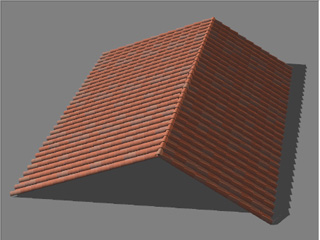
Load a model composed of multiple component meshes.
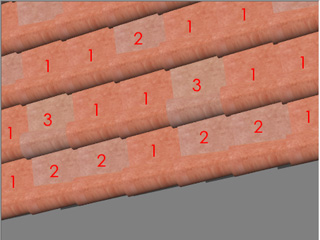
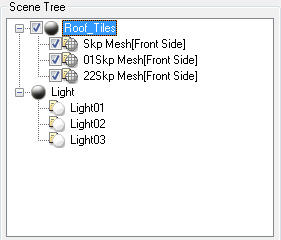
In this case, there are various tile entities applied with 3 different materials.
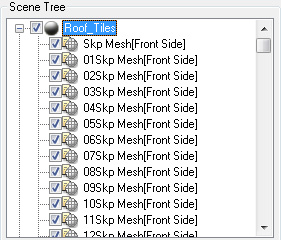
In the Scene Tree, there are many component mesh nodes, which increase the
draw calls in accordance with the number of the nodes.
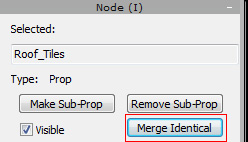
Select the root node of the model.
In the Node Section of the Modify panel, click on the Merge Identical button.
As you may see, the component meshes that are applied with identical materials are merged into
one single component mesh, which decreases the number of draw calls in order to save the process times
of the CPU.
Note:
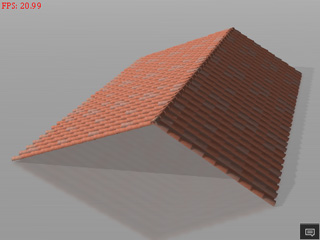
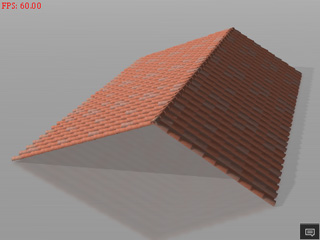
When exporting the model to iClone, you will see the status of the FPS before and after the
optimization. Especially when the object is duplicated to create
numerous copies.
The model without being optimized FPS: 20.99
The model being optimized FPS: 60
Draw Call
The Draw Call means that the CPU gets the material data of a 3D entity, and then
passes the entity with the material data to the GPU for rendering in the view port.
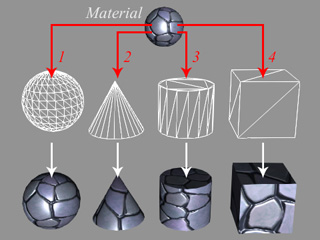
Therefore the more entities, no matter if they are applied with an identical material
or not, the more draw calls are needed, which will occupy the working ability of the CPU
and degrade performance.
This concept is shown in the illustration below (the red arrows are the draw calls):
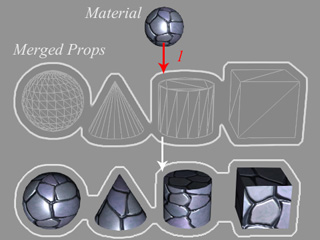
However, by merging the entities that use identical materials, into one, the CPU only needs
one draw call to render the merged object, which tremendously decreases the loading of the
CPU and increases the rendering performance.
This concept is shown in the illustration below (the red arrow is the draw call):