Bone Settings
|
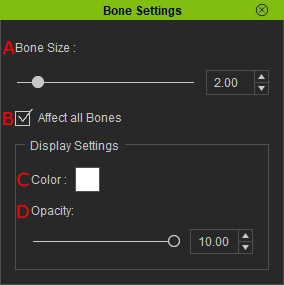
A |
Bone Size |
Allows you to adjust the size of the selected character's bone model. A higher number equates to large draw size. |
|
B |
Affect all Bones |
Enabling this option will apply the Bone Size settings to all the bones in the selected character. |
|
C |
Color |
Choose an option from the color swatch to apply a color to the selected bones. |
|
D |
Opacity |
Changes the opacity of the bones of the selected model. A lower number equate to more transparency. |
