Force Symmetry and Finger Joints
In the Check Model step, you can activate the Force Symmetry checkbox for a symmetrical model and accelerate the joint repositioning process, especially for the finger joints in the Rig Hand step:
- Activate the Force Symmetry checkbox in the
Check Model step.
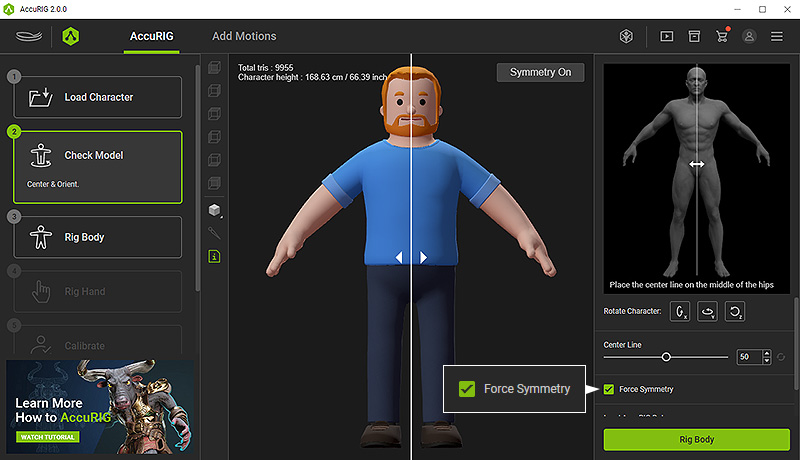
- Finish the Rig Body step, go to the Rig Handstep.
- In the Rig Hand step, you can only
reposition the left-hand joints to simultaneously edit both hands.
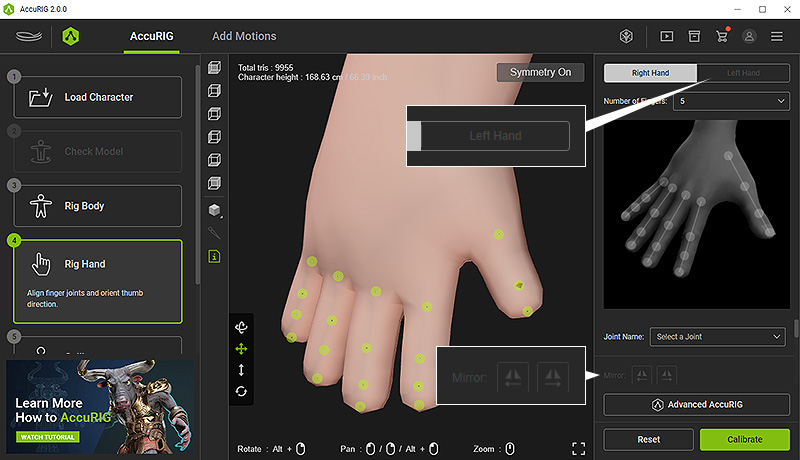
- The Left Hand tab is disabled because Force Symmetry feature will automatically mirror and set the finger joints for the left hand.
- The Mirror buttons are also disabled due to the aforementioned reason.
