Auto Sync Package and Wheel between Tabs
ActorMIXER 1.1 introduced Auto Sync, allowing the selected Package and Wheel to be synchronized across the Character, Head, and Body tabs. This makes it easier to maintain a consistent set of Mixer Presets when switching between different character parts.
Auto Sync
Under the Package and Wheel selectors, enable the corresponding checkboxes to automatically synchronize them between tabs. Both options are enabled by default.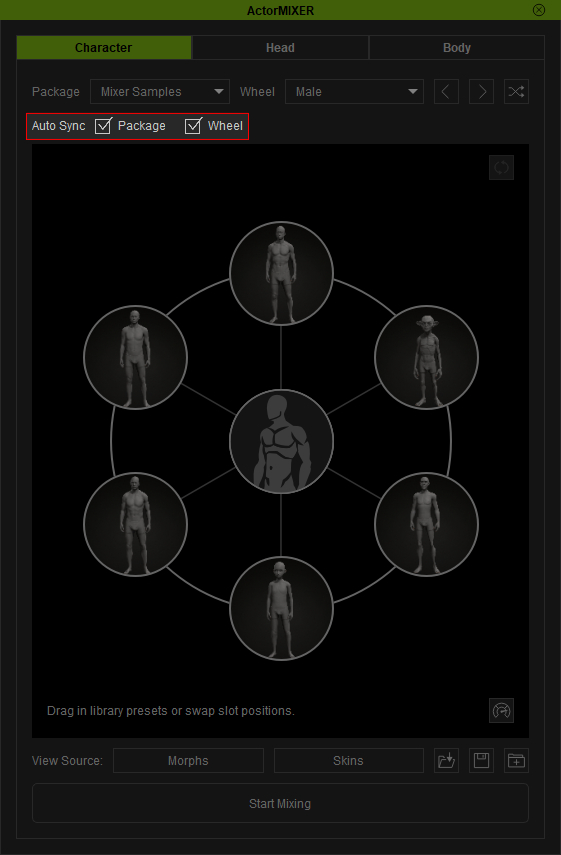
- Package: Synchronizes the selected Package across the Character, Head, and Body tabs.
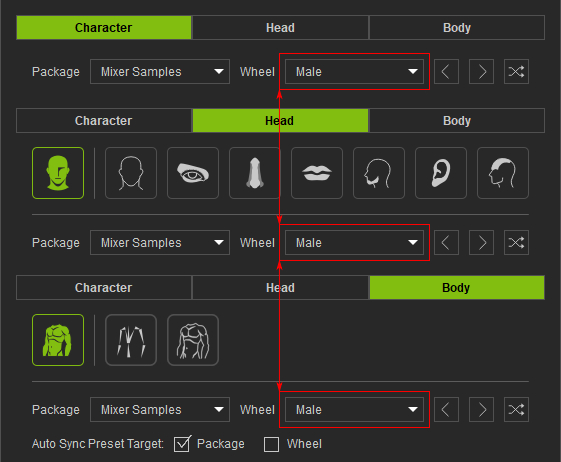
- Wheel: Synchronizes the selected Wheel across the Character, Head, and Body tabs.
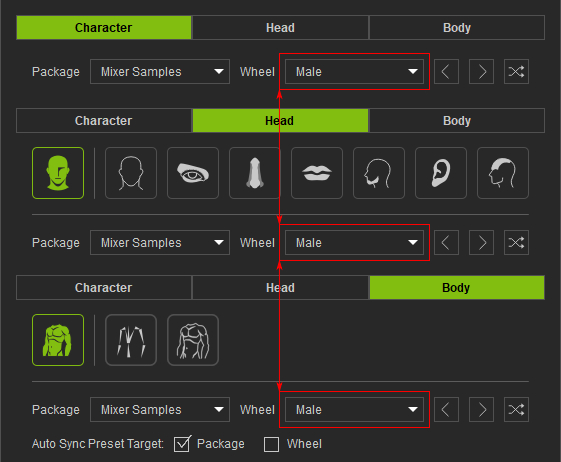
When enabled, selecting a Package or Wheel in one tab automatically selects the corresponding preset in the other tabs.
Note:
Synchronization only applies when the corresponding Package or Wheel is available for the selected tab.
