Finding iBuildingConfigs and iBuildings
Use the Smart Gallery search bar to locate configuration files (*.iBuildingConfig) and buildings (*.iBuilding).
 Note:
Note:
iBuildingConfig files are either sourced from the building packages you have made or purchased from the Reallusion Content Store.
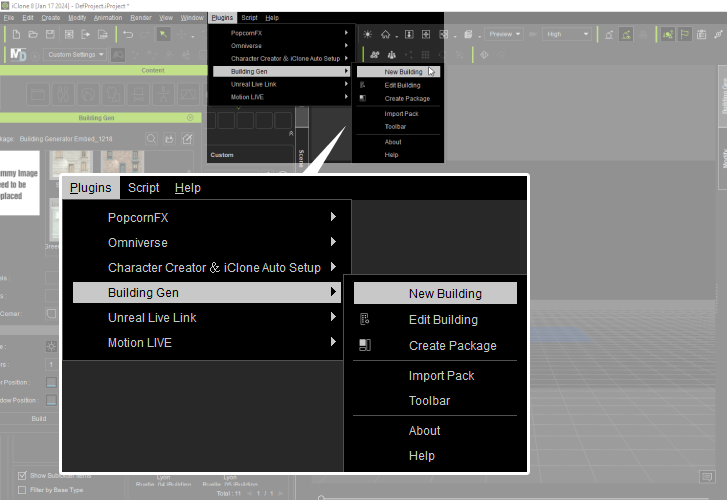
- Open the New Building panel via Plugins > BuildingGen > New Building.
- The New Building panel will appear.
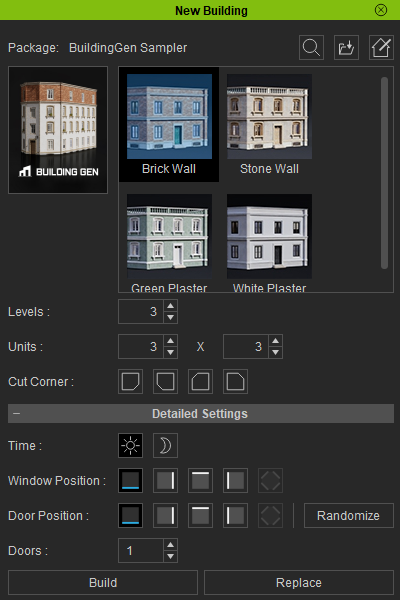
- Click the Search Smart Gallery icon.
.png)
- Double-click on the iBuildingConfig file you wish to use in the New Building panel.
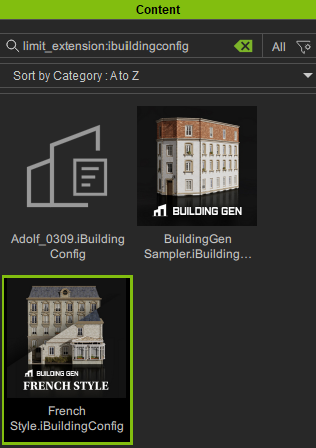
Existing and downloadable buildings and configurations will appear in the Content panel..png)
