Reordering building levels
The BuildingGen dockable panel lets you freely adjust the position of each building level. This lets you craft distinctive designs not achievable with the standard blueprint gizmo.
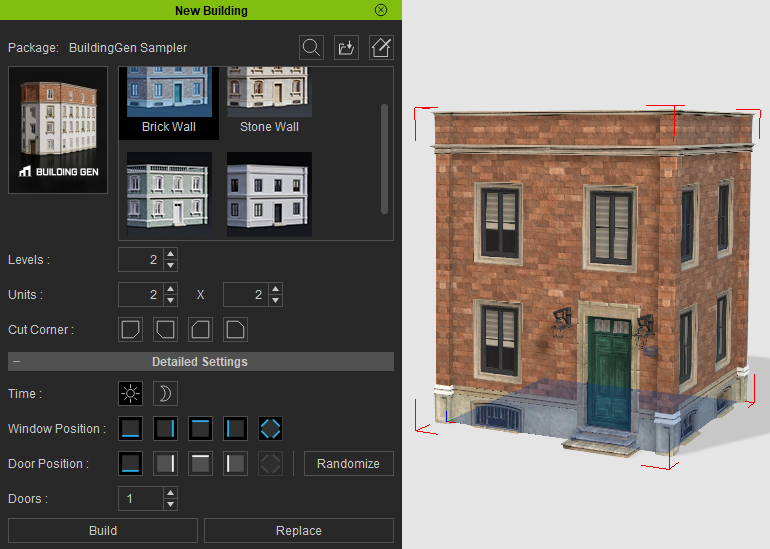
- After the creation of a building, close the New Building panel and select it.
- Navigate to BuildingGen > Building Settings > Level List.
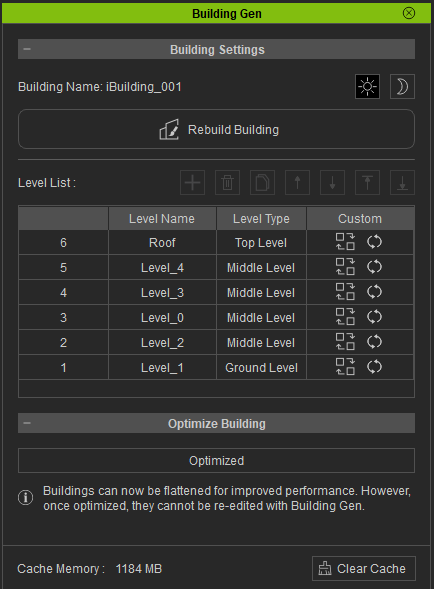
- Choose the level you wish to reposition in the Level List. In the viewport, the selected level will be highlighted with a red bounding box.
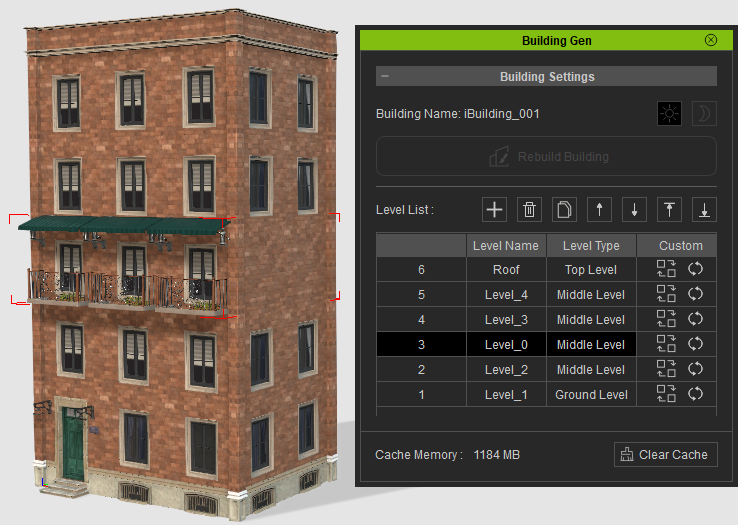
- At the right side of the Level List use the Move buttons to move the selected level up or down.

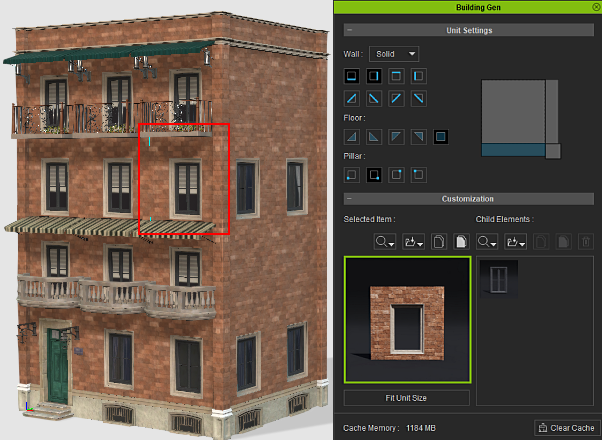
- Once the levels have been readjusted, you can edit individual unit details by selecting with the Unit Settings panel.
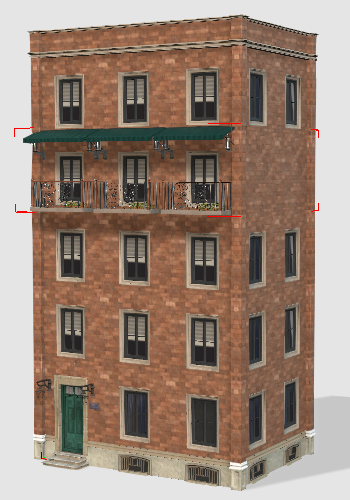
|
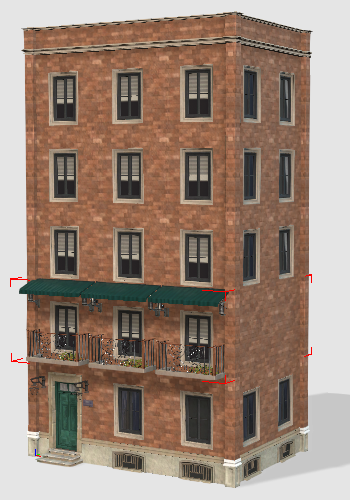
|
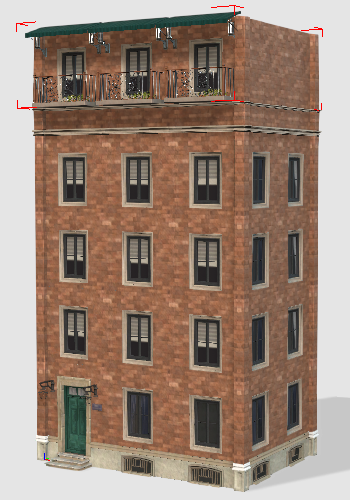
|
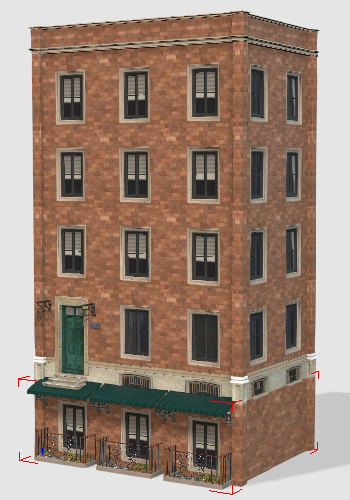
|
|
Moving the floor up a level. |
Moving the floor down a level. |
Moving the floor to the top level. |
Moving the floor to the bottom level. |
You can also select multiple building levels and shift them around.
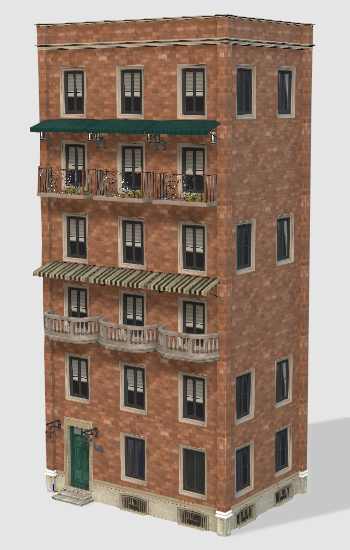 | 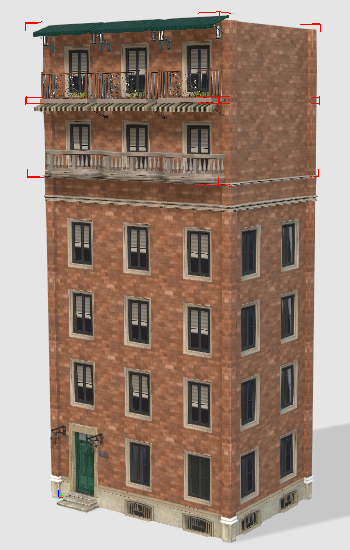 | 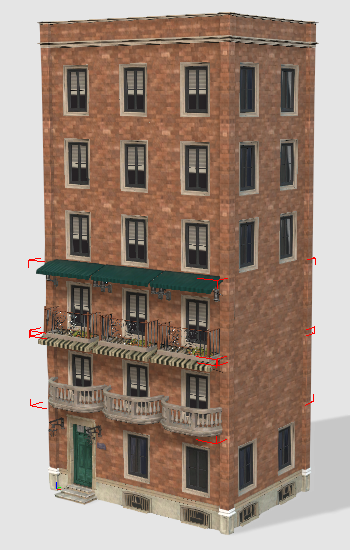 | | 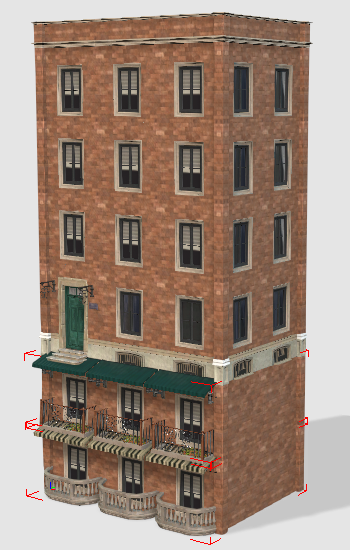 |
The original building. | Moving the floor up a level. | Moving the floor down a level. | Moving the floor to the top level. | Moving the floor to the bottom level. |
