Basic Material Settings
The basic material settings are the parameters or textures that map directly to iClone and Character Creator. You can either adjust these settings in iClone / Character Creator or in Unreal. In Unreal, they can be found in either Standard, LW or HQ materials. Please refer to the tutorial video for more information.
- Take the Head Standard material and its Base Color as an example, the mapped settings are Texture, Color, Strength, UV Tiling and UV Offset.

- You can also find the settings for the rest of the channels from the sections in the Details panel.

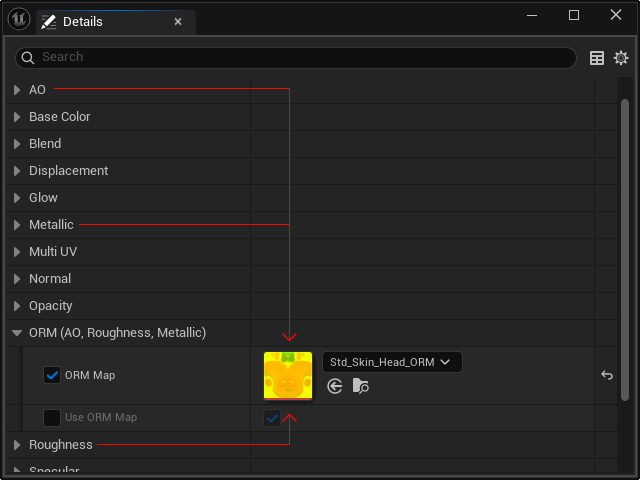
- Keep in mind that the AO, Roughness and Metallic textures will be merged and put into one channel in ORM section.

And the parameters for them can be found in the AO, Roughness and Metallic sections.