Digital Human Eye settings
Left / Right Eye: Use these two radio buttons to select and display one of the eye settings below.
- Common

- SSS Color: Determines the color of the light that passes through the eyeballs.
- IOR: Adjusts the slider to define how much light bends when passing through the cornea and aqueous humor. The higher the value, the more the light bends.


IOR = 1.000
IOR = 5.000
- SSS Strength: This value controls the visibility of the SSS color applied to the eyes.
- Specular Scale: Adjust this value to determine the size of the specularity on the eye, the higher the value, the larger the specular highlights appear on the skin.
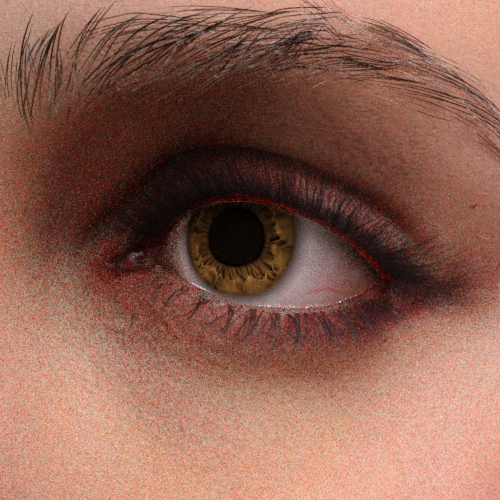

Specular Scale = 0.000
Specular Scale = 1.000
- Iris
- Iris Color: This setting blends a color onto the iris Base Color map.
Before and after changing the color of the iris color to green.

- Iris Cloudy Color: Uses the color swatch to determine the color of the aqueous humor.
Before and after changing the color of the aqueous humor color to purple.
- Iris Inner Color: Uses the color swatch to determine the color of the inner part of the iris.
Before and after changing the color of the inner iris color to dark green.
- Iris Roughness: Use this slider to set the smoothness of the corneas.

Iris Roughness = -1.500
Iris Roughness = 1.500
- Iris Color Brightness: Use the slider to set the lightness of the iris.


Iris Color Brightness = 1.950
Iris Color Brightness = 5.000
- Pupil Scale: Adjusts the size of the pupil.

Pupil Scale = 0.970
Pupil Scale = 0.910
- Iris Inner Scale: Adjust this slider to change the size of the inner iris.

Iris Inner Scale = 0.100
Iris Inner Scale = 0.150
- Iris UV Radius: This setting determines the size of the iris and cornea.

Iris UV Radius = 1.000
Iris UV Radius = 0.078
- Iris Color: This setting blends a color onto the iris Base Color map.
- Limbus
- Limbus UV Width Color: This value controls the sample size for the limbus, or how much of the eye surface will be allowed for showing the limbus.

Limbus UV Width Color = 0.000
Limbus UV Width Color = 0.350
- Limbus Dark Scale: Use this slider to control the size of the darkness around the limbus.

Limbus Dark Scale = 7.042
Limbus Dark Scale = 0.000
- Limbus UV Width Color: This value controls the sample size for the limbus, or how much of the eye surface will be allowed for showing the limbus.
- Sclera
- Sclera Bloodshot Color: Use the color swatch to determine the color of the bloodshot on the eye.
- Sclera Bloodshot Strength: Determines the intensity of the bloodshot in the eyes.

Sclera Bloodshot Strength = 0.400
Sclera Bloodshot Strength = 0.990
- Sclera Bloodshot Range: Determines the range of the bloodshot coverage. Higher values equate to broader coverage.

Sclera Bloodshot Range = 0.500
Sclera Bloodshot Range = 0.000
- Sclera Normal Strength: Sets the bumpiness of the sclera.

Sclera Normal Strength = 1.000
Sclera Normal Strength = 1.980
- Sclera Flatten Normal: Sets the level of protrusion and concavity of the fine lines within the sclera region.

Sclera Flatten Normal = 1.200
Sclera Flatten Normal = -5.000
- Sclera Normal UV Scale: Change the value to define how much light bends when passing through the cornea and aqueous humor. The higher the value, the more the light bends.

Sclera Normal UV Scale = 5.000
Sclera Normal UV Scale = 0.000
- Sclera Roughness: Use the slider to control the smoothness and reflection on the sclera.

Sclera Roughness = 0.045
Sclera Roughness = -1.500
- Sclera Brightness: Change the value to determine the brightness of the eye whites.

Sclera Brightness = 1.600
Sclera Brightness = 5.000
- Sclera UV Radius: Adjust the value to define the amount of tiling for the entire eye texture (iris excluded).

Sclera UV Radius = 1.000
Sclera UV Radius = 0.580
