Digital Human Teeth settings
Upper/Lower Teeth: The teeth model consists of two separate parts, including the upper and lower jaw.
- Common

- SSS Color: Sets the translucent color for the light that diffuses throughout the teeth and gums.


Default color for the teeth.
The color blue was selected for the upper jaw.
- Edge Color: Tints the edges of the teeth.

Default color for the teeth.
Red is added to the edges of the teeth on the upper jaw.
- SSS Strength: Adjusts the SSS reflection effect to add moisture and enhance the transparency of the teeth and gums.
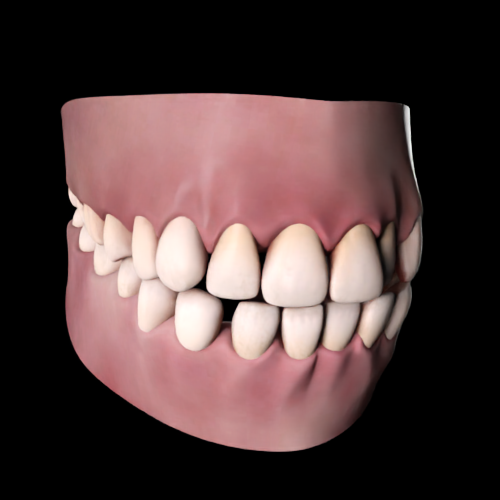

SSS Strength = 0.000
SSS Strength = 3.000
- Normal Strength: Adjusts the strength of the normal map to change the visibility of surface details like bumps, and grooves.


Normal Strength = 0.000
Normal Strength = 2.000
- Front / Rear Roughness: Changes the roughness map intensity to control how much light interacts with the teeth and gums surfaces.


Front / Rear Roughness = 0.000
Front / Rear Roughness = 1.000
- Front / Rear Specular: Adjusts the highlight intensity of the teeth and gums. A higher value will increase the appearance of highlights in these areas.


Front / Rear Specular = 0.000
Front / Rear Specular = 1.000
- SSS Color: Sets the translucent color for the light that diffuses throughout the teeth and gums.
- Teeth
- Teeth Micro Normal Tiling: This value determines the tiling frequency of the normal map on all the teeth meshes.


Teeth Micro Normal Tiling =0.000
Teeth Micro Normal Tiling =20.000
- Teeth Micro Normal Strength: Modifying this value will either intensify or soften the micro-normal map of the tongue mesh.

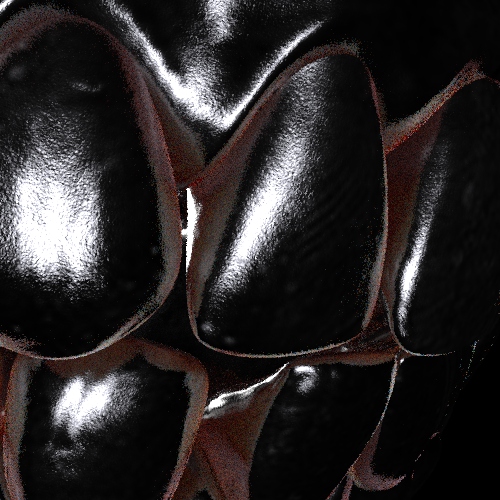
Teeth Micro Normal Strength = 0.000
Teeth Micro Normal Strength = 2.000
- Teeth Brightness: Changes the tone of the teeth’s diffuse map. A higher value equates to brighter teeth.


Teeth Brightness = 0.000
Teeth Brightness = 5.000
- Teeth Desaturation: Changes the saturation level of the teeth. A lower value saturates the teeth with a more vibrant color.
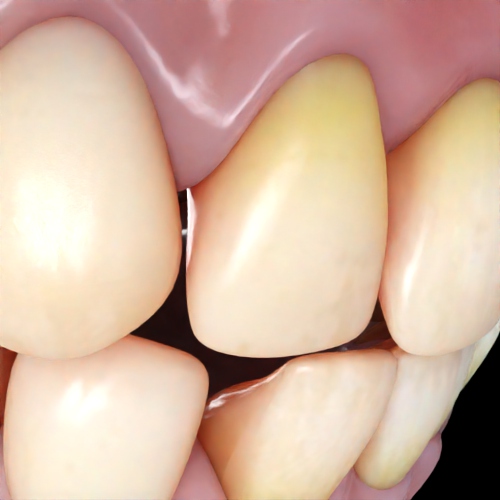

Teeth Desaturation = -0.400
Teeth Desaturation = 0.600
- Teeth Micro Normal Tiling: This value determines the tiling frequency of the normal map on all the teeth meshes.
- Gums
- Gums Micro Normal Tiling: Sets the tiling frequency of the normal on the gum mesh. A higher value results in finer normal map details.
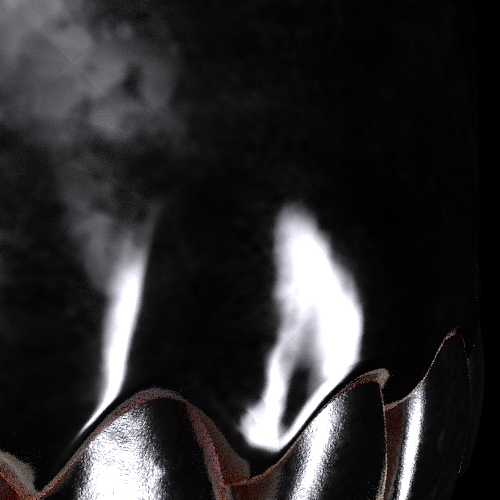

Gums Micro Normal Tiling = 0.000
Gums Micro Normal Tiling = 20.000
- Gums Micro Normal Strength: Move the slider to intensify or soften the micro normal map of the tongue mesh. A higher value increases the intensity of the normal effects.


Gums Micro Normal Strength = 0.000
Gums Micro Normal Strength = 5.000
- Gums Brightness: Adjusts the tone of the gum’s diffuse map. A higher value will make the gum appear in a lighter tone.


Gums Brightness = 0.500
Gums Brightness = 1.500
- Gums Desaturation: Adjust this value to change the saturation level of the gum. A lower value will saturate the gums with a more vibrant color.


Gums Desaturation = -0.320
Gums Desaturation = 0.280
- Gums Micro Normal Tiling: Sets the tiling frequency of the normal on the gum mesh. A higher value results in finer normal map details.
