The SVG Structures for G3 Characters
The official SVG structure for G3 Human characters is composed of four main folders: "Before Export Turn off Visibility", "RLBoneHuman:", "RLBoneHead:" and "RLImage:".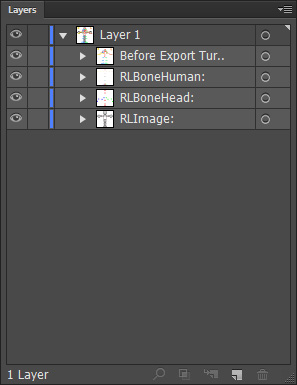
 Before Export Turn off Visibility
This main folder contains the label layers for the skeleton.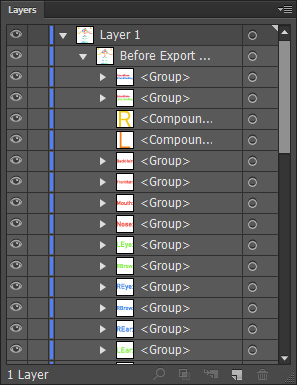
You need to turn the visibility off before saving the document for transferring the character back to Cartoon Animator because aren't required.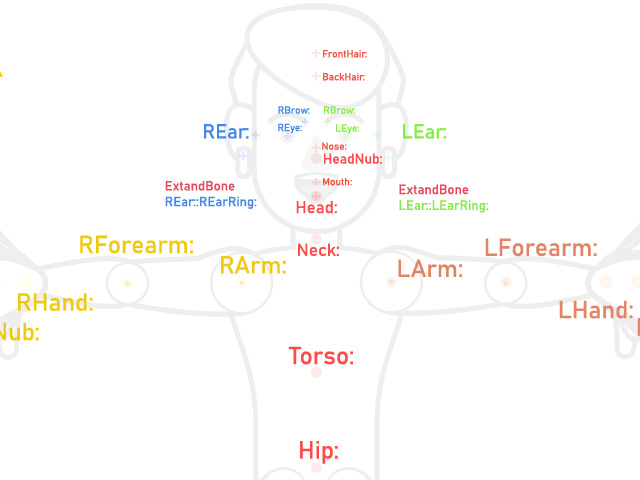
RLBoneHuman:
This main folder contains layers for the skeleton, root bone and object pivot. You can reposition the bones or pivot by moving these points.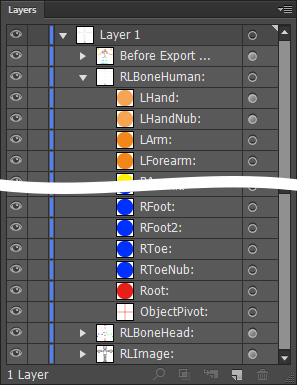
- The bones are represented by colored points. Red points are the bone root and spine, orange for the left hands, yellow for the right hands, green for the left leg and blue for the right leg.
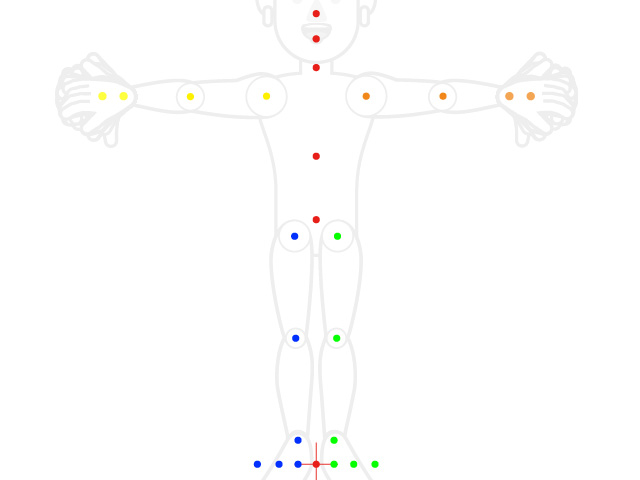
- The red point between the legs is the root.
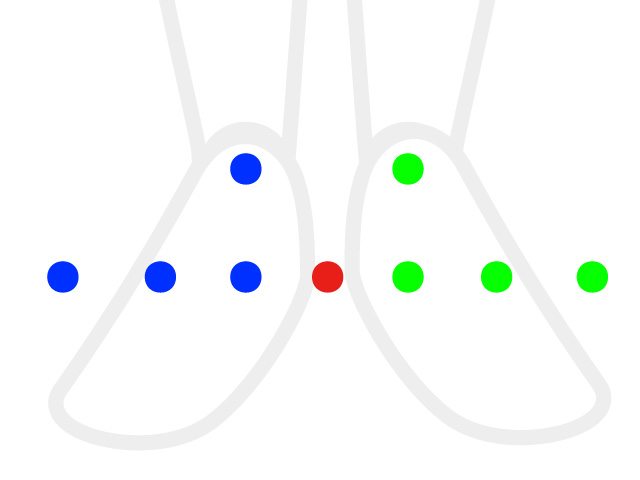
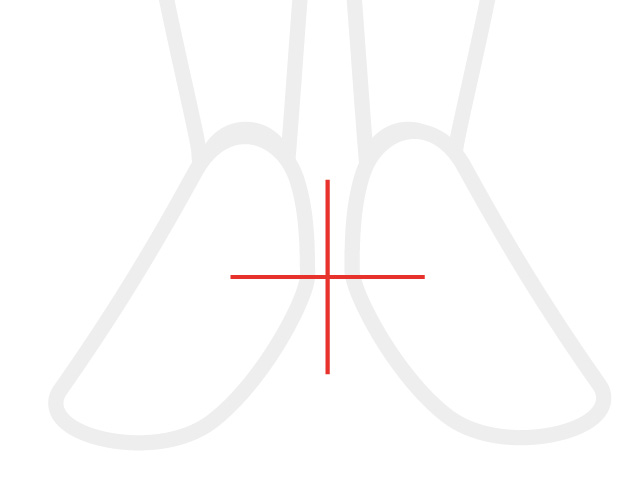
- The red cross between legs, however, is the pivot of the entire character, including the bones and the graphic components.
RLBoneHead:
This main folder contains layers of the facial bones. And you can reposition the bones by moving these points.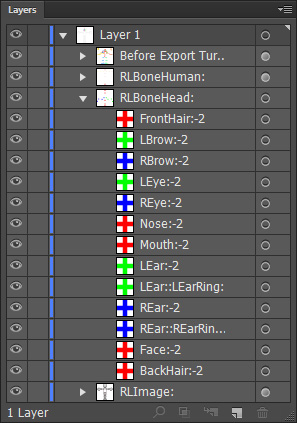
The facial bones are represented by colored crosses.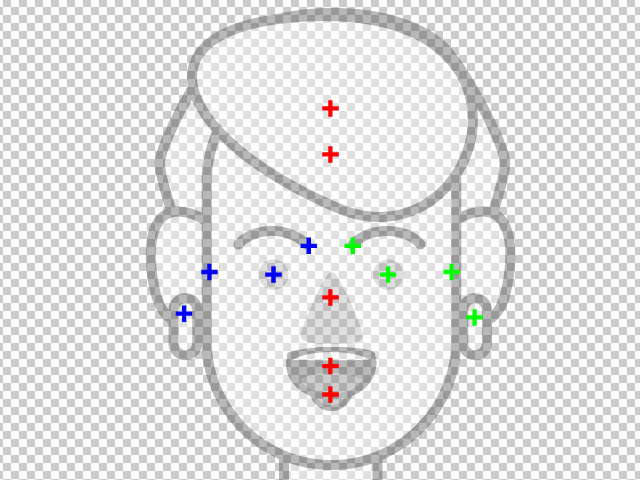
RLImage:
This main folder contains body-related and "RLImageHead:" sub-folders, in which the graphic layers build up the character's head and body.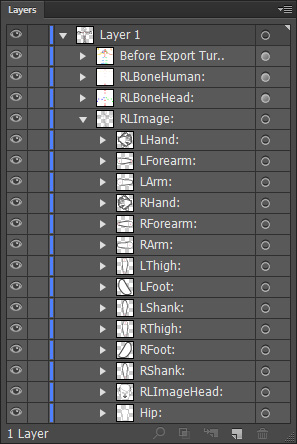
- "RLImageHead:" contains the sub-folders for each face component, including the front and back hair. The angle sub-folders are included if the components have individual graphic layers.
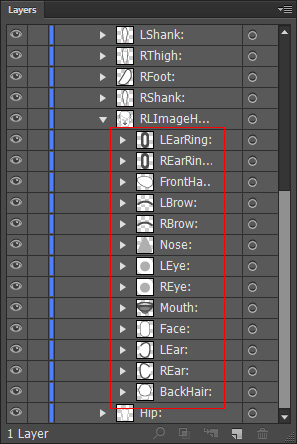
- Using the "Nose:" sub-folder as an example, if the nose contains distinct image layers for different angles, separate folders will be created for each of them.
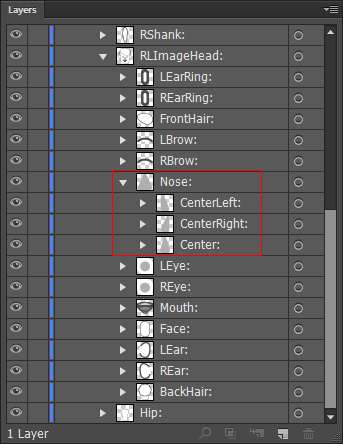
- The layer groups in this folder allow you to edit or add graphics to customize or create the character. It is important to place the facial features in their respective layer groups. Additionally, although hair is not considered a facial feature, you should add custom hair with front and back variations into specific groups.
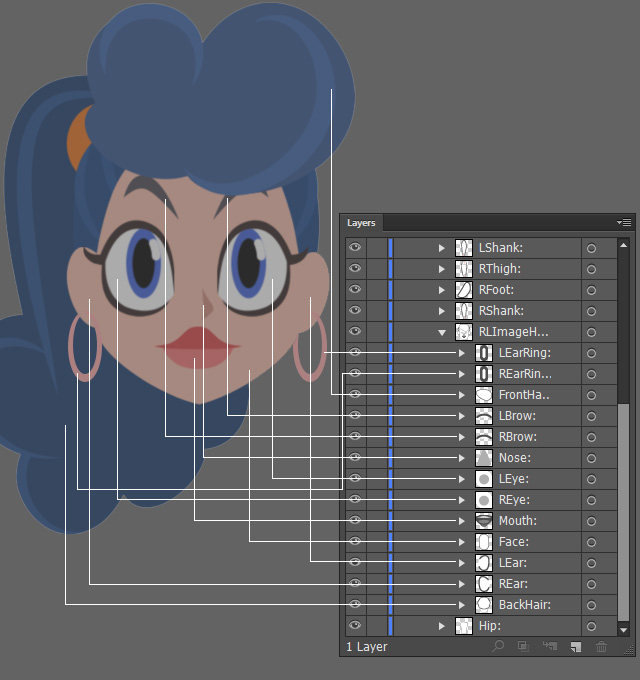
- Using the "Nose:" sub-folder as an example, if the nose contains distinct image layers for different angles, separate folders will be created for each of them.
- Within the sub-folders dedicated to body-related graphic layers, you have the flexibility to edit or add graphics to modify or create the character's body parts.
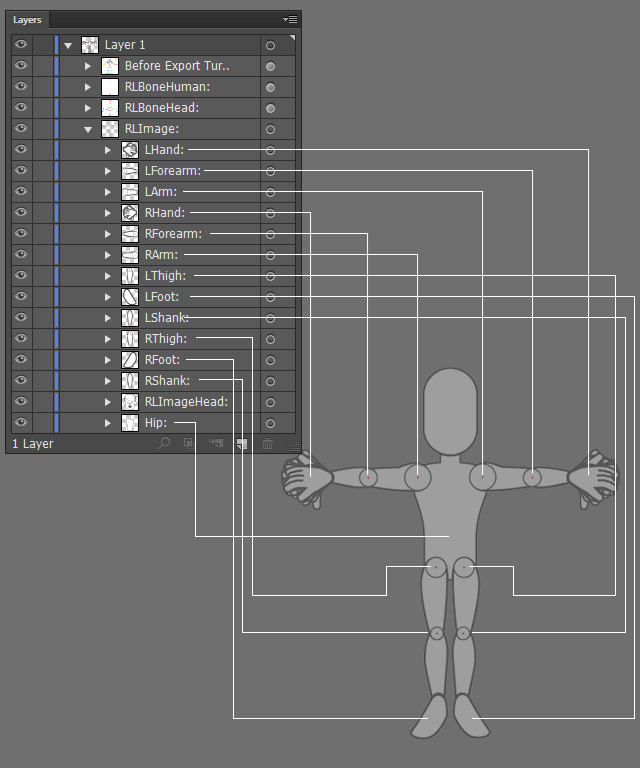
( Watch Tutorial - Animated Accessory Design )
Note:If you want to create fixed accessories such as buttons, patches, badges, etc., then put them into specific layer groups.
However, if you want to create animatable accessories in CTA, then save them as isolated SVG files instead of adding them into the groups of the body or head SVG files. Refer to the Converting Props to Accessories section for more information.
