Saving and Opening Puppet Stage Projects (New in version 5.3)
More than just saving a project that stores animations, saving Puppet Stage projects also includes applied and referenced effects from the animation cards in the Puppet Stage panel.
Saving Puppet Stage Project
- Create a project with a scene and an object (character or prop).

- Add animation cards for the character in the Puppet Stage panel. Notice that these animation cards are only references points to the actual animation-related files.

- Save the entire project to Puppet Stage Project library.
- Click the Save Project button on the toolbar.

- Click the Save button to save the Puppet Stage project to the custom library.

- Click the Save Project button on the toolbar.
- Cartoon Animator will save not only the project, but also a "Trigger Motion" folder.

In the folder, it contains all the real files referred by the animation cards of the object.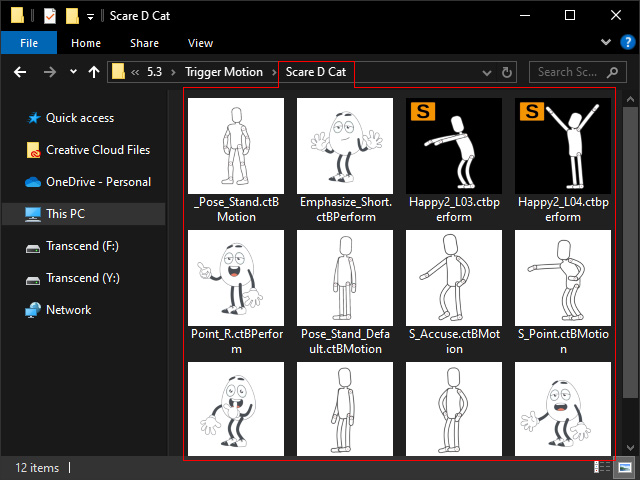
- For sharing the Puppet Stage project, you need to not only share the Puppet Stage project (*.ctPuppetStage), but also the "Trigger Motion" folder.

Opening Puppet Stage Project
- Apply the Puppet Stage project to Cartoon Animator.
- If the "Trigger Motion" folder or any files within are missing, then a dialog box will appear and request the missing files.

- Auto Search: Selects the folder containing the lost files.
- Browse: Connects the real file to the selected item in the list one by one.
- OK: Closes the panel.
- The project will be open and the Puppet Stage panel with the animation cards will be launched automatically.

