Main Menu - View
The View menu on the main menu bar contains commands for you to
modify the camera position and angle and switch to different camera views.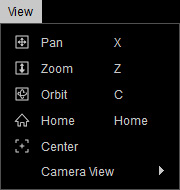
|
Pan (X) |
To pan the camera. |
|
Zoom (Z) |
To dolly in and out the camera. |
|
Orbit (C) |
To rotate the camera in the Orbit mode. |
|
Home (Home) |
To snap the camera to an isometric angle to the selected object. |
|
Center |
This command makes the camera snap to view the selected object in the current project. |
|
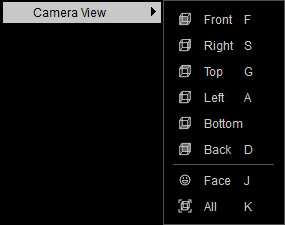
Camera View |
This item contains a sub-menu for switching the camera to different views -
Front (F), Right (S), Top (G), Left (A), Bottom, Back (D), Face (J) or All (K). |