Main Menu - Window
The Window menu on the main menu bar contains commands for you to
switch between different preset layouts and show/hide various toolbars and panels.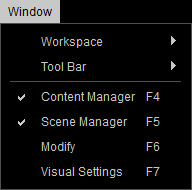
|
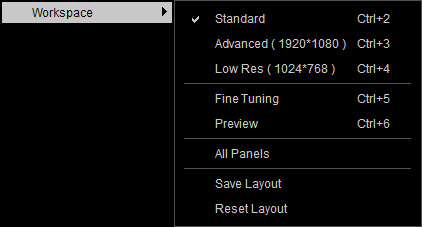
Workspace |
This item contains a sub-menu for applying preset layouts for changing the working environment.
|
|
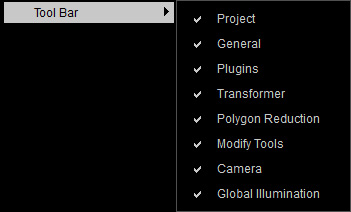
Toolbar |
This item contains a sub-menu for you to show / hide certain toolbars. |
|
Content Manager (F4) |
Opens the Content Manager panel for applying embedded or custom templates to your scene. |
|
Scene Manager (F5) |
Opens the Scene Manager panel for displaying all objects in your scene. |
|
Modify (F6) |
Opens the Modify panel for adjusting parameters of the character in the scene. |
|
Visual Settings (F7) |
Opens the Visual Settings panel for settings the Ambient Light, Ambient Occlusion, Image Based Lighting, Shadow and Post Effect in your scene. |