The Related Settings in Muscle, Expression and Modify Tabs
In the Edit Facial panel, there are three tabs, Muscle, Expression and Modify. Although they appear in separate tabs, they are actually related effect-wise.
Standard Features
- Muscle and Modify:
If you set the Expression Set to Default mode in the Muscle tab, the muscles you are adjusting are actually corresponding to the blendshapes in the Modify tab.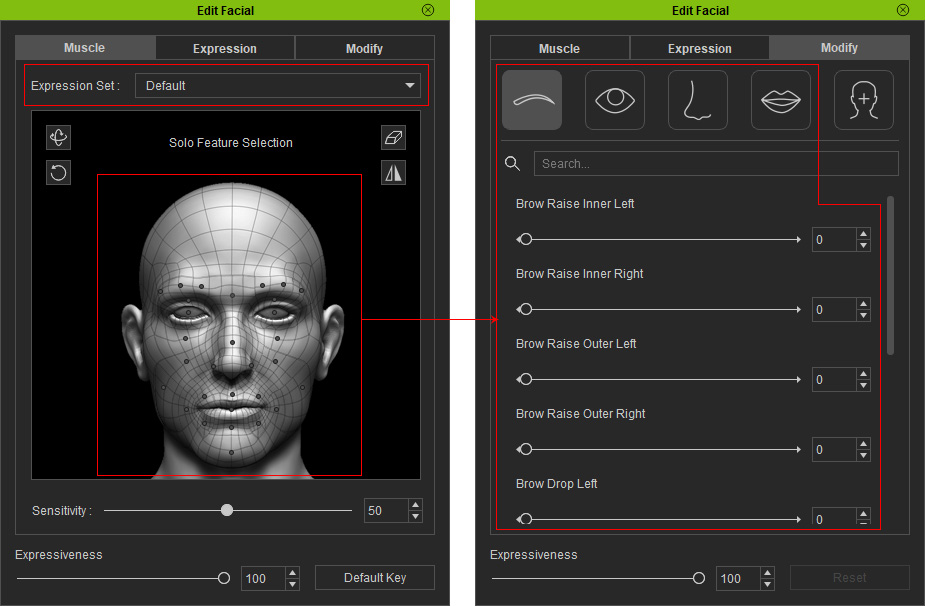
For example, select the eyebrow areas and drag up, you are actually increasing the Brow Raise Left or Right values.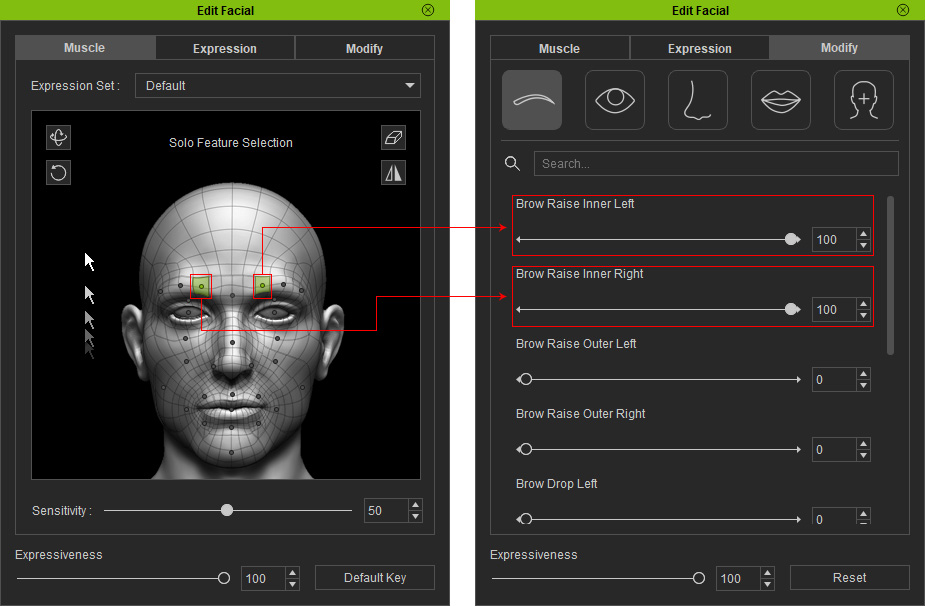
- Expression and Modify:
The presets in the legacy Expression Style are composed of different blend shape values in the Eyebrows, Eyes, Nose and Mouth pages in the Modify tab.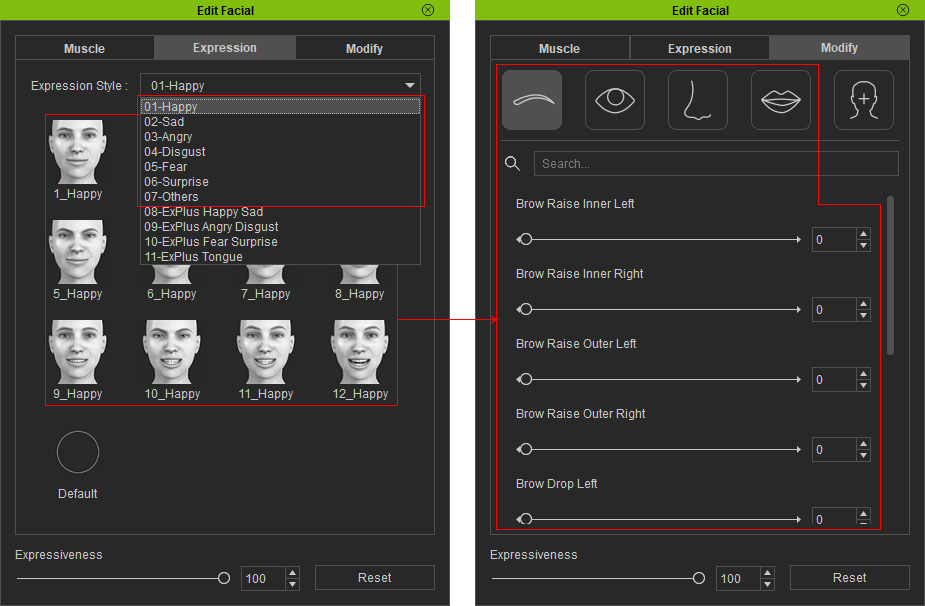
For example, the Kiss_2 in the 07-Others Expression Style is the combination of different slider values from the Eyebrows, Eyes, Nose and Mouth pages.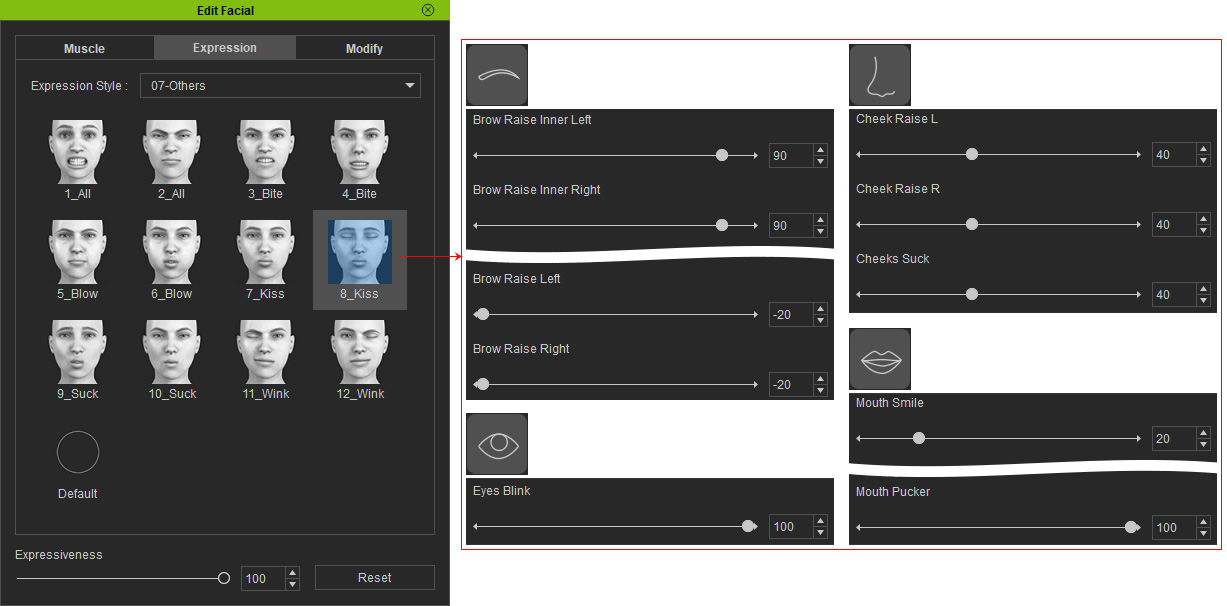
ExpressionPlus
- Muscle and Modify:
If you set the Expression Set to ExPlus mode in the Muscle tab, the muscles you are adjusting are actually corresponding to the blend-shapes in the Modify tab.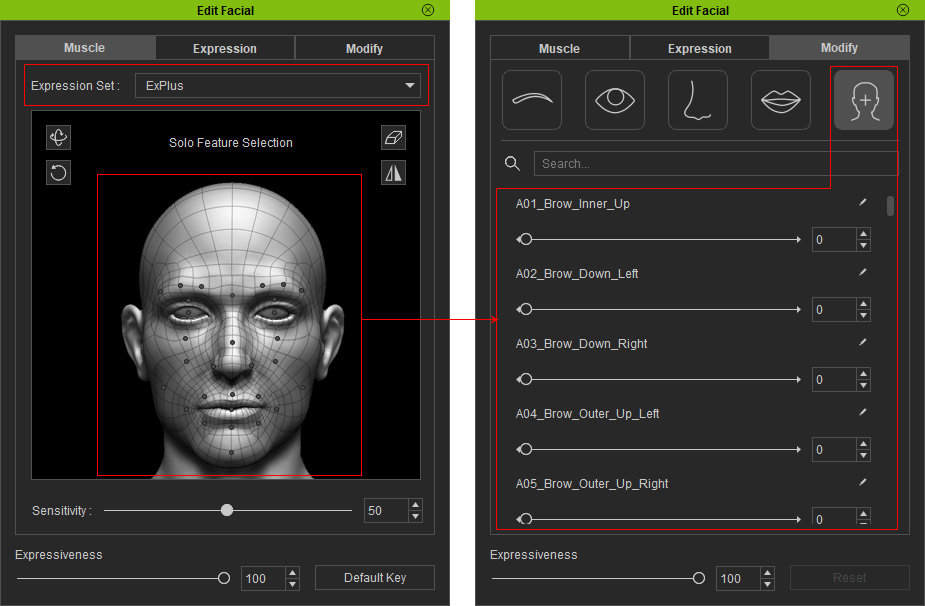
For example, select the mouth area and drag up, you are actually increasing the A30_Mouth_Pucker values.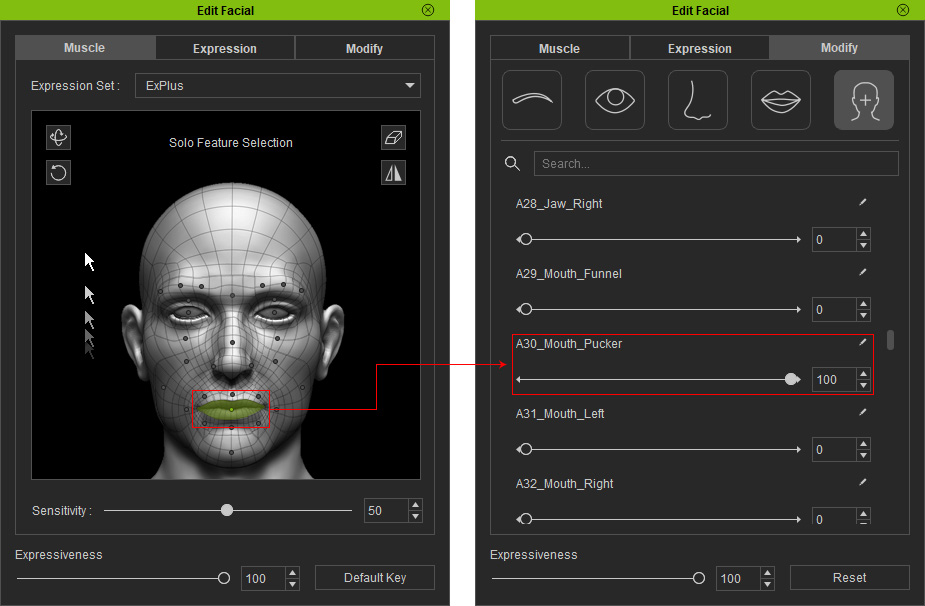
- Expression and Modify:
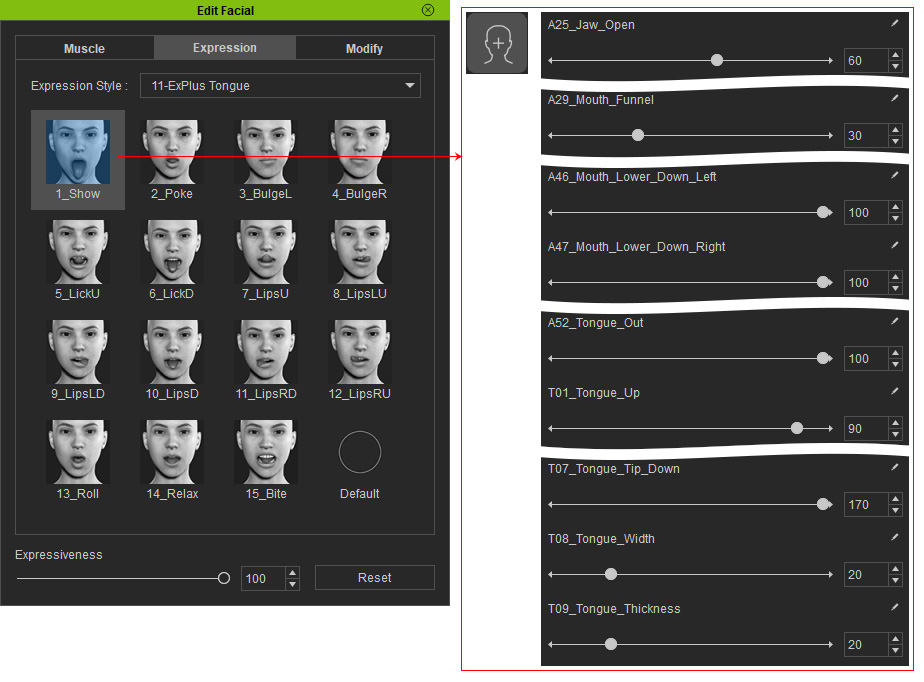
The presets in the ExpressionPlus Expression Style are composed of different blend-shape values in the Custom page in the Modify tab.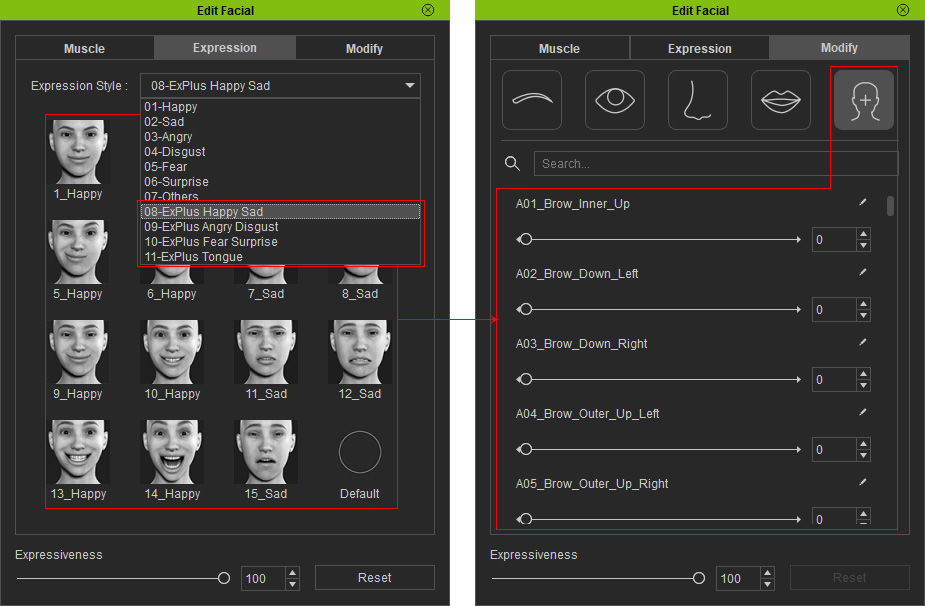
For example, the 1_Show in the 00-ExPlus Tongue Expression Style is the combination of different slider values from the Custom page.