Using UDIM for Exporting CC3 Base+ Character
The CC3 Base+ character utilize the UDIM technique to separately distribute the meshes to different grids in the UV coordinate. When you export the CC3 Base+ character, you can also determine if you want to export the character in FBX with or without UDIM.
* Note that if you want to use Substance Painter to edit the texture for any Dressed-up Characters, then the UDIM method MUST BE TURNED OFF to prevent from unexpected issues.
-
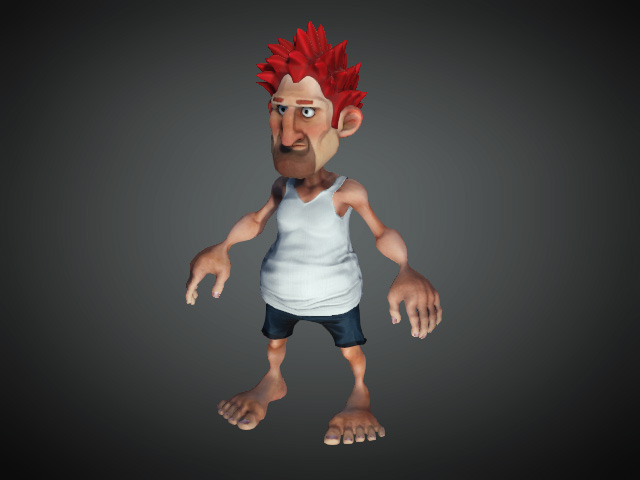
Prepare a CC3 Base+ character.
-
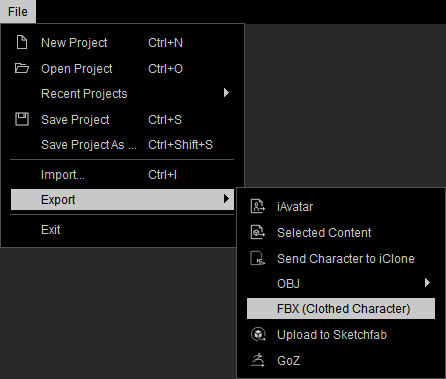
Execute File >> Export to Fbx >> Clothed Character command.
-
In the following panel, select either Target Tool Preset and activate the Embed Textures checkbox.
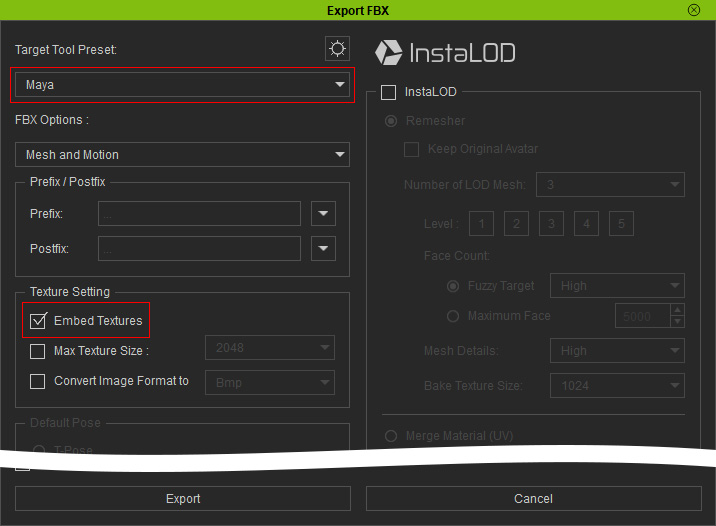
- Click the Export FBX Advanced Settings button on the top of the panel.

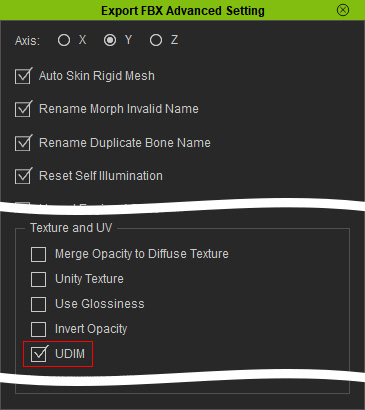
- In the Export FBX Advanced Settings panel, make sure the UDIM checkbox is activated.
-
Click the Export button on the Export FBX panel to export the character.
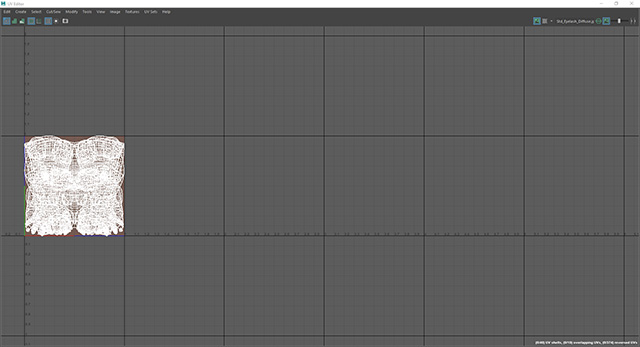
- Load the FBX file to 3D tools and open the UV Editor. You can compare the differences for UDIM and non-UDIM results.
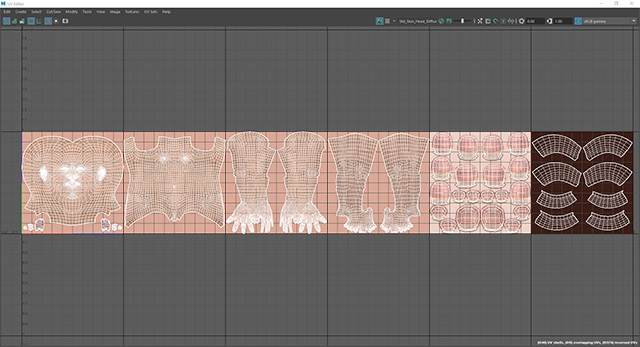
UDIM result in UV Editor; the polygons are separately put in different grid
Non-UDIM result in UV Editor; the polygons are all overlapped together
