Main Menu - Create
The Create menu on the main menu bar contains commands for creating
certain basic objects, such as props of basic shapes, particles, lights and so on.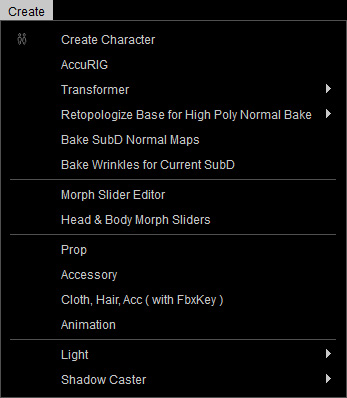
|
Create Character |
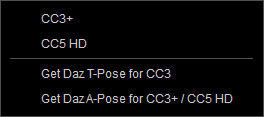
Load OBJ or FBX files to create a CC character with .ccAvatar extension. |
|
AccuRIG |
Turn on AccuRIG for selected object / character. |
|
Transformer |
|
|
Retopologize Base for High Poly Normal Bake |
|
| Bake SubD Normal Maps | Bakes normal maps from SubD mesh onto the base mesh. |
|
Bake Wrinkles for current SubD |
Bakes wrinkle details from the current SubD level into wrinkle texture maps |
|
Morph Slider Editor |
Creates a new morph slider for the character. You can have another avatar as the target morph for the slider. |
|
Head & Body Morph Sliders |
Create a morph slider using the current avatar’s shape as the target morph, allowing its head or body proportions to be reused or blended on other characters. |
|
Prop |
Load OBJ or FBX files to create a Prop with .ccProp extension |
|
Accessory |
Load OBJ or FBX files to create a Accessory with .ccAcc extension |
|
Cloth, Hair, Acc (with FbxKey) |
Load OBJ or FBX files to create custom clothes, hairs or accessories. |
|
Animation |
Load FBX or BVH files to create animation with .rlMotions extension. |
|
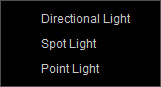
Light |
This item contains a sub-menu for creating different basic lights so that you do not need to search them in the Light libraries. |
|
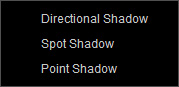
Shadow Caster |
This item contains a sub-menu for creating 3 different lights that cast only shadow without illumination. You can use them to fabricate shadows. |