Verifying Current Character's Facial Profile
To make further use of the various settings and editing options within the Facial Profile, you may first need to identify which type of Facial Profile is currently applied to the character.
Please open the Facial Profile Editor, then refer to the images below to make your determination.
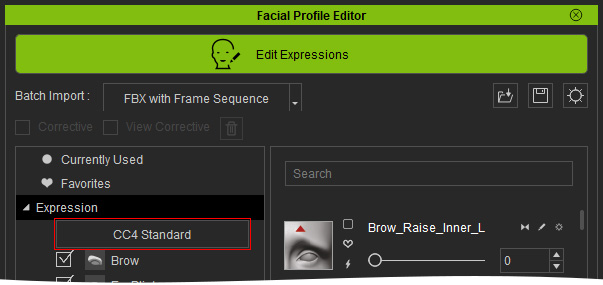
- Standard Facial Profile: The button in the Expression node reads "CC4 Standard".
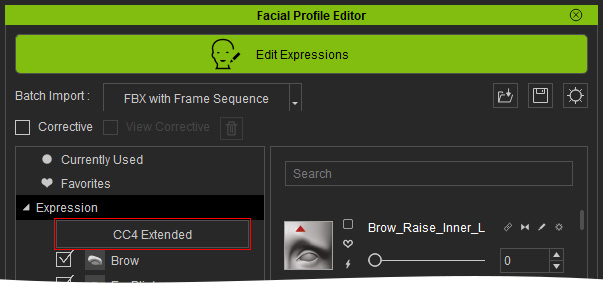
- Extended Facial Profile: The button in the Expression node reads "CC4 Extended".
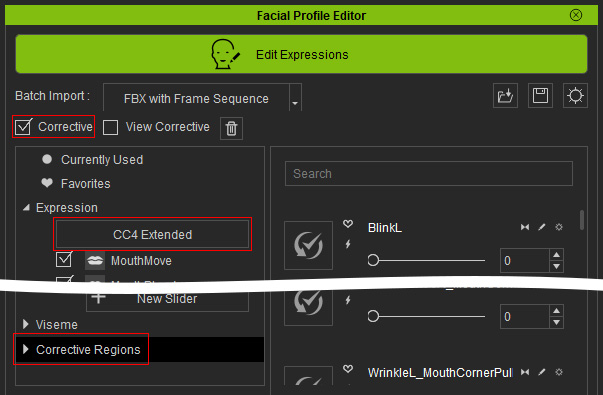
- Extended Plus Facial Profile: The button in the Expression node reads "CC4 Extended", the Corrective checkbox is activated and a Corrective Regions node appears at the bottom of the tree view.
- HD Facial Profile: The button in the Expression node reads "CC5 HD", the Corrective checkbox is activated and a Corrective Regions node appears at the bottom of the tree view

