Synchronizing Texture UV Changes to All Channels
A material with multiple textures present a higher realism for the texturing, however as the UV offset or tiling values are adjusted, all related channels must have the identical UV values to maintain the correct mapping result.
Character Creator provides two features to reduce the efforts to synchronize the UV values between multiple texture channels.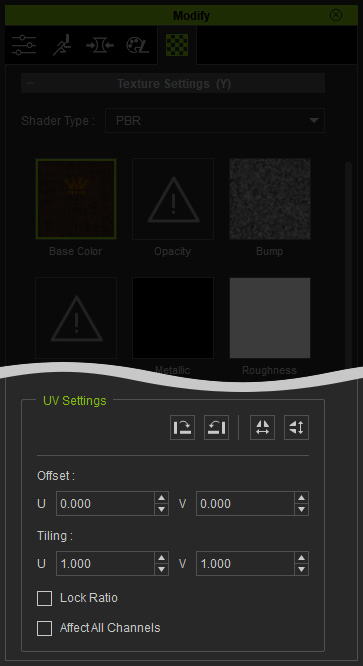
Lock Ratio
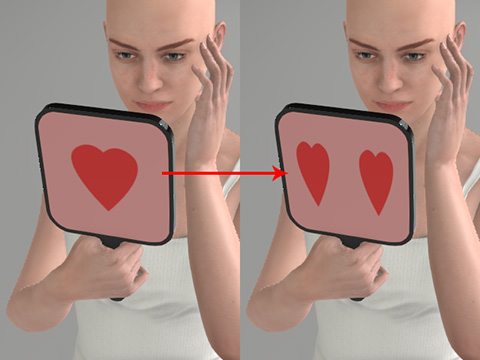
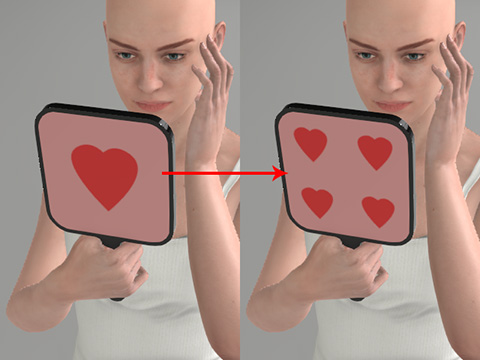
Check the Lock Ratio box to simultaneously adjust the U and V values in the latest UV tiling ratio.
|
|
|
Lock Ratio: unchecked.
Adjust Tiling U from 1 to 2. |
Lock Ratio: checked.
Adjust Tiling U from 1 to 2. |
Effect All Channels
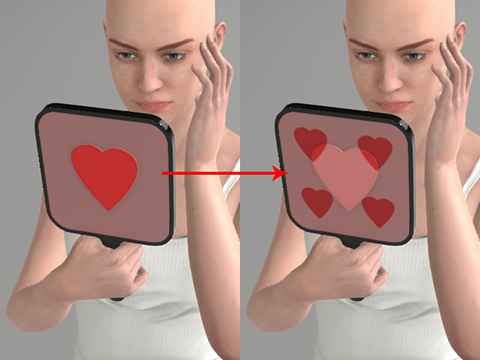
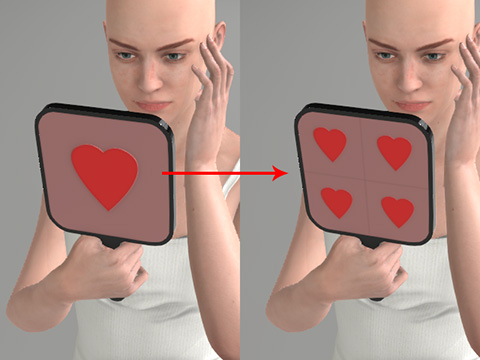
When this option is checked, any change of the UV offset or tiling value will also be applied to the other texture channels - Diffuse, Bump, Opacity, Specular, Glow, Displacement, while only the reflection map remains unchanged. We will take Diffuse and Bump maps as example.
|
|
|
Current Channel: Base Color. Effect All Channels: Inactivated. Adjust Tiling U from 1 to 2. Only the Base Color map moves. |
Current Channel: Base Color. Effect All Channels: Activated. Adjust Tiling U from 1 to 2. Maps in all channels (Blend excepted) move simultaneously. |
