Mesh Types and Parts for Generating Target Front Image (New for v5.2)
The Mesh Type determines the type of 3D asset to generate and the image generation workflow required for it. Select the appropriate Mesh Type and Part based on the desired result.
The Mesh Type determines the type of asset to be designed from the generated images, including Body Only, Full Design, Head Only, Clothes, Hair and Prop / Accessory. 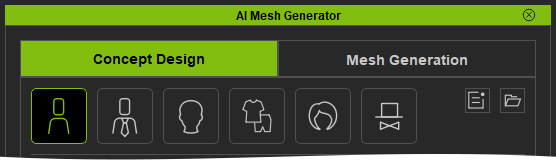
The Parts option is available only when Clothes is selected, allowing you to design upper-body garments, lower-body garments, gloves, dress / one-piece, full-body outfits, shoes, and hats.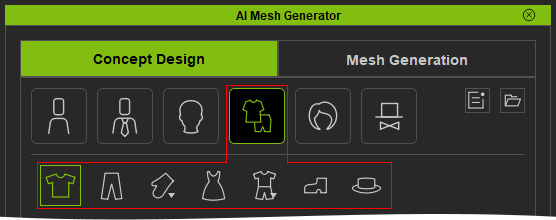
 Note:
Note:
- Body Only — Generates a character body wearing underwear only.
- Full Design — Generates a fully designed character with clothing and other visible features.
- Head — Generates a character head.
- Clothes — Generates clothing and includes seven Parts:
- Top / Upper
- Pants / Lower
- Gloves
- Dress / One-Piece
- Full Body
- Shoes
- Hat.
- Hair — Generates hair.
- Prop & Accessory — Generates props or accessories.
Mesh Type: Character - Body Only
The A-Pose Reference Front is first generated to standardize the character's pose.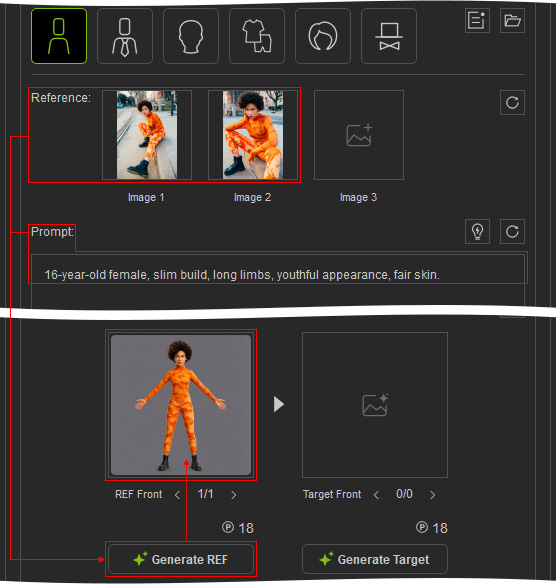
The A-Pose Target Front is then generated without hair or clothing, except for underwear.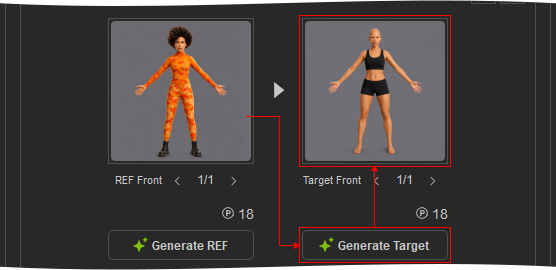
The Target Front is used to manually generate the optional Left, Right, and Back Target Views.
Mesh Type: Character - Full Design
The A-Pose Target Front is generated directly from the Reference Image and Prompt Text.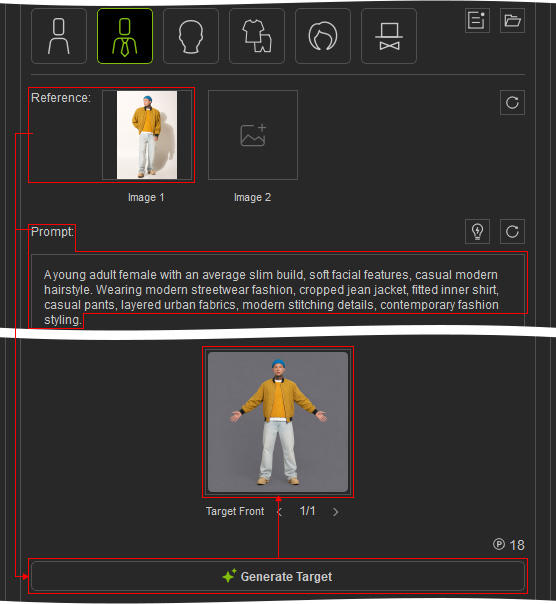
The Target Front is then used to manually generate the optional Left, Right, and Back Target Views.
Mesh Type: Character - Head Only
The Head Target Front is generated directly from the Reference Image and Prompt Text.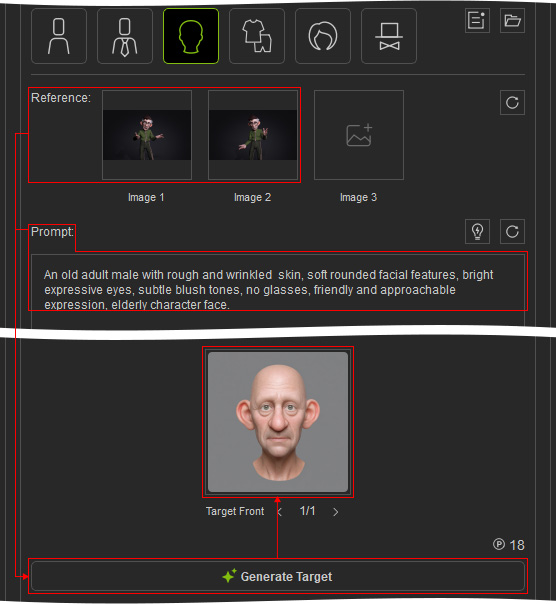
Then it is used to manually generate the optional Left, Right, and Back Target Views.
Mesh Type: Character - Clothes
The Clothes Mesh Type provides seven Parts for generating different types of clothing.
- Top / Upper: The A-Pose Reference Front is generated first.
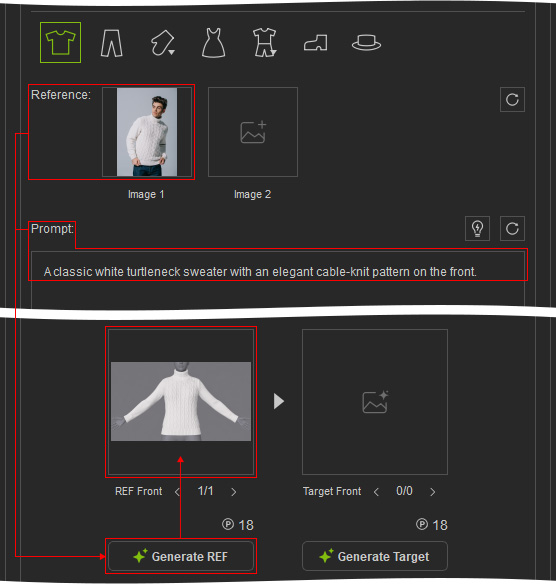
Then generate the Target Front image based on the Reference Front image.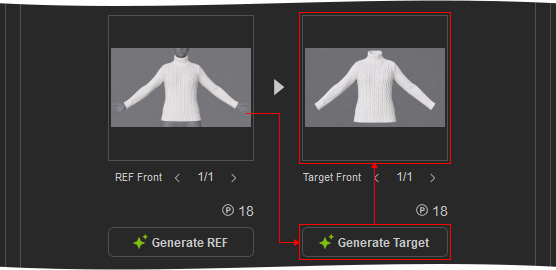
The Target Front is then used to manually generate the Left, Right, and Back Reference Views and Target Views together. - Pants / Lower: The A-Pose Reference Front is generated first.
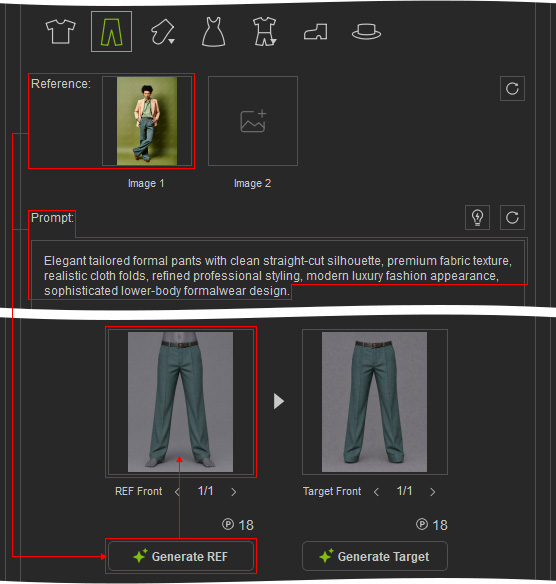
Then generate the Target Front image based on the Reference Front image.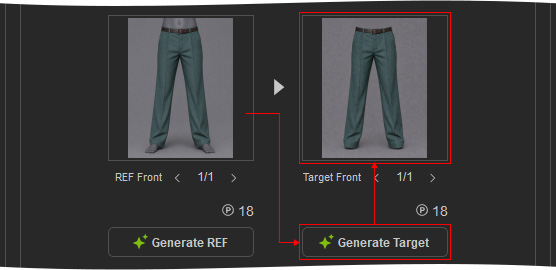
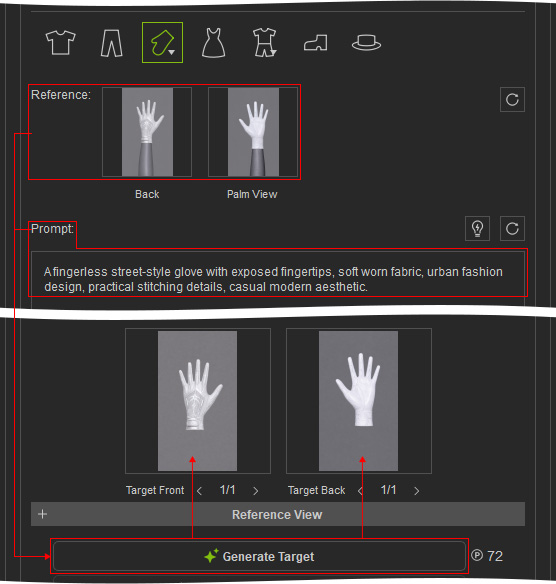
The Target Front is then used to manually generate the Left, Right, and Back Reference Views and Target Views together. - Gloves > Single View: Back-of-Hand Reference Image is required, while the Palm Reference Image is optional.
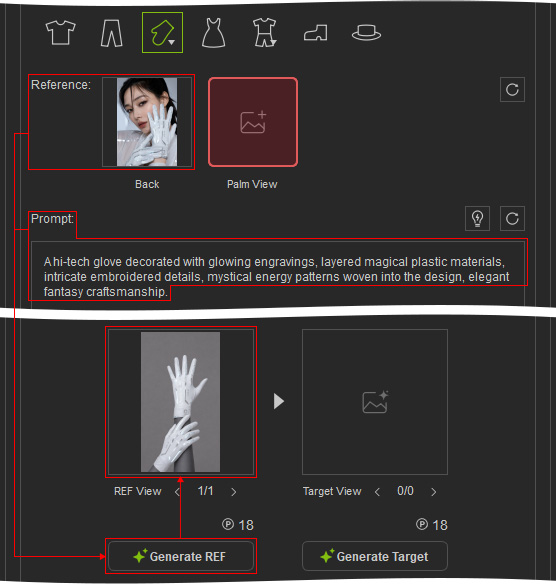
Each view is generated separately. The Back-of-Hand view is the primary view.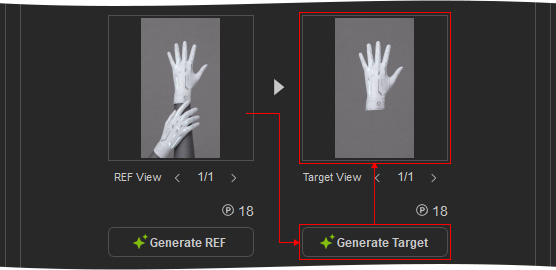
The Palm view provides supplementary information when available. - Gloves > Multiple Views: The Palm and Back-of-Hand Reference Views and Target Views are generated together in a single operation.
- Dress / One-piece: The A-Pose Reference Front is generated first.
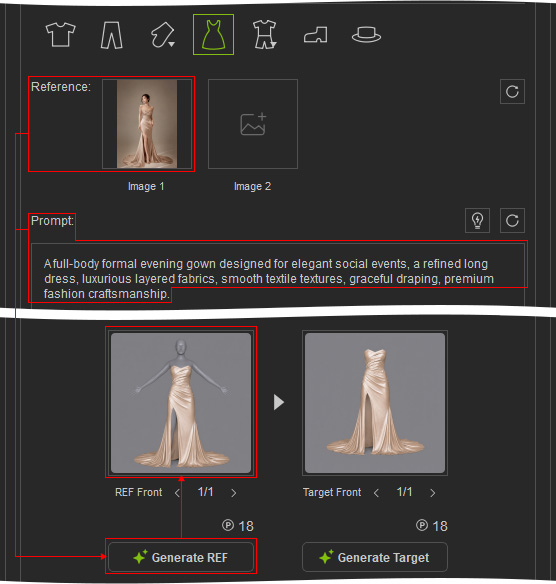
Then generate the Target Front image based on the Reference Front image.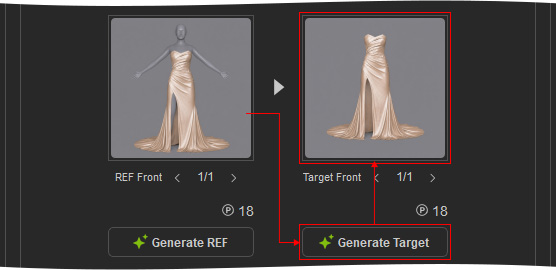
The Target Front is then used to manually generate the Left, Right, and Back Reference Views and Target Views together. - Full Body > 1 Shirt: An A-Pose Reference A of Front view is generated first.
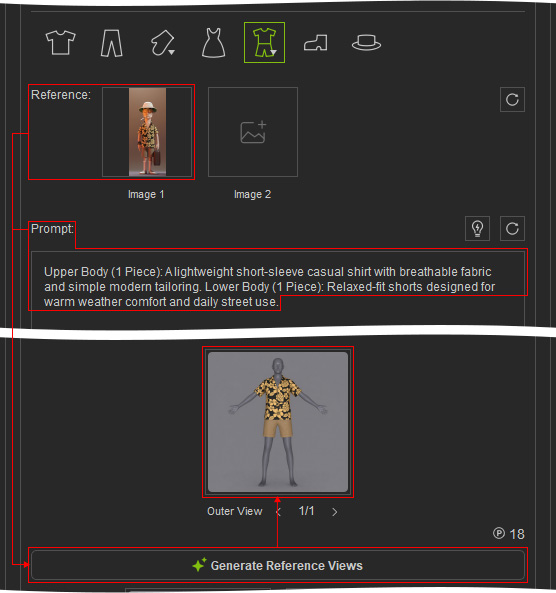
The clothing is then manually separated into Top / Upper and Pants / Lower Target Front images.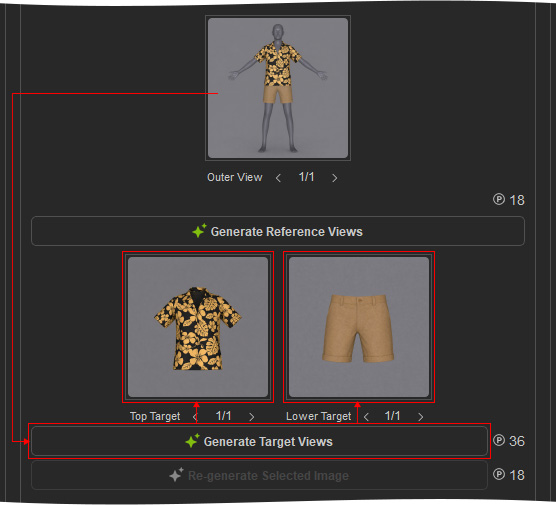
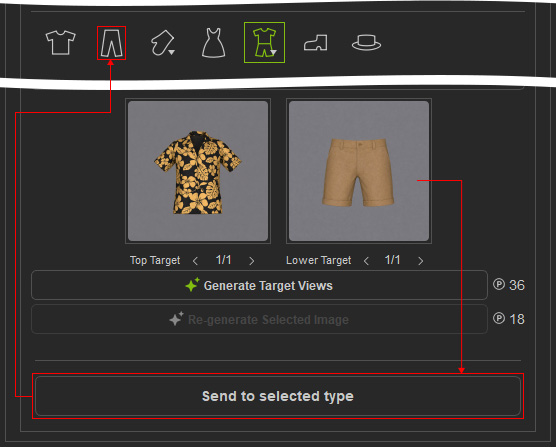
Each Target Front can then be sent to its corresponding clothing workflow to manually generate the Left, Right, and Back Reference Views and Target Views.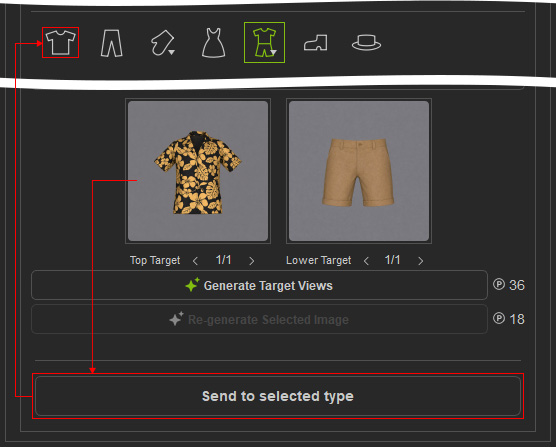
Send the Top Target image to the Top / Upper mesh type workflow
Send the Lower Target image to the Pants / Lower mesh type workflow
- Full Body > 2 Shirt: Two A-Pose Reference Images are generated: Reference A includes the outer garment, while Reference B has the outer garment removed.
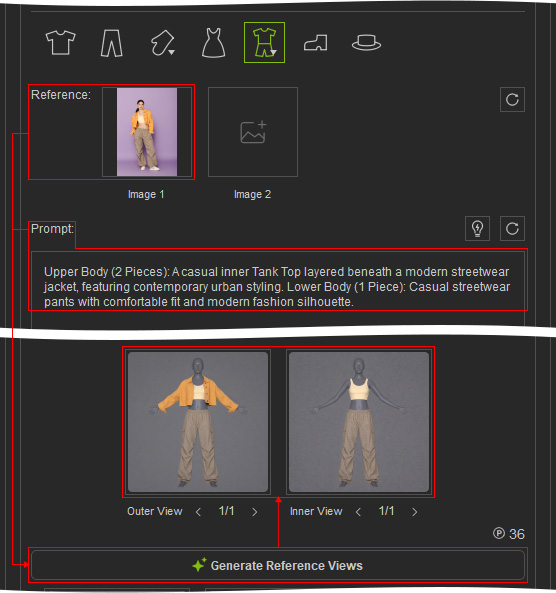
The clothing is then manually separated into Outer Top / Upper, Inner Top / Upper, and Pants / Lower Target Fronts.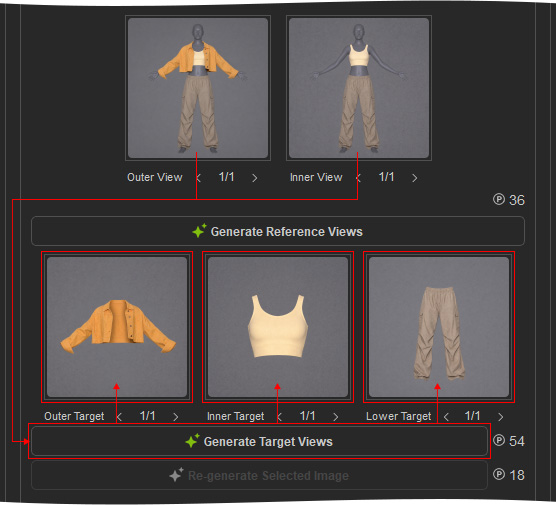
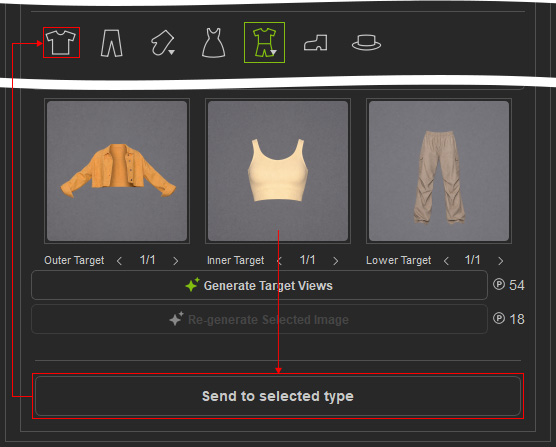
Each Target Front can then be sent to its corresponding clothing workflow to manually generate the Left, Right, and Back Reference Views and Target Views.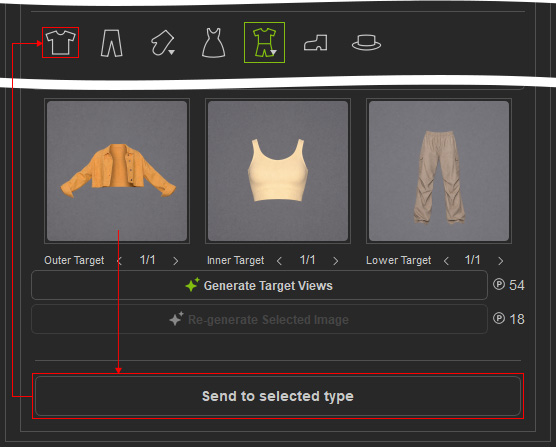
Send the outer Top Target image to the Top / Upper mesh type workflow
Send the inner Top Target image to the Top / Upper mesh type workflow
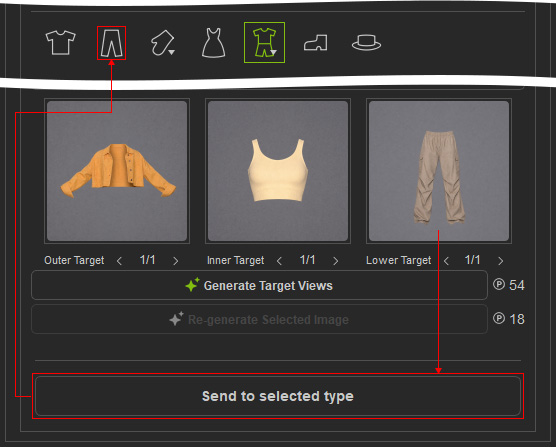
Send the Lower Target image to the Pants / Lower mesh type workflow
- Shoes: The Shoes Target Front is generated directly from the Reference Image and Prompt Text.
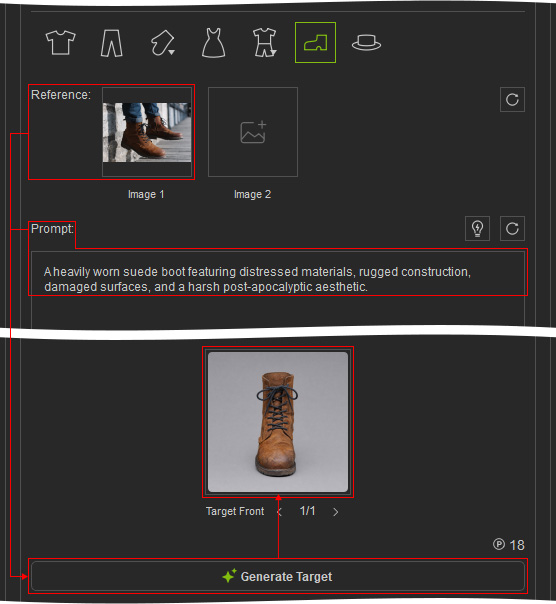
Then it is used to manually generate the optional Left, Right, and Back Target Views. - Hat: The Hat Target Front is generated directly from the Reference Image and Prompt Text.
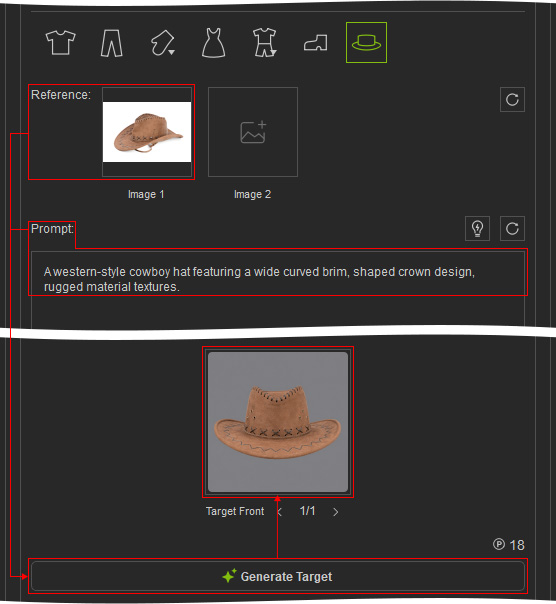
Then it is used to manually generate the optional Left, Right, and Back Target Views.
Mesh Type: Hair
The Hair Target Front is generated directly from the Reference Image and Prompt Text.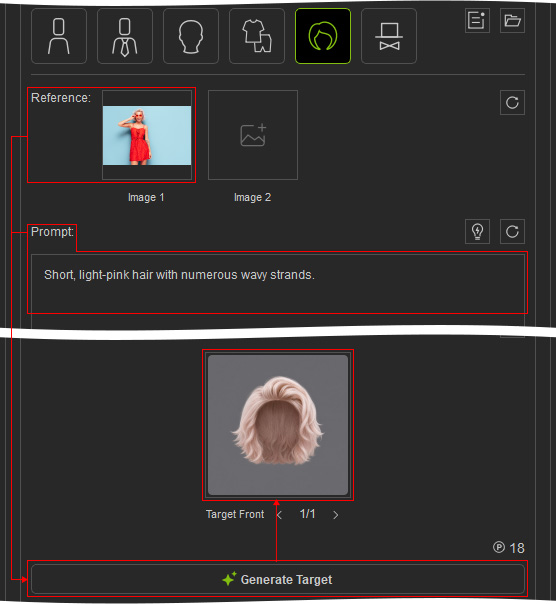
Then it is used to manually generate the optional Left, Right, and Back Target Views.
Mesh Type: Prop & Accessory
The Prop or Accessory Target Front is generated directly from the Reference Image and Prompt Text.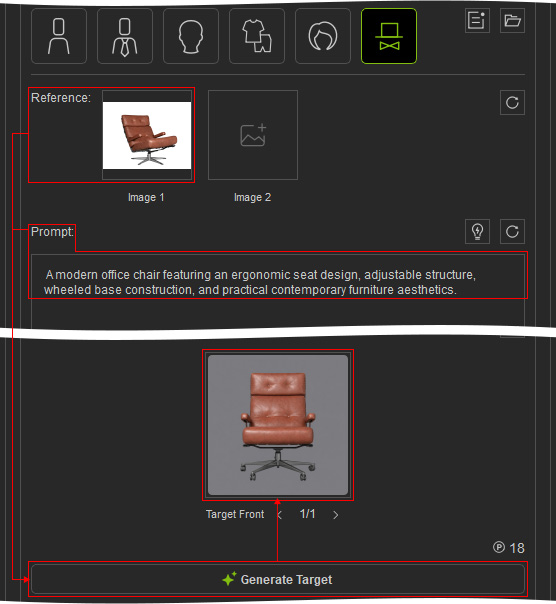
Then it is used to manually generate the optional Left, Right, and Back Target Views.
