Setting Mesh Face Count and AI Polygon Reduction (New for v5.2)
The Face Count and AI Polygon Reduction options provide two stages of mesh optimization.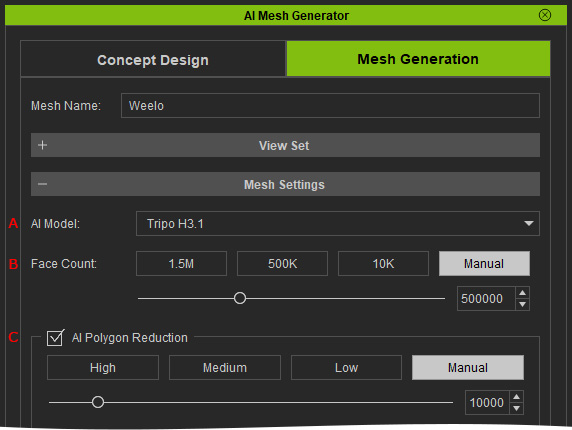
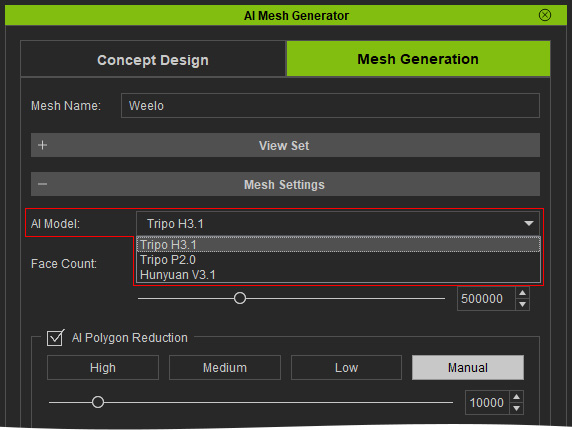
- AI Mode: Choose the AI model, including Tripo, Tripo 2.0 and Hunyuan.
- Face Count: Controls the maximum number of triangular faces generated for the initial 3D mesh.
- AI Polygon Reduction: Converts the generated triangular mesh into a quad-based mesh and determines its final quad face count.
Setting the Face Count
Use the Face Count options to limit the number of triangular faces generated for the 3D mesh, select the desired Face Count before generating the 3D mesh. The available options are:
- 1M – Generates a mesh with up to 1 million triangular faces.
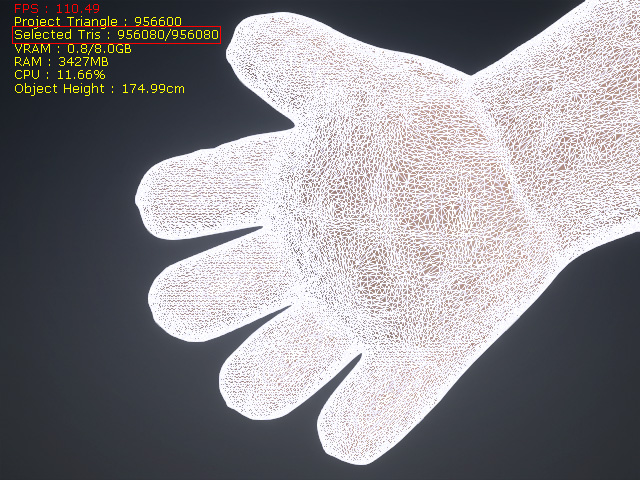
- 500K – Generates a mesh with up to 500,000 triangular faces.
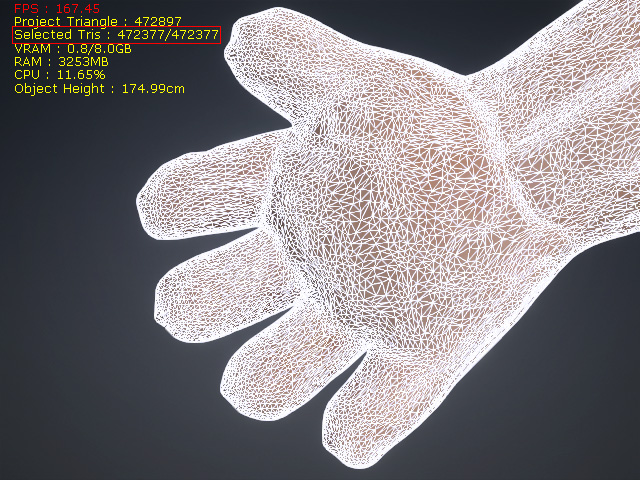
- 50K – Generates a mesh with up to 50,000 triangular faces.
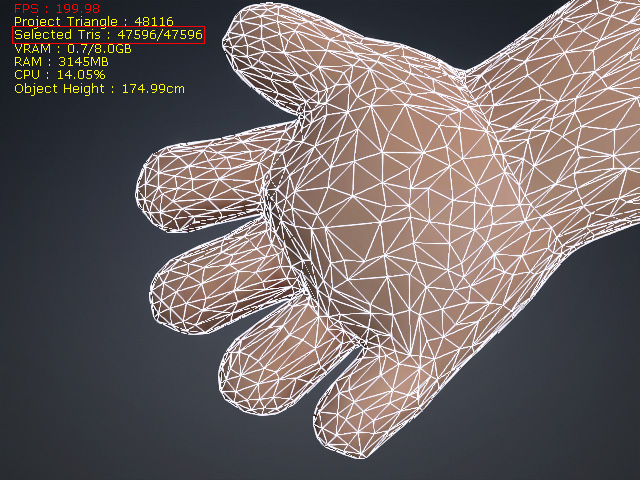
 Note:
Note:
Face Count and AI Polygon Reduction control different stages of mesh processing.
- Face Count determines the maximum number of triangular faces during 3D mesh generation.
- AI Polygon Reduction converts the generated triangular mesh into the final quad-based topology and determines its final quad face count.
Using AI Polygon Reduction
Enable AI Polygon Reduction to convert the generated triangular mesh into a quad-based mesh. The final number of quad faces is determined based on the triangular face count generated by the Face Count setting. The following options are available:
- High – Generates a number of quad faces equal to the triangular face count multiplied by Percentage 1.
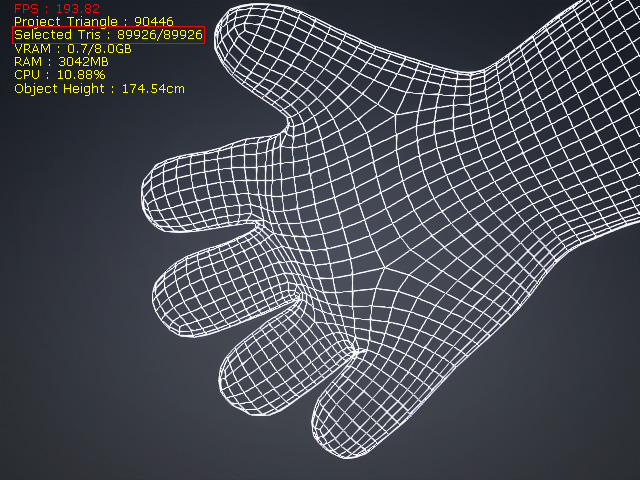
- Medium – Generates a number of quad faces equal to the triangular face count multiplied by Percentage 2.
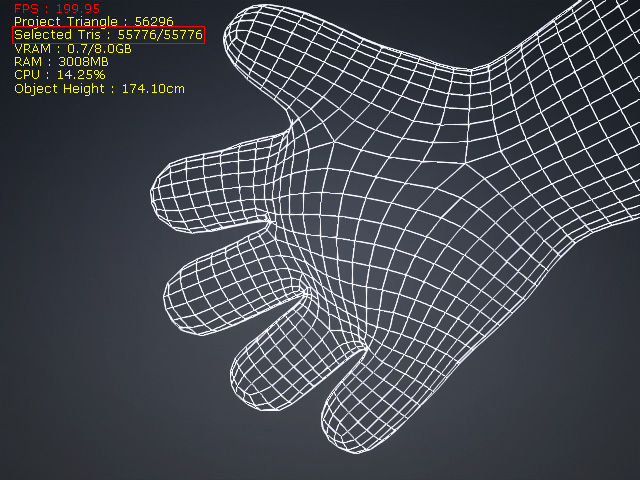
- Low – Generates a number of quad faces equal to the triangular face count multiplied by Percentage 3.
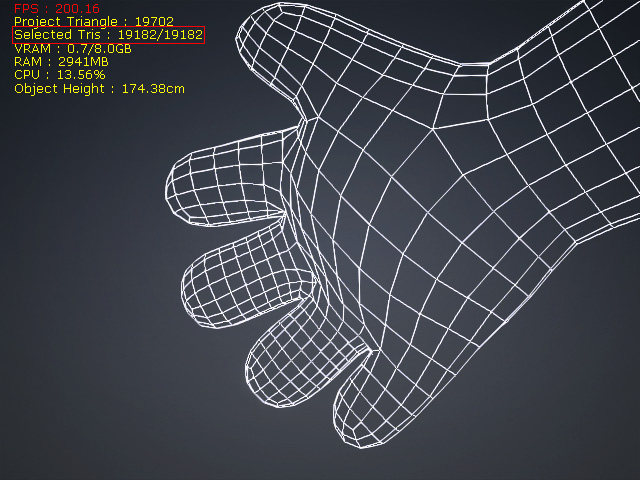
- Custom – Allows you to manually specify the desired number of quad faces.
When Custom is selected, use the slider or enter a value in the numeric input field to specify the desired number of quad faces. The supported range is 5,000 to 50,000 faces. The spin buttons can also be used to adjust the value incrementally.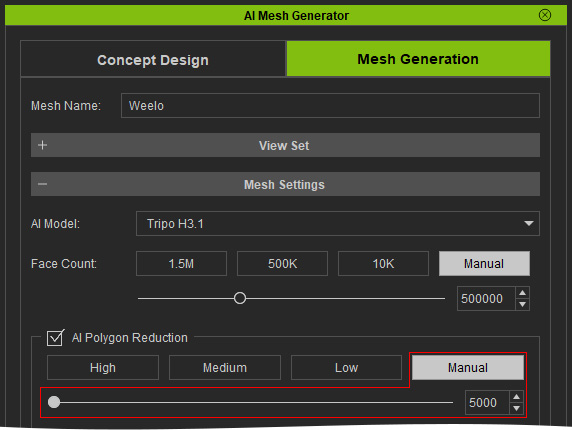
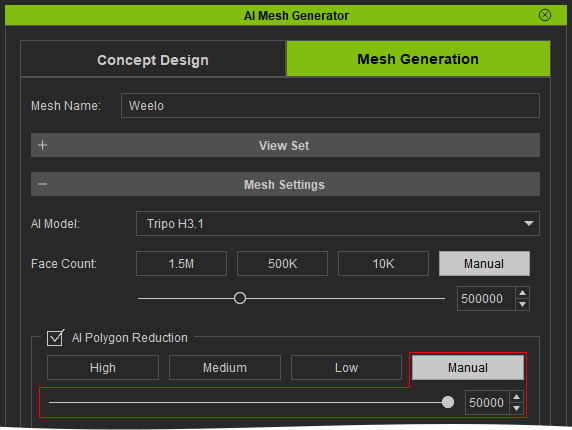
Minimum
Maximum
Note:The High, Medium, and Low settings determine the final quad face count based on a percentage of the generated triangular face count. A higher or lower setting does not indicate mesh quality; it indicates the target quad face count.
