Preparing for Using Tuck-in (Preserve Outer) (New for v5.2)
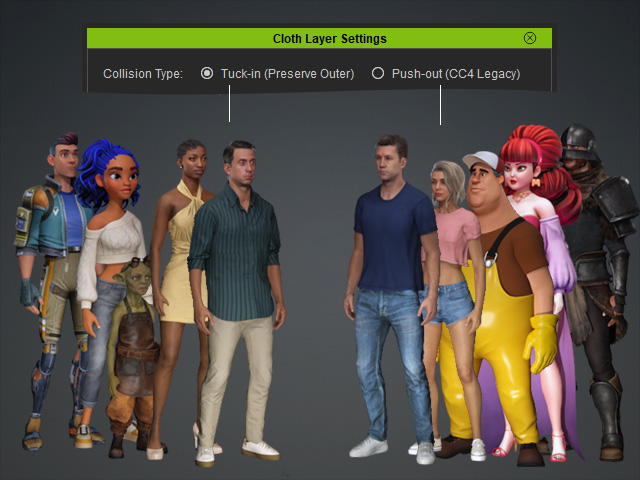
Tuck-in (Preserve Outer) is the new collision type for clothing layers. Review the following settings when using it with new or existing characters.
Character Settings
- CC5 Characters Pack: Characters in the Resource Pack use Tuck-in (Preserve Outer) by default. Update the pack through Content Manager to get the latest settings.

- Existing Custom Characters: Characters saved in older versions retain the legacy Push-out (CC Legacy) setting. To use the new collision type, change Cloth Layer Settings to Tuck-in (Preserve Outer).
 Note:
Switching to Tuck-in (Preserve Outer) automatically runs Run Collision according to the cloth layer order.
Creating Clothing Content
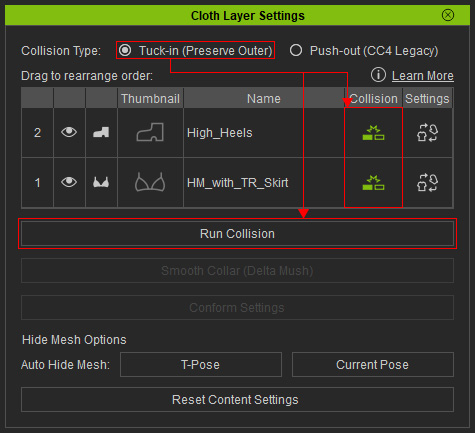
- When Cloth Layer Settings is set to Tuck-in (Preserve Outer), the clothing Collision setting is enabled by default, allowing conform collision to be applied to clothing layers automatically.
- When loading older characters that use Push-out (CC Legacy), clothing Collision is disabled by default, as in CC 5.2 and CC 4.74 and earlier.
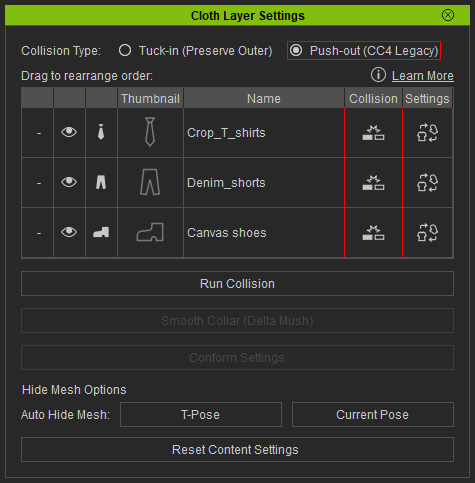
You must manually enable the Collision setting, then click Run Collision when needed.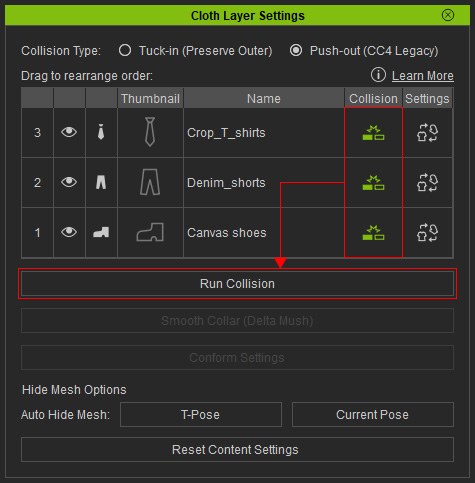 Important:
Before running Run Collision, make sure Collision is enabled for all clothing items, regardless of whether the character uses the new or legacy collision type.
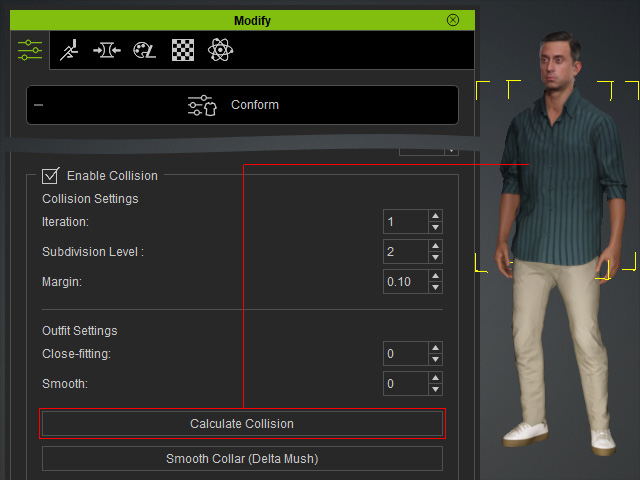
Run Collision vs. Calculate Collision
- Run Collision (in the Cloth Layer Settings panel) calculates collisions among all clothing items listed in the panel to prevent them from penetrating one another.
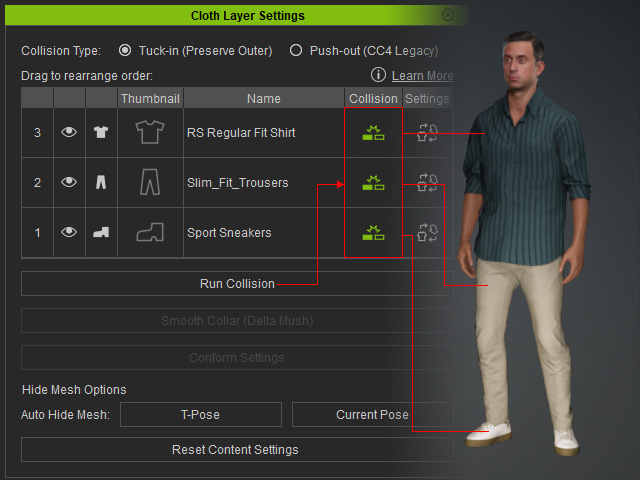
- Calculate Collision (under Modify > Conform) calculates collisions between the selected clothing item and the underlying skin or clothing to prevent penetration.