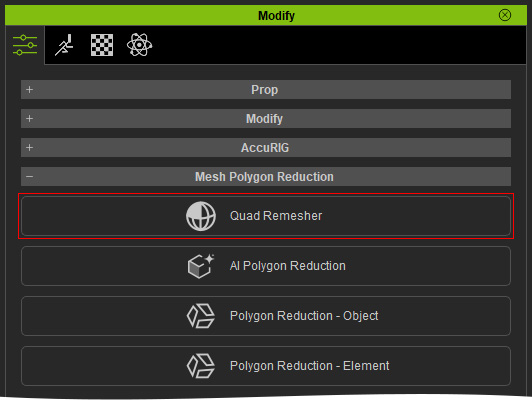
Launching Quad Remesher (New for v5.2)
You can launch the Quad Remesher panel from the Modify menu or the Modify panel. The available methods depend on the selected object.
Method 1: Using the Modify Menu
When the scene is empty or when an Avatar, Prop, Cloth, Accessory, or Hair object is selected, this method is available.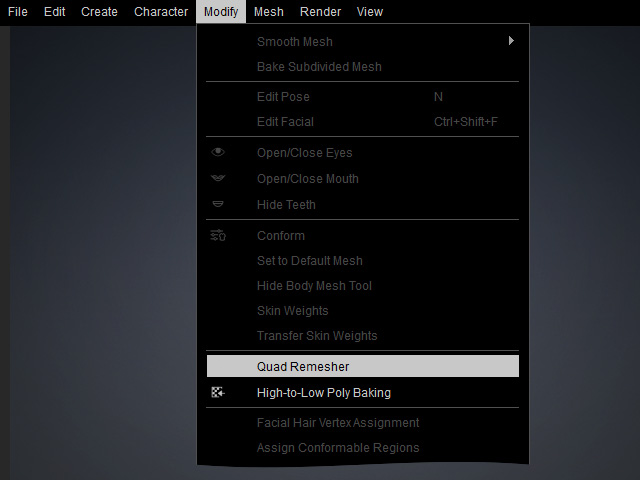
- Open the Modify menu.
- Select Quad Remesher to open the panel.
 Note:
You can open the Quad Remesher panel in an empty scene, but clicking Remesh without a supported object selected displays the following message: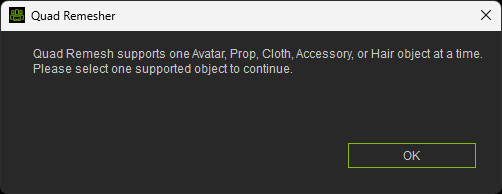
Method 2: Using the Modify Panel
When a Prop, Cloth, Accessory, or Hair object is selected:
- Open the Modify panel. Go to the Attribute tab.

- Locate the Mesh Polygon Reduction section. Click Quad Remesher to open the panel.