Setting the Quad Count (New for v5.2)
The Quad Count settings control the target number of quads in the remeshed model. You can define the target using either a percentage of the original mesh or a specific quad count.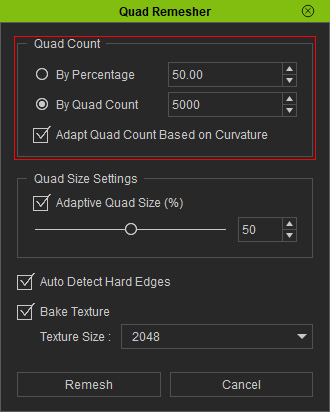
By Percentage
Select By Percentage to define the target quad count as a percentage of the original mesh's polygon count.
For example, setting the value to 50% targets approximately half the original polygon count.
This option is useful when you want to reduce mesh complexity proportionally, regardless of the original model's polygon count.
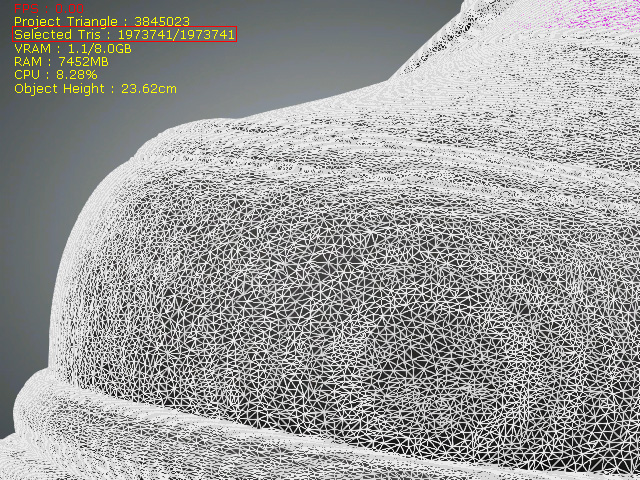
|
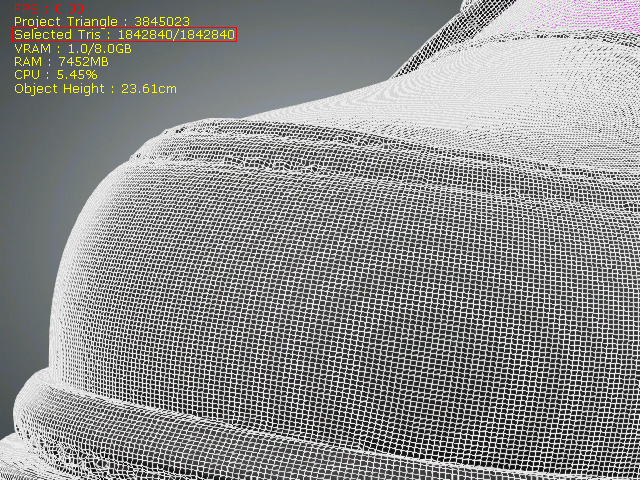
|
|
Tris number of source mesh model = 1973741 |
Quadified mesh model |
By Quad Count
Select By Quad Count to specify the desired number of quads in the output mesh.
Enter a value in the field to set the target. The generated quad count may differ from the specified value because the remeshing process also considers the model's shape and surface details.
Use this option when you have a specific polygon budget or need to keep the output mesh within a target range.
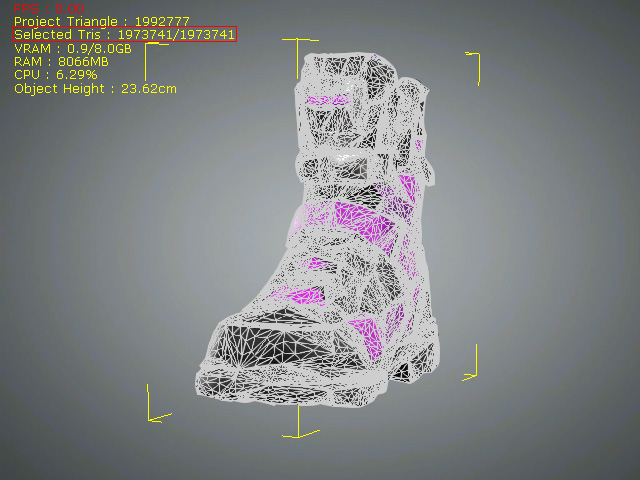
|
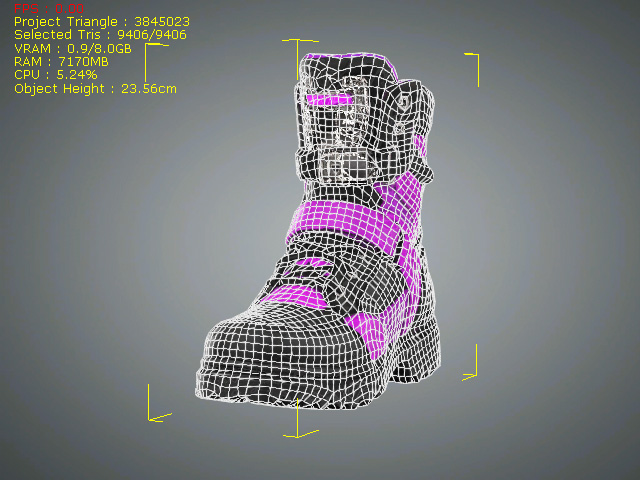
|
|
Tris number of source mesh model = 1973741 |
Quadified mesh model |
 Note:
The specified quad count is a target rather than a guaranteed result.
Adapt Quad Count Based on Curvature
Enable this option to prioritize the preservation of the model's shape and curved details. Use this option when preserving surface details is more important than maintaining a strict polygon budget.
Adapt Quad Count Based on Curvature controls how much priority is given to preserving surface details versus meeting the target quad count:
- Disabled: Prioritizes meeting the specified target quad count while still distributing smaller quads in curved areas and larger quads in flatter areas.
- Enabled: Prioritizes preserving curved details by generating more quads where needed. The final quad count may exceed the specified target, which serves as a guideline rather than a strict limit.
