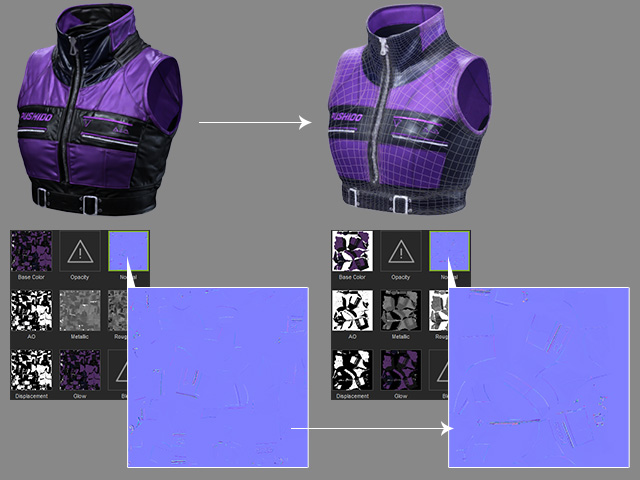
Choosing Normal Baking Modes (New for v5.2)
Under Normal Baking Options, choose how surface details from the source model are transferred to the target model.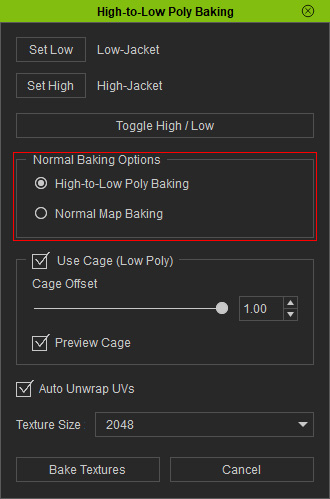
High-to-Low Poly Baking
Select High-to-Low Poly Baking to transfer both the source model's existing Normal Map texture and its geometric surface details to the target model's Normal Map channel.
This mode captures details from both the source texture and the actual mesh surface, making it suitable for transferring the appearance of a detailed high-poly model onto a reduced low-poly version.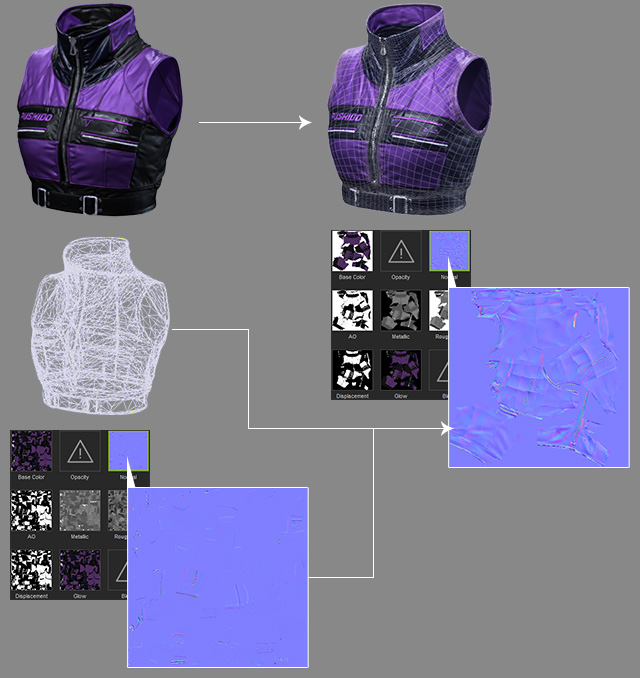
Normal Map Baking
Select Normal Map Baking to transfer only the source model's existing Normal Map texture to the target model's Normal Map channel.
The source mesh's geometric surface details are not included in this baking mode.
Use this option when you only need to transfer the existing Normal Map texture without baking additional geometric details.