
 tool to move the body part with gizmo.

|

|
|
Select the chest effector point for moving the chest bone. |
Move forward. |
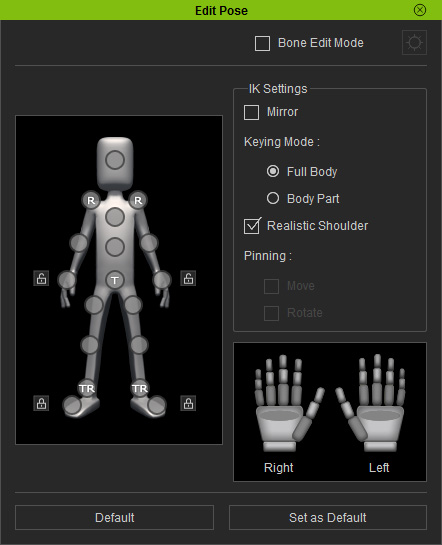
Full Body and Body Part
Given a pose the character by
Calibration panel. When you move the limb effector points, then the Full Body and Body Part
mode can have different results.

-
Full Body: When you move any effector point, it maybe drives the torso part to move along.
Please note that only in Full Body mode can you select multi effector points for moving or rotating at once (Ctrl + Click on effector points).
Reach out the hand. The entire body is affected by the move.
-
Body Part: If you only want to move the limbs or head, then choose this radio button.

Reach out the hand. The other body parts remain where they are.
 tool to rotate the body part.

|

|
|
Select the knee effector point. |
Rotate the knee. |

|
Note: |
|
Please refer to the following topics for more information: |