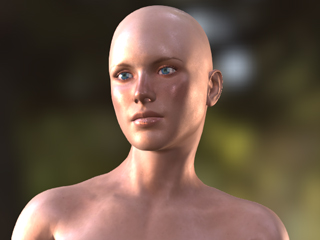
If you have created custom characters with Character Creator v1.6 or
earlier version, and you want to utilize PBR, then you can simply change
the Shader Type of the material to PBR and
then adjust Metallic
and
Roughness textures to enhance the PBR effect of the skin.
Converting Shader Type from Traditional to PBR
This method is suitable for the non-PBR characters without
makeup or skin adjustments and in instances where you are not able to modify the
Metallic and Roughness textures.
Launch Character Creator with the default project.
Note:
In this case, the hair, accessories and clothes of the default
character are removed to focus on just the skin.
Go to the Modify panel >> Material tab >> Material List section, select the material related
to the skin of the character.
In the Texture Settings section, switch the Shader Type to PBR from the drop-down list.
The skin materials of the head and body are thus converted to PBR instantly. You will see the Specular channel
in the Traditional Shader Type is replaced with Metallic and Roughness channels.
Note:
At this step, you will not see obvious changes on the skin because the
Metallic texture is completely black, which indicates the skin
is currently unable to reflect lights from the environment.
Enhancing Skin by Modifying Metallic and Roughness Textures
To enhance the skin of PBR shader type, you must adjust the Metallic and Roughness
textures. In this section, the skins of the body and head are to be adjusted
together, which ensures the cohesive seamless appearance of the skin.
Make sure the Skin Materials of the body and head are selected in the Material List.
Go to the Texture Settings section, select the Roughness
section.
Click the Adjust Color button to launch the
Adjust Color panel.
Decrease the values of the Brightness settings The skin reflectivity of the head and body
will thus be changed together.
The Metallic map should not be adjusted unless you want the
effect of an oily or metallic skin.


 button to launch the
Adjust Color panel.
button to launch the
Adjust Color panel.