


Setting Base Avatar Appearance
In Character Creator, you are able to freely change the basic look of the character and then determine the shape of the body and head appearances by means of embedded templates.
Choosing Character's Basic Look
-
Launch Character Creator, by default, there will be a nude default character
with a "neutral" feminine figure.

-
Switch the Content Manager to Actor >> Project Template
>> Base or Clothed library.

 Note:
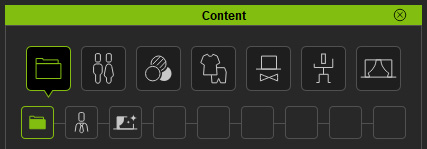
Note:To switch to the library, you need to use the Quick Selection Panel.
-
Apply either one of the template (in this case, the Curvy Female with Cloth) by double-clicking on the template.
The character will turn to the basic appearance as the
template shows.


Setting Body Shapes with Templates
-
Switch the Content Manager to Appearance Template >> Avatar
library.
 Note:
Note:There are three method to switch to desired library:
- Quick Selection Panel: If you need to switch between different
categories or libraries, then you need to use the
Quick Selection Panel.
- Tree View: If you only want to switch between different libraries
under same categories, then use the Tree View in the Content Manager.

- Path Field: In addition to the Tree View, you may also change to different
libraries under the same category by clicking on the arrow button in the Path Field.

- Quick Selection Panel: If you need to switch between different
categories or libraries, then you need to use the
Quick Selection Panel.
-
Apply either one of the template (in this case, the Old Female) by double-clicking on the template.
The character's face and body appearances will then be adjusted while
the hair, clothes and accessories are left unchanged.


Getting Content Pack
If you want to have more options for the base appearances of the character, then go to the
official web site for purchasing additional content pack.
