Upgrading iContent
All iContent packs or items qualify for the Standard License upgrade, by simply paying the price difference for Standard content.
The Standard license is necessary for export to 3rd-party applications and platforms.
( Watch Tutorial - Smart Search: Seek, Try, and Purchase Assets )
You can initiate the upgrade process during export, or via Unpurchased Item List, product page, or Inventory List on Reallusion Marketplace.
 Upgrading to Standard Content During Export
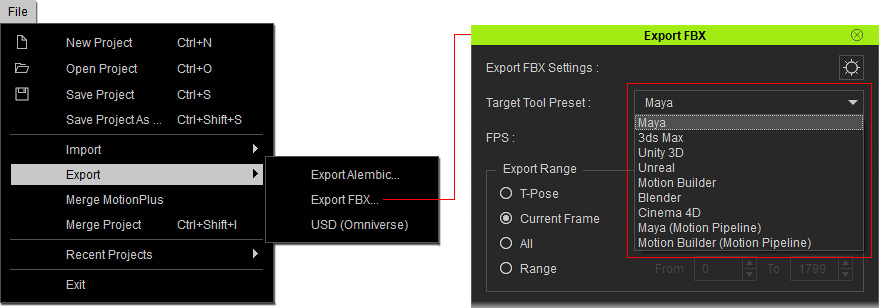
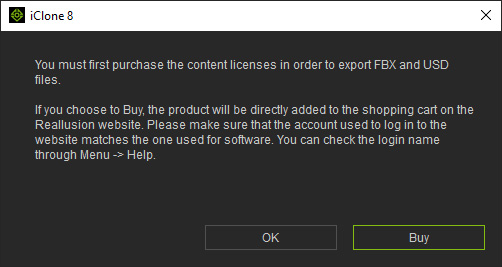
- You will be prompted to purchase the export license when exporting an iContent.
Click the Buy button in the message to add iContent to the store cart.
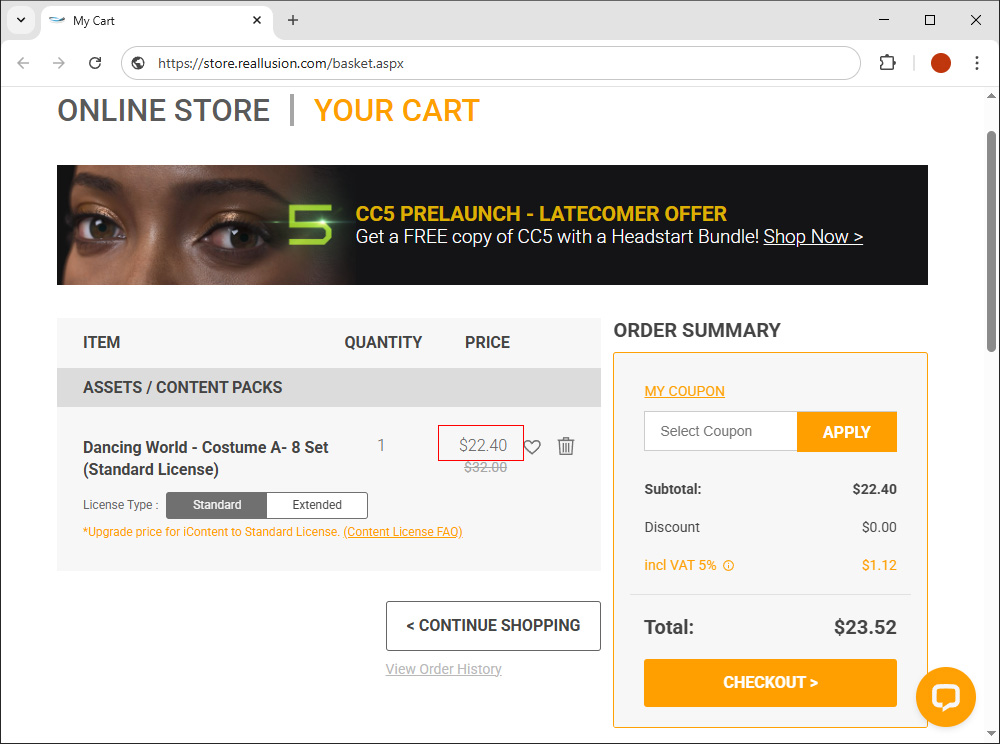
- Log in to the online store with the same account, and you'll see the upgrade price for the iContent.
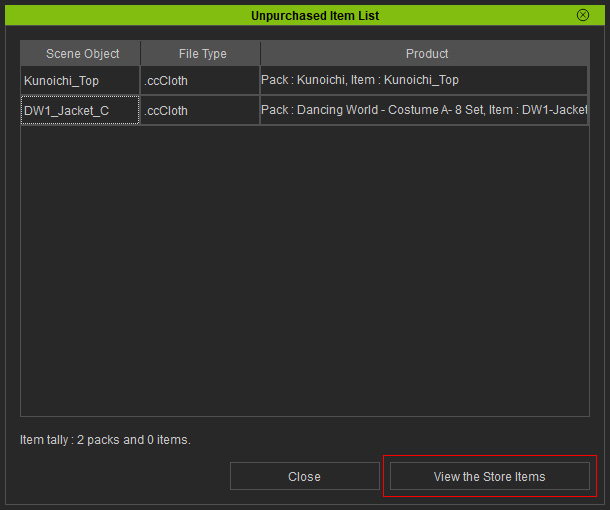
Upgrading from the Unpurchased Item List- Execute Help > View Unpurchased Items to view scene items lacking a Standard Content License (via the Unpurchased Item List window).
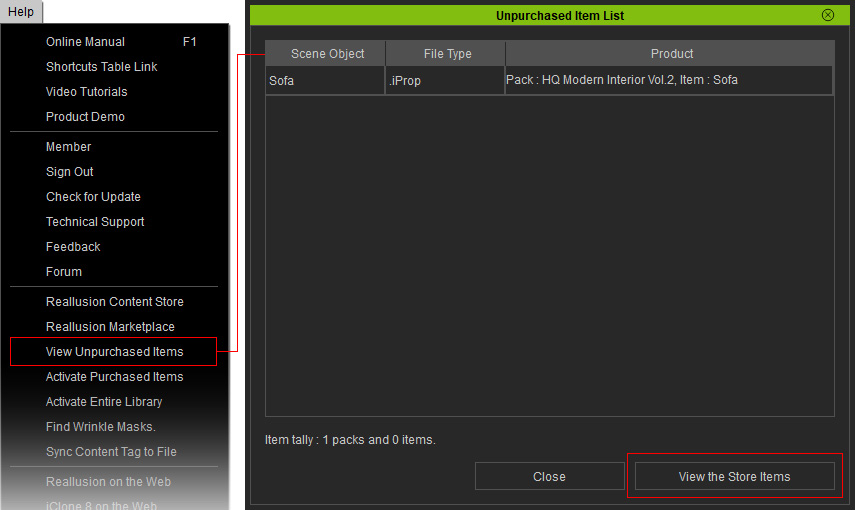
- There are two items from different packs in this example.
Click the View the Store Items button to send the unpurchased items to the online shopping cart (ordered by store priority).
Sending items this way works for both iContent and Trial Content.
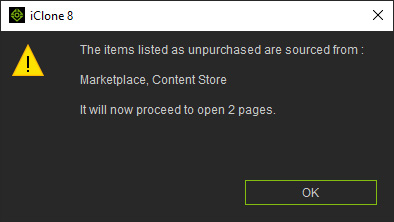
- When there are multiple items, they may be sent to different stores with separate pages.
Click OK.
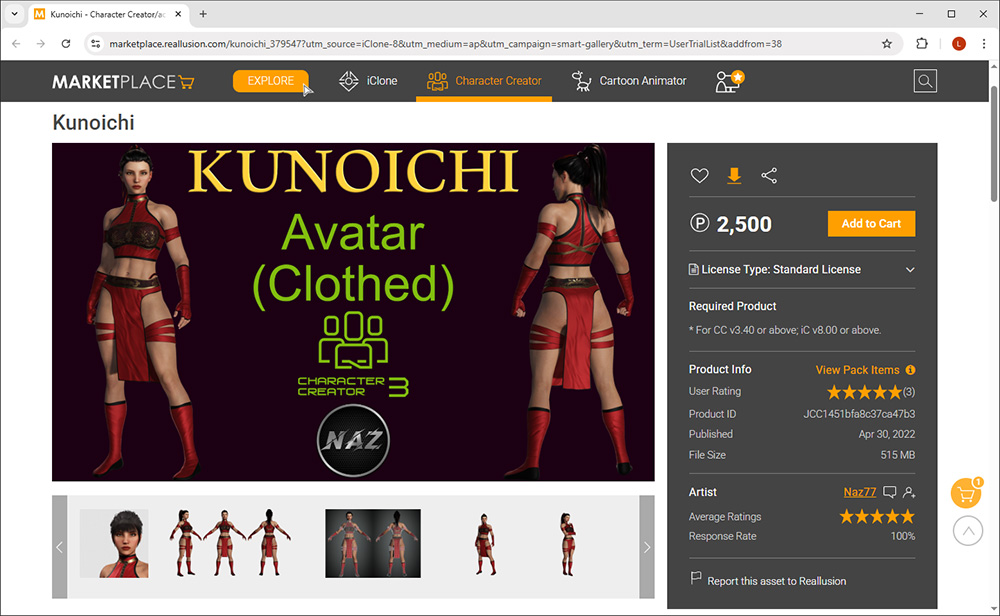
- Log in the online store with the same sign-in account.
You will see an upgrade discount for iContent, and a regular price for the trial content.
- Below is an example of an iContent-to-Standard content upgrade price of $22.40 (discounted from $32.00).
- The standard price (2,500 DA Points equals to US$25) for Trial content.
- Below is an example of an iContent-to-Standard content upgrade price of $22.40 (discounted from $32.00).
Upgrading from Marketplace's Inventory List- Open the Inventory List for content in the Reallusion Marketplace.
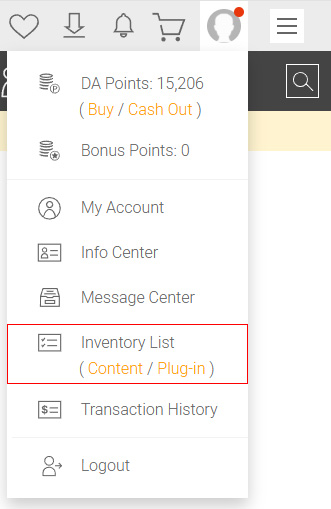
- Click on the Upgrade button to add the iContent to your shopping cart.
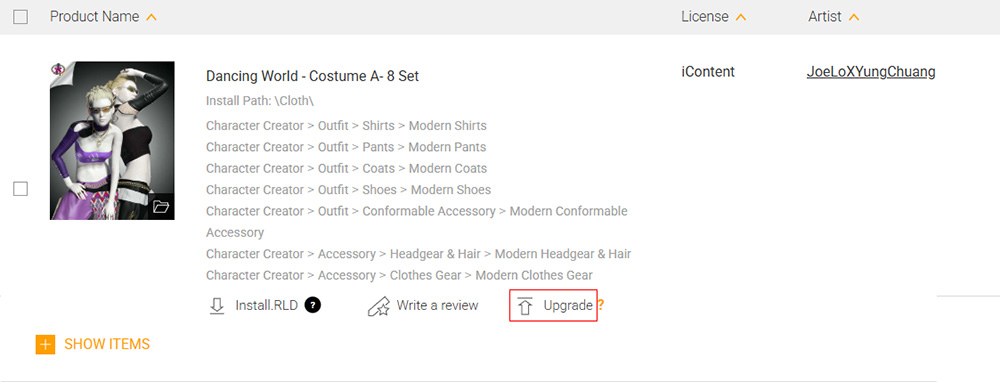
- Proceed with checkout at the upgrade price.
Upgrading from the Product Page- Right-click on the iContent and choose Product Page from the context menu.
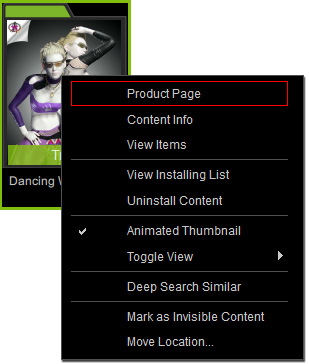
- Add the content to your shopping cart to view the upgrade price.
After obtaining the required export license, the usual export interface will appear with several options for target pipelines.