Introduction of Side Face Fitting Page (New for Version 8)
-
 Main Menu
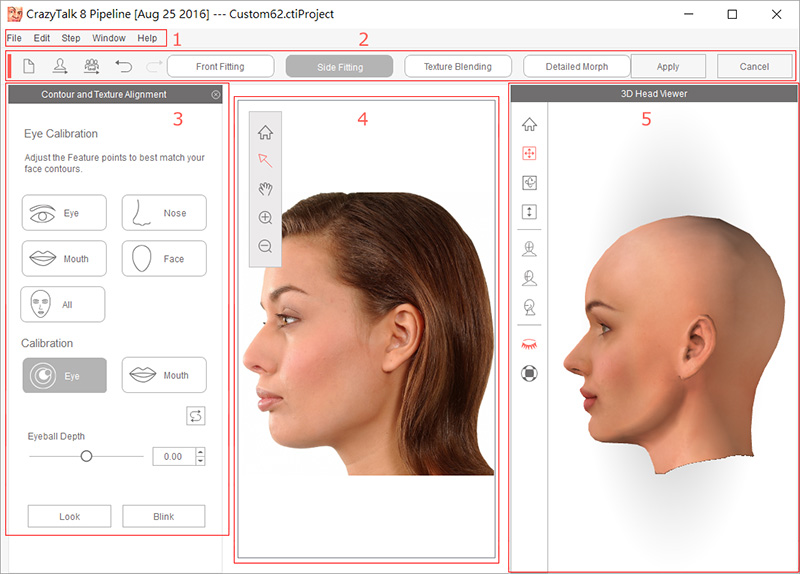
The main menu contains several frequently used menus:
-
File
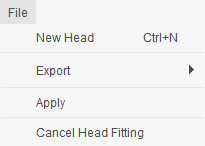
- New Head - To abort the current works and create a new 3D actor from scratch.
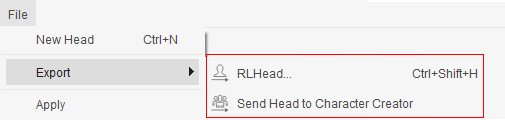
- Export - Export the head of the current 3D actor as a RLHead file (in *.rlHead format) or send the head to iClone Character Creator for further editing.
- Apply to CrazyTalk- Apply the currently being created head to the main program.
-
Edit
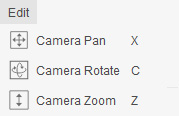
- Camera Pan - To move the preview camera of the 3D view port.
- Camera Rotate - To rotate the preview camera around the 3D actor in order to check it from different perspective.
- Camera Zoom - To zoom in or zoom out the preview camera for viewing the 3D actor closer or farther.
-
Step
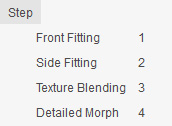
- Front Fitting - To fit the detail feature points to the front facial features.
- Side Fitting - To fit the detail feature points to the profile line of the photo with side face.
- Texture Blending To determine the level of the blending areas formed by the front and side images.
- Detailed Morph - To adjust the facial feature more detail with morphing technology.
-
Window
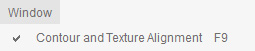
- Contour and Texture Alignment - To show or hide the Contour and Texture Alignment panel for modifying the current 3D actor.
-
Help
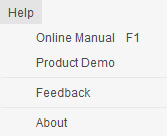
- Online Manual - To open the CrazyTalk online manual with browser.
- Product Demo - Direct you to the official web site for viewing the CrazyTalk official demo videos, showreels, interviews, news, public speech and more.
- Feedback - To direct you to the Feedback Tracker online page for put down the defects you have found.
- About - To show the basic information about CrazyTalk.
-
-
Toolbar
The toolbar contain tools for creating new head, undo or redo actions, fitting steps and apply the current 3D actor back to the stage.

- New Head - To abort the current works and create a new 3D actor from scratch.
- Export RL Head- Export the head of the current 3D actor in *.rlhead format.
- Send Head to Character Creator - Send the currently being created head to iClone Character Creator.
- Undo and Redo - To undo the last action or redo the action that has been undone.
- Front Fitting - To fit the detail feature points to the front facial features.
- Side Fitting - To fit the detail feature points to the profile line of the photo with side face.
- Texture Blending - To determine the level of the blending areas formed by the front and side images.
- Detail Morph - To adjust the facial feature more detail with morphing technology.
- Apply to CrazyTalk - To leave the 3D-actor-creating procedure and apply the currently created actor to the stage.
- Cancel - To abort current work and return back to stage.
-
Contour and Texture Alignment
In the Contour and Texture Alignment panel, you are lead to set the detail feature points to the facial features in the photo by different sub-steps, such as RightEye, LeftEye, Nose, Mouth, Face, All (for previewing), and even basically re-position the transformation of the eyeballs, teeth and tongue.
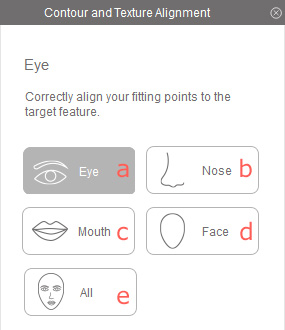
- Eye- This sub-step shows the wireframes and points of the eye and eyebrow. You can determine the depths of the eyebrow bones and the eyes.
- Nose - In this sub-step, you can determine the shape of the nose of the 3D actor in order to match the nose look of the face in the photo. Because the nose is the most extrusive feature on the face, the similarity stands a crucial position for creating a same 3D actor as the one in the photo.
- Mouth - You can set the extrusion of the lips in this sub-step.
- Face - The face sub-step determines the entire skull of the 3D actor, including the forehead, the back of the head, the chin, and the jaw. Fitting the feature points to the head in the photo increases the persuasion that the 3D actor is the same one as in the photo.
- All - In this sub-step, you can preview the entire fitting result in the previous sub-steps and do some further adjustments.
-
Original Photo View
In the Original Photo View, the imported photo are displayed. You can zoom in, zoom out or move the photo in order to easily comparing the looks between the photo and the 3D actor.
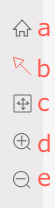
- Home - Click this button to fit the entire photo to the view window.
- Edit Mode - Press down this button to select the wireframe or the feature points before move them.
- Pan Tool - To move the camera of the view port as you zoom in to check out the photo.
- Zoom In - To zoom in the camera for viewing the photo closer. You can also roll up the mouse wheel to zoom in.
- Zoom Out - To zoom out the camera for viewing more of the photo. You can also roll down the mouse wheel to zoom out.
-
3D Head View
This view displays the facial fitting results of the 3D actor. You are allowed to observe the 3D head from different perspectives. Furthermore, by turn on or off the eyelashes, you can inspect the eyes more clearly.
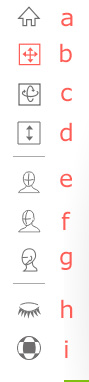
- Home - Click this button to fit the entire 3D head to the 3D head view window.
- Camera Pan - To move the camera of the view port as you zoom in to check out the 3D head.
- Camera Rotate - To rotate the camera around the 3D head for viewing the 3D head from different angles.
- Camera Zoom - To zoom in or out the camera for viewing the 3D head in near or far distance. You can also roll the mouse wheel to zoom in our zoom out.
- Front View - To snap the camera to the front view of the 3D head.
- 45 Degrees - To snap the camera to the 45 degree view of the 3D head.
- Side View - To snap the camera to the side view of the 3D head.
- Eyelashes On / Off - To show or hide the 3D eyelashes for observation the eyes.
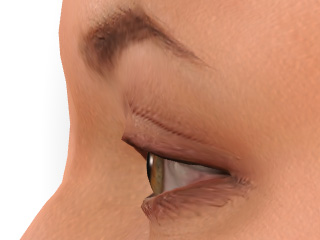
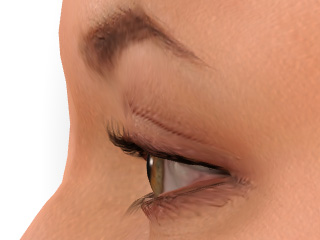
Eyelash Off Eyelash On - Preview Resolution - To switch the displaying mode for the mapped face texture in 1024 or 2048 resolution.
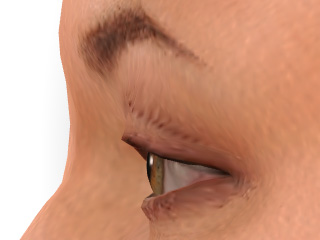
1024 2048