
 Opacity of a
prop is 100. Change it to 0 (zero).
Opacity of a
prop is 100. Change it to 0 (zero).

|
|
|
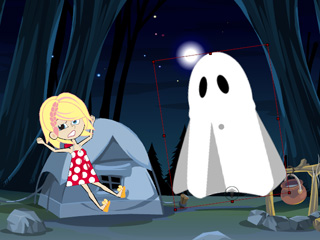
Opacity = 50 |
Opacity = 100 |
The Opacity setting not only decides the transparency of a character, prop or image layer, but it can also create fade in and fade out effects. You can create fade in and fade out effects in any project by altering the opacity values of the image layer.
Opacity of a
prop is 100. Change it to 0 (zero).
|
|
|
|
Opacity = 50 |
Opacity = 100 |