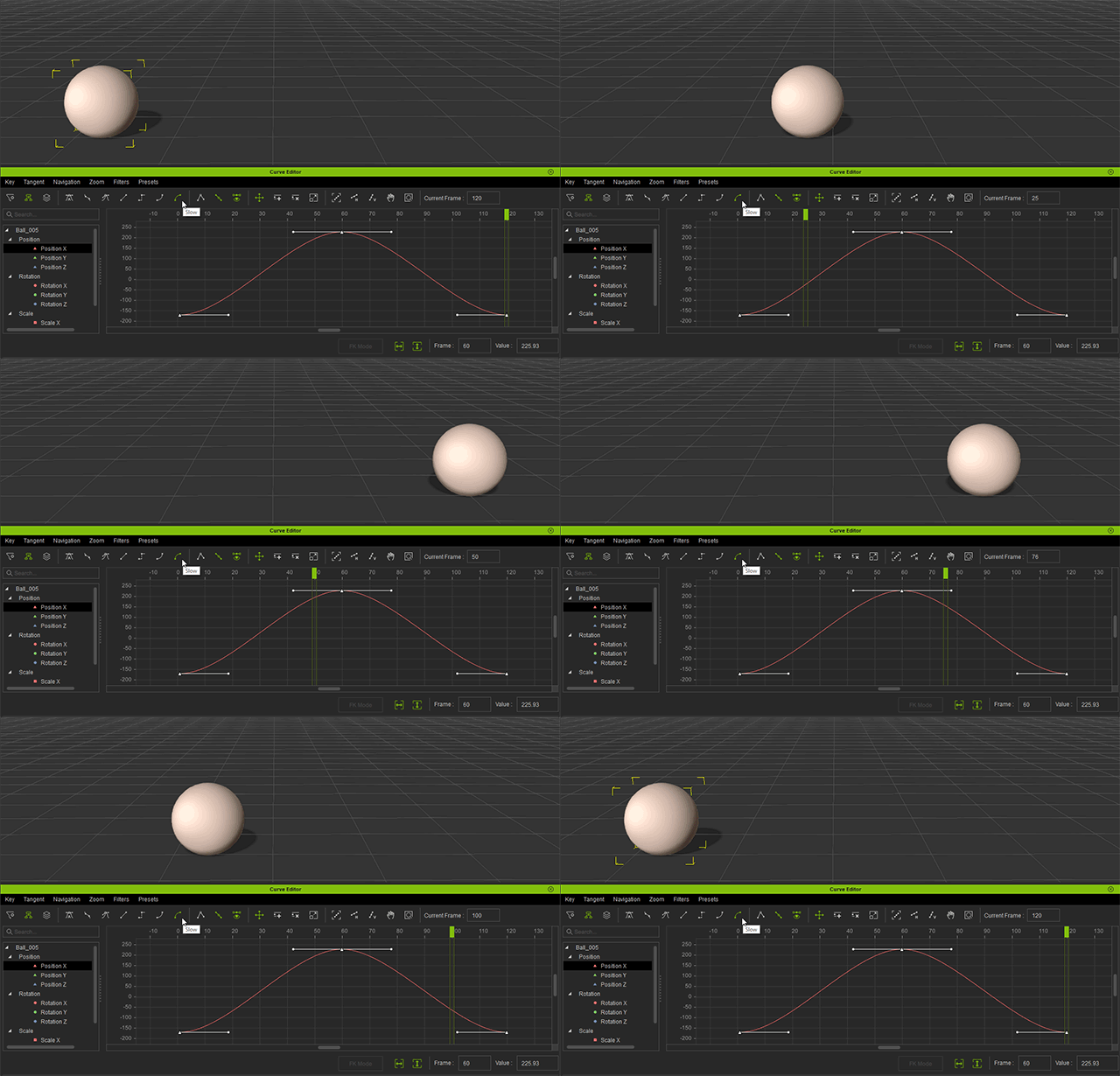
Tangent Type Tools

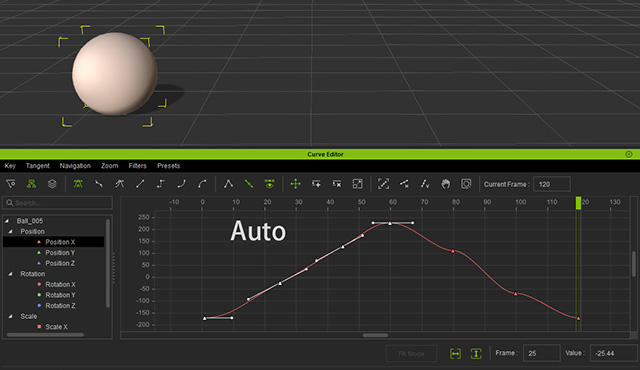
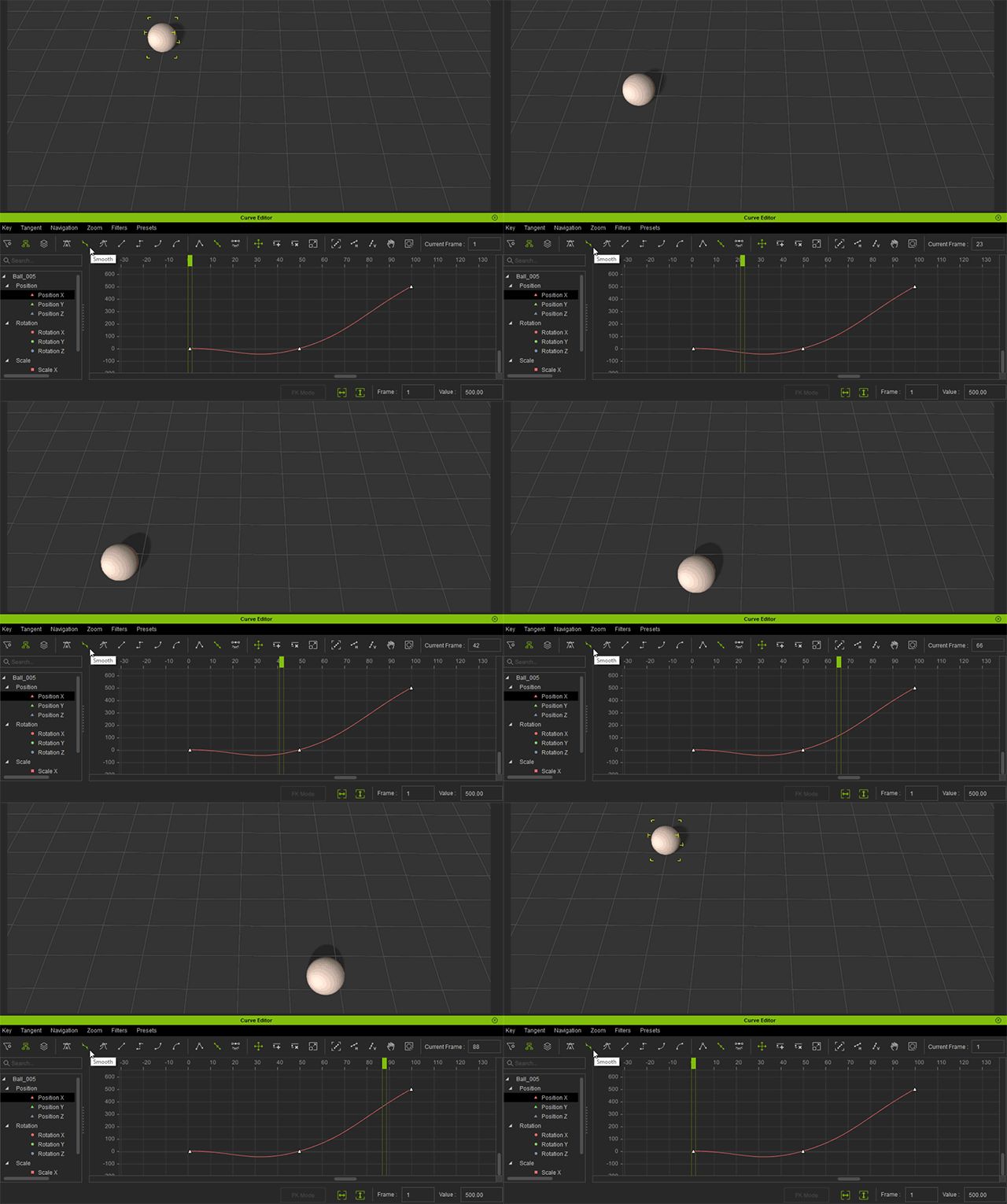
- Auto: Auto is a type of optimization where the selected lowest and highest value keys are slowed and everything in between become linear.
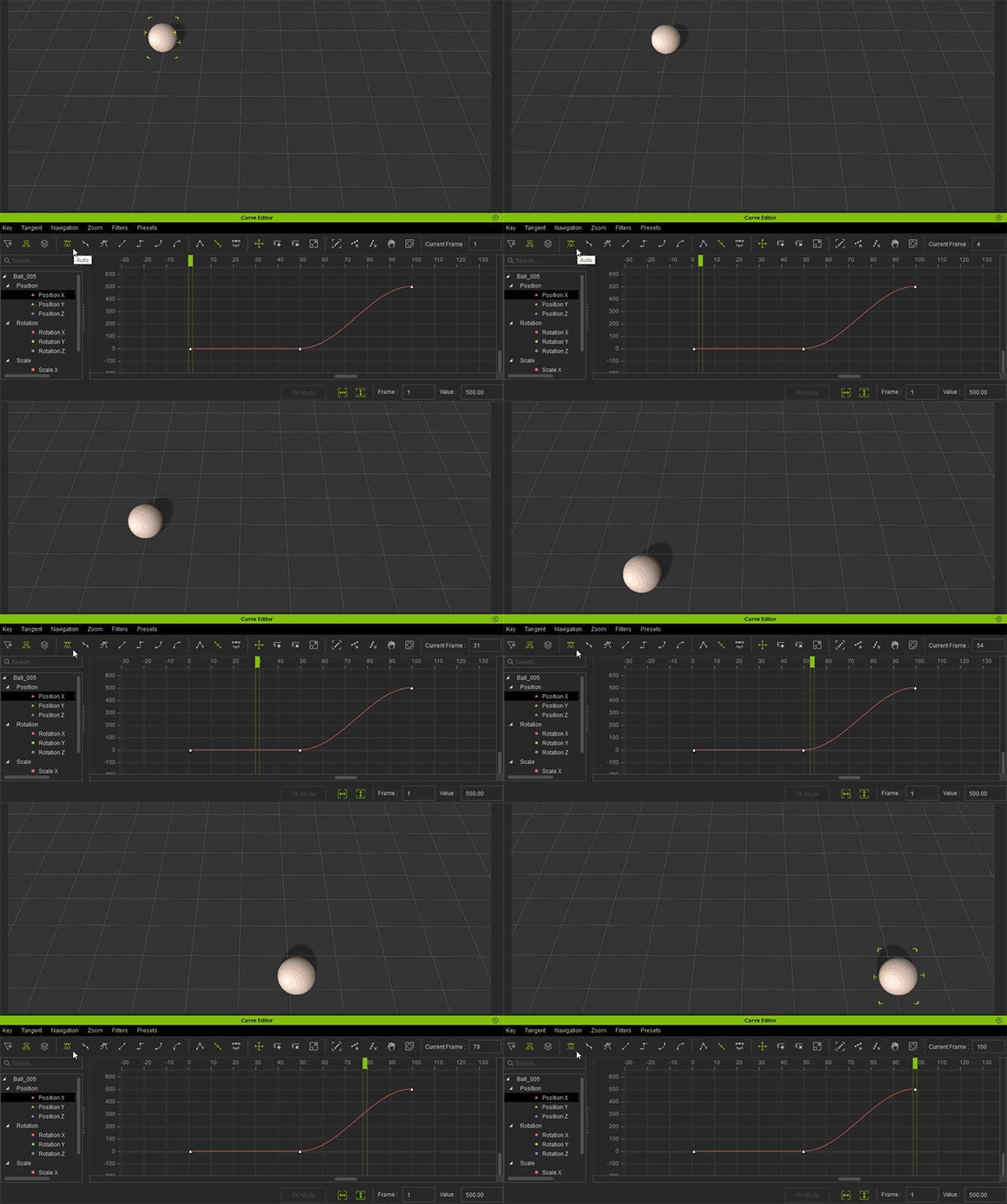
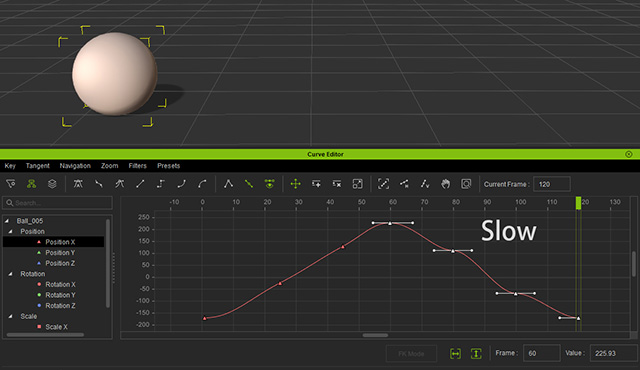
Auto and Slow are the same under some circumstances, the main difference is that Slow will apply ease in and ease out on every selected key while Auto only applies slow on the lowest and highest value keys.- Auto:
- Slow:
- Auto:
- Smooth: The difference between Smooth and Auto is that Smooth will produce an arc in motion that can deviate from the original motion path.
The animation below shows how the curve changes from Auto to Smooth.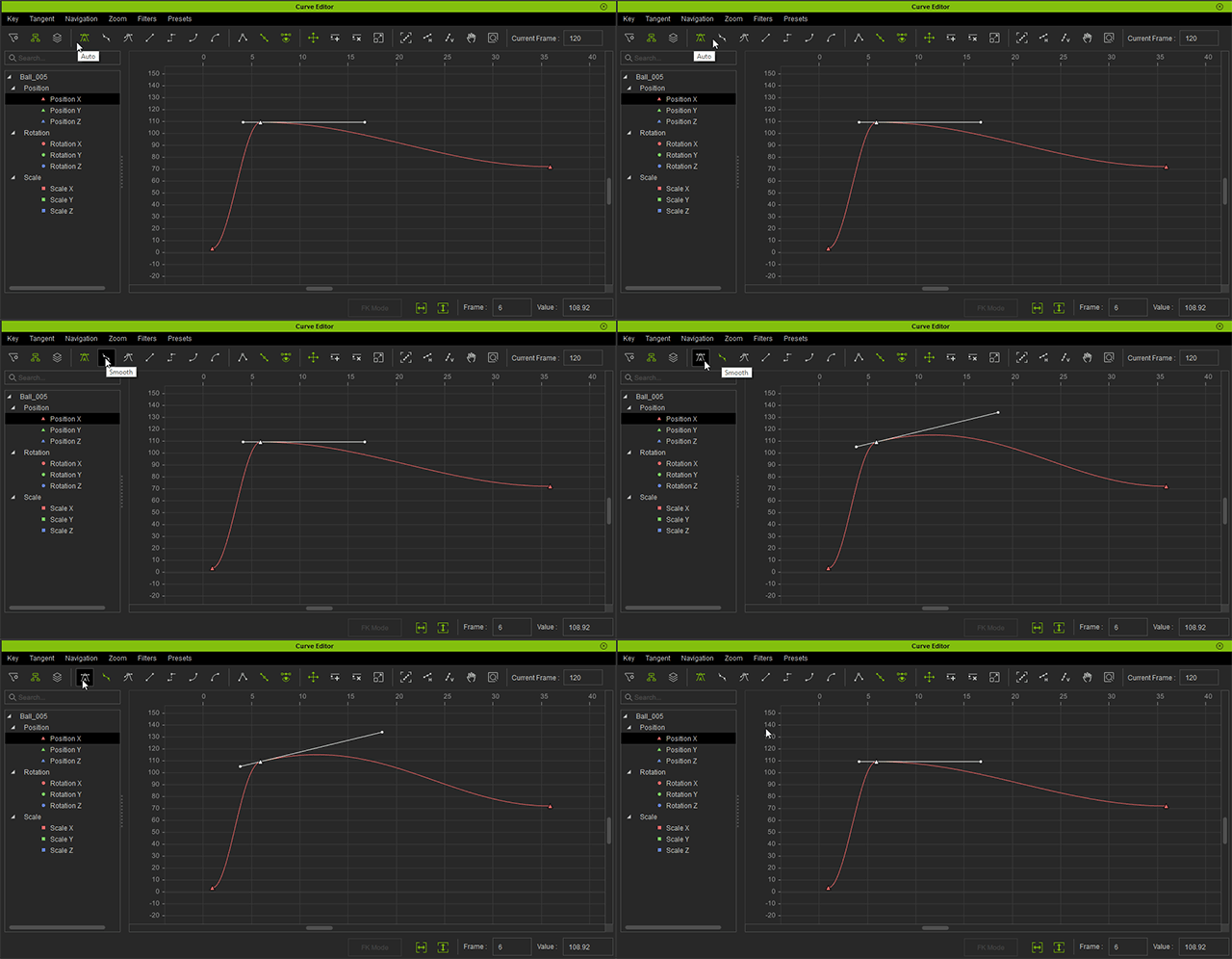
- Spline:
- Spline is different from other types of tangents in that it will preserve the same degree of curvature regardless of how the front and rear keys change.
- Other types will re-calculate with the changes in the before and after keys.
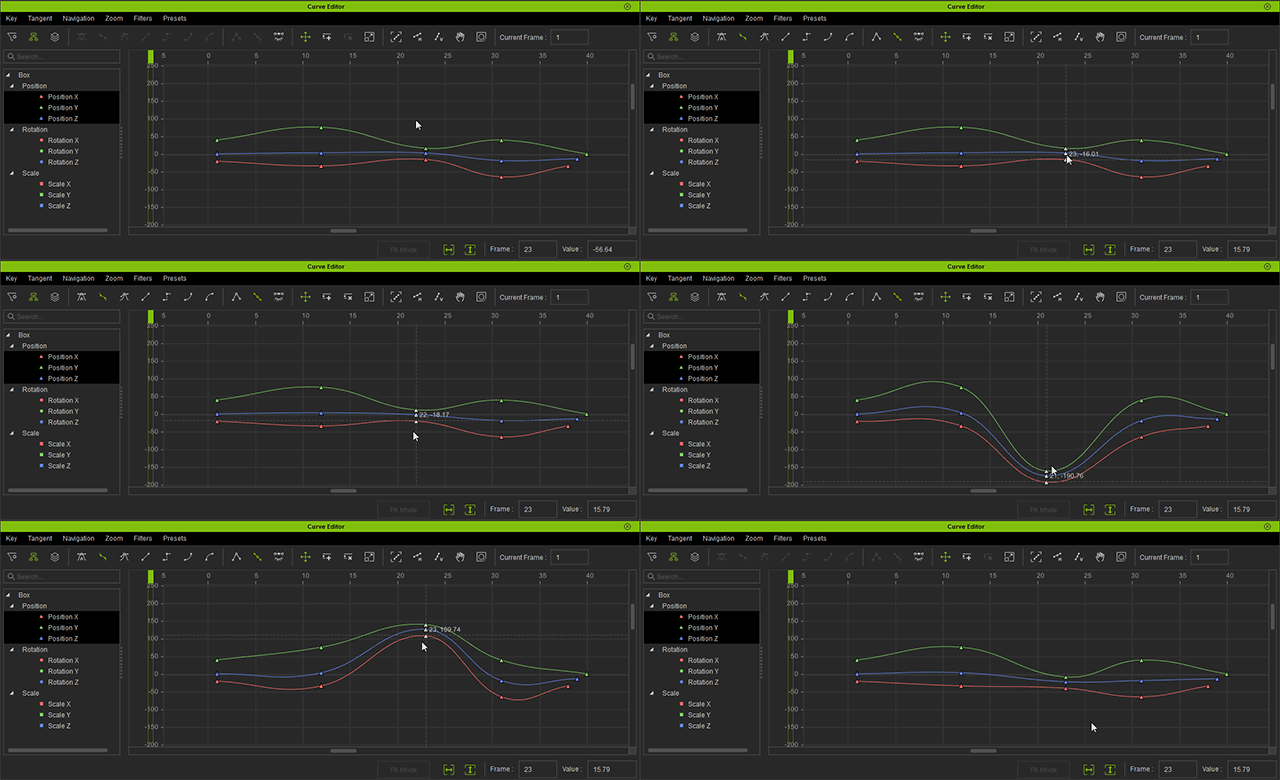
- Before and after keys set to Smooth experience drastic changes when the middle key is moved.
- Before and after keys set to Auto experience only slight changes when the middle key is moved.
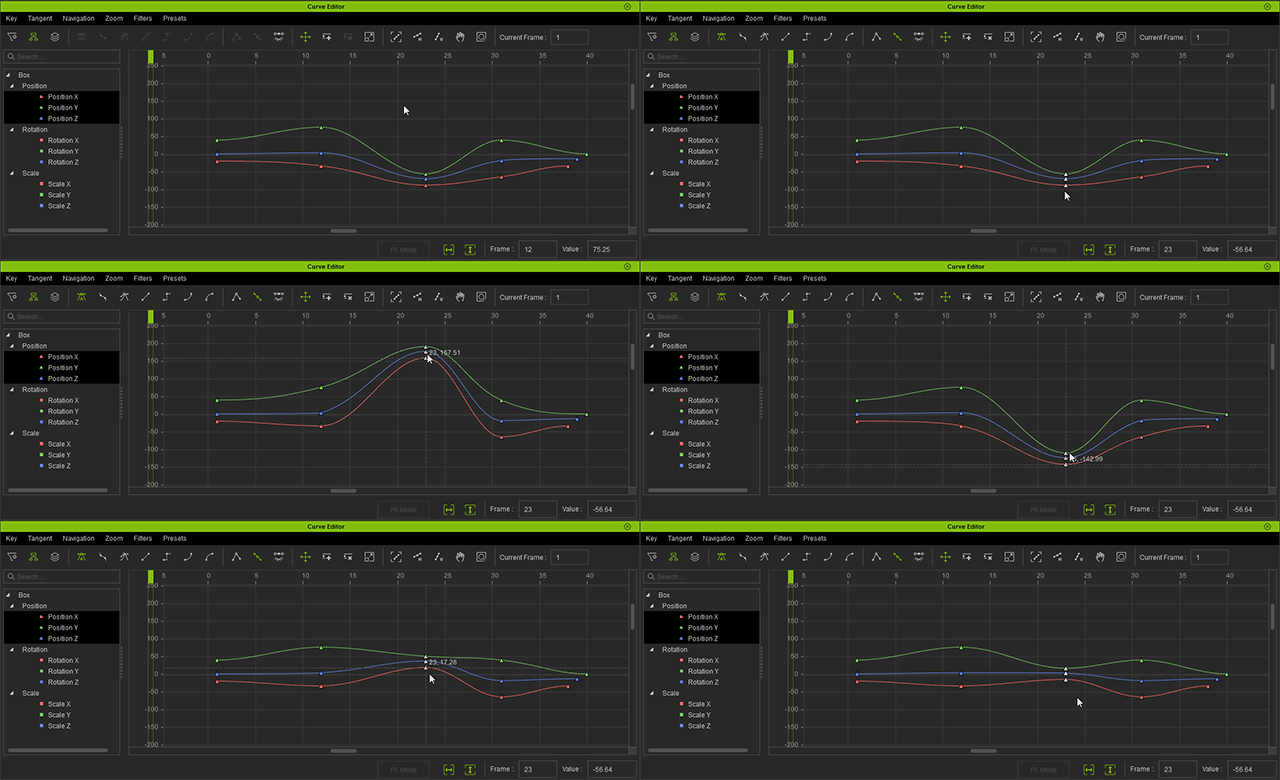
- Before and after keys set to Spline experience no changes when the middle key is moved.
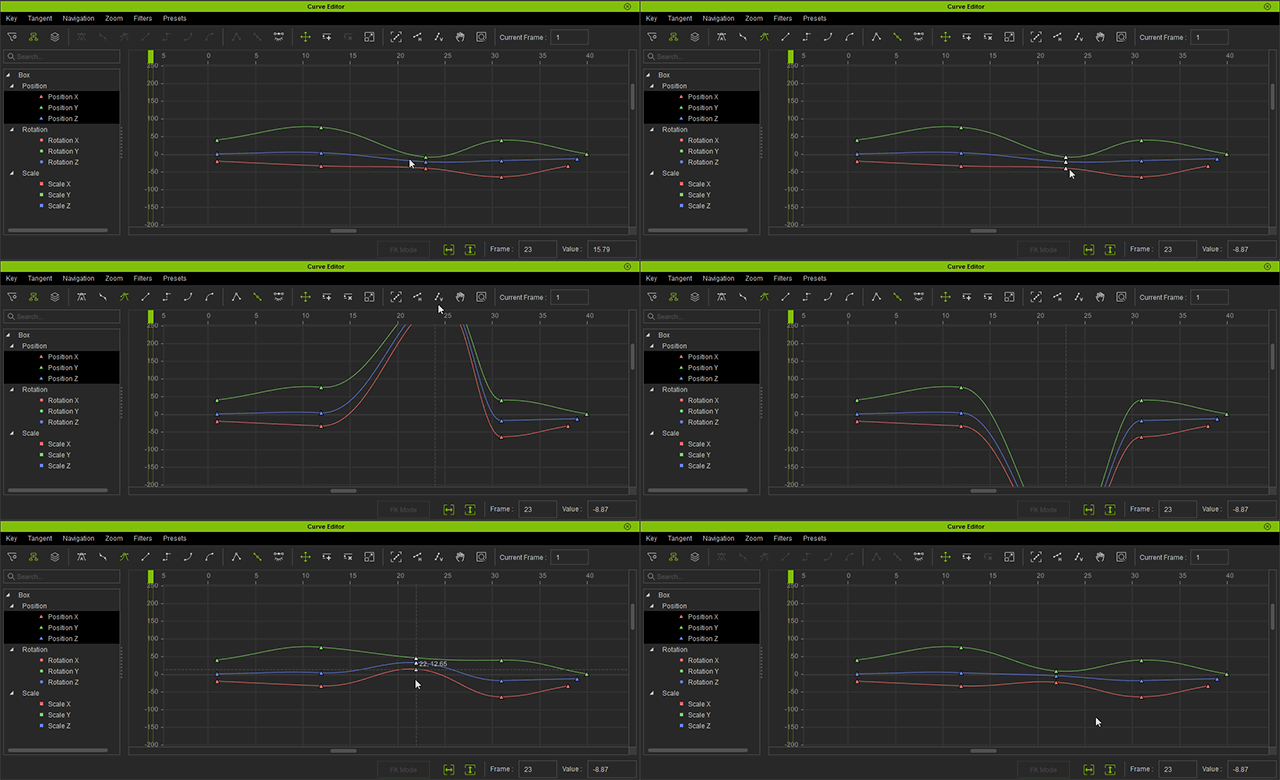
- Before and after keys set to Smooth experience drastic changes when the middle key is moved.
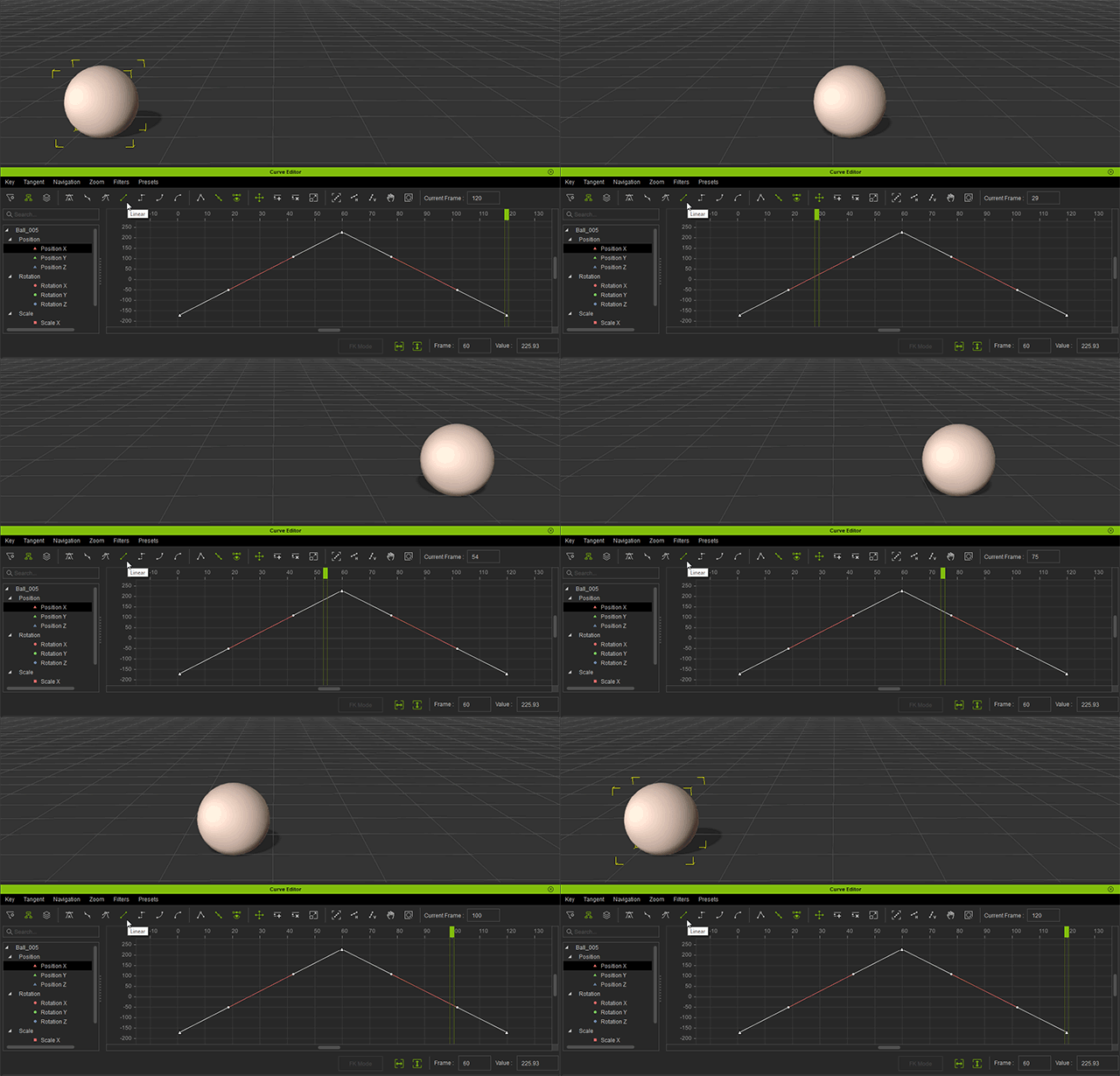
- Linear: Constant speed.
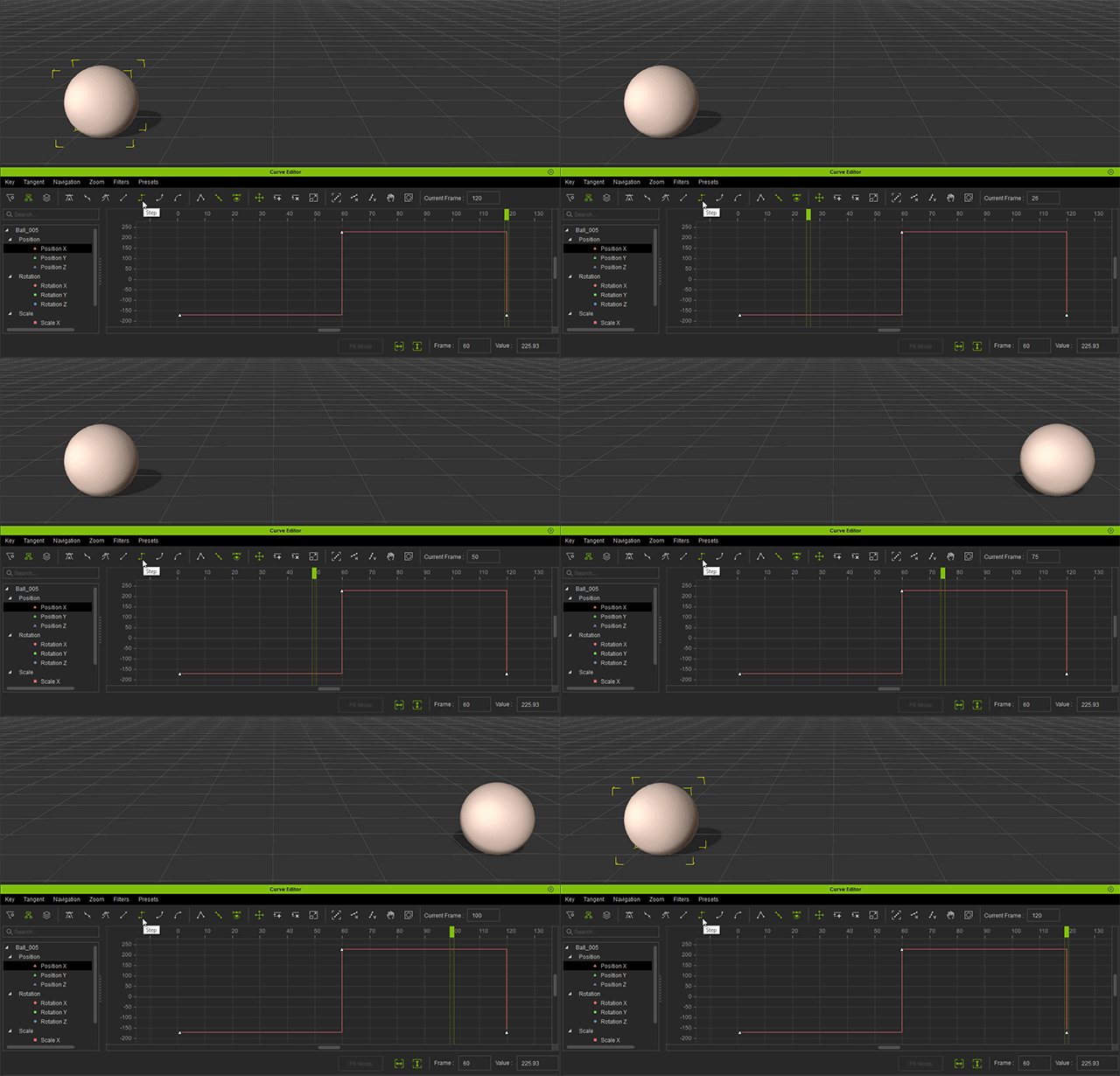
- Step: Carry the current state until the next keyframe.
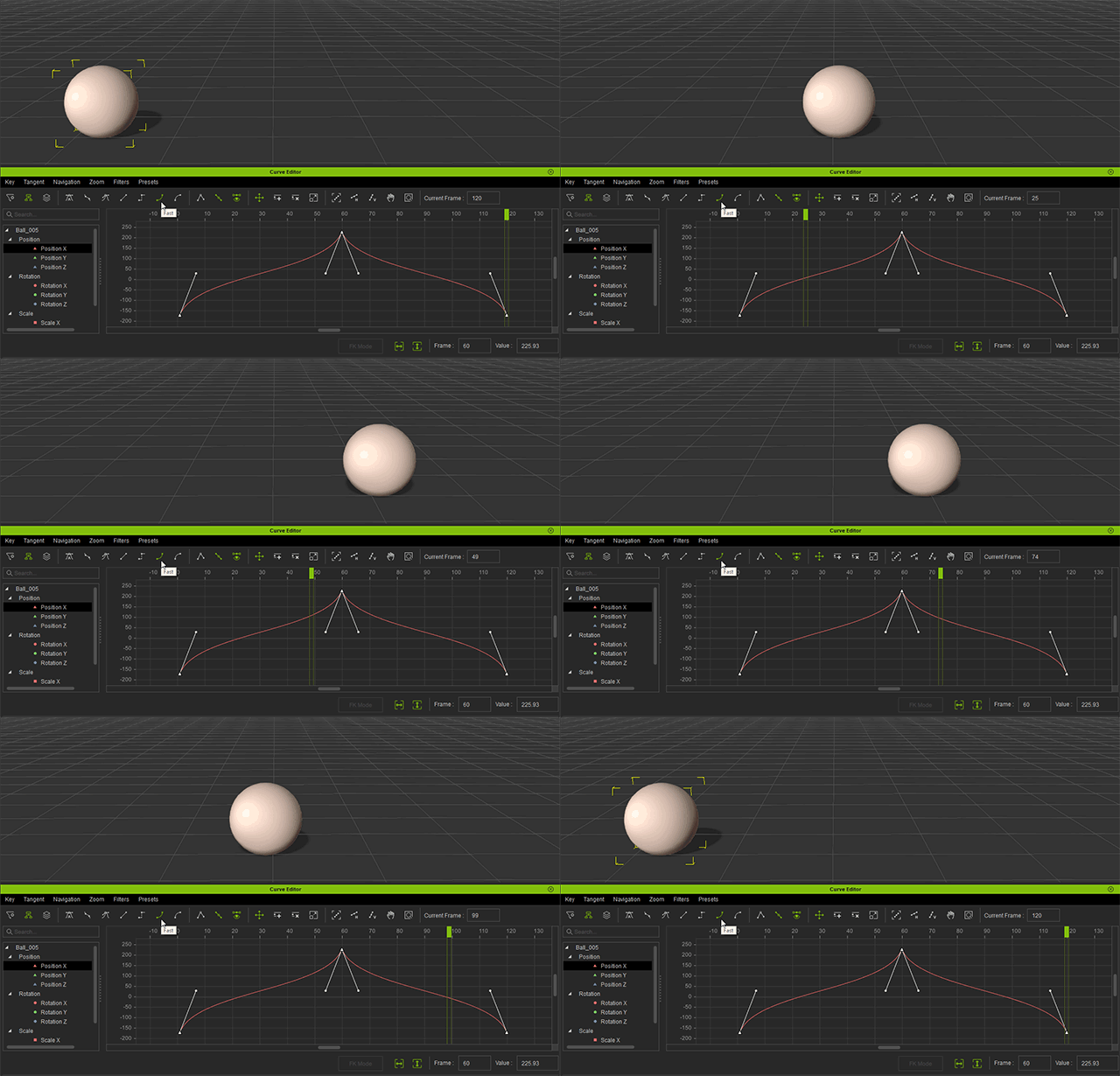
- Fast: Pick up speed when nearing a keyframe.
- Slow: Drop speed when nearing a keyframe.