Diffuse Blend
The Diffuse Blend section provides controls for refining the generated diffuse texture. It allows you to reduce lighting information captured from the source image and adjust skin redness to produce a more natural and consistent skin appearance.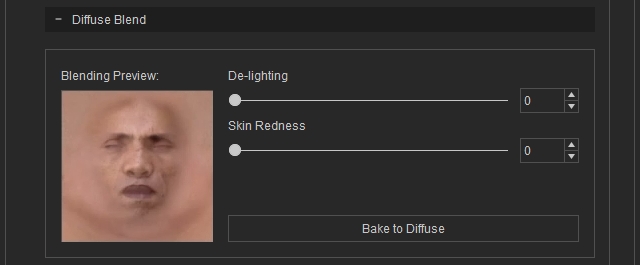
De-Light
The De-Light controls reduce lighting and shadow information captured from the source image. This helps remove the influence of the original lighting conditions and produces a more neutral diffuse texture that better matches the character's skin.
Adjust the De-Light strength to control how much lighting information is removed from the generated diffuse texture.
Skin Redness
The Skin Redness controls adjust the redness of the generated skin texture. Use these controls to fine-tune the skin tone when the generated texture appears too red or lacks natural skin coloration.
Adjust the Skin Redness strength to achieve a more natural-looking skin tone.
Update Diffuse
Click Bake to Diffuse to apply the De-Light and Skin Redness settings and regenerate the diffuse texture.
 Note:
Note:
Because the diffuse texture is regenerated when these settings are updated, processing may take longer than standard texture adjustments.
