Unreal Live Link for iClone (Updated for v1.3)
Transfer Mode
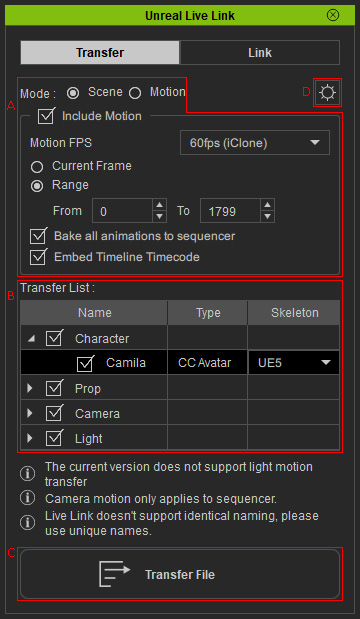
- Mode Switches: Switches to Scene mode for transferring models and animations or to Motion mode for transferring character motions and prop animations only.
- Transfer list: List all the objects that can be transferred to Unreal.
- Transfer Files button: Click this button to send the desired contents in the list to Unreal.
- Transfer File Settings: Click the gear button for Transfer File settings.

Link Mode
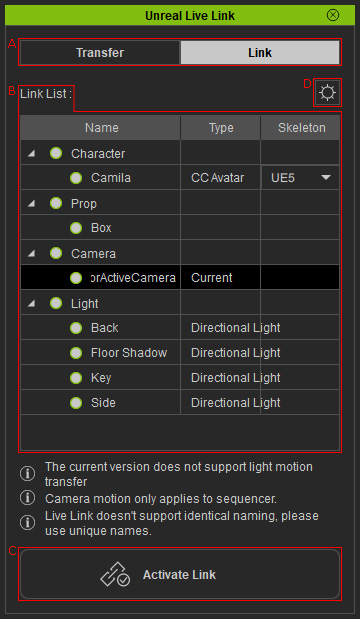
- Mode Switches: Click this button to switch the Unreal Live Link panel between Link and Transfer modes.
- Link list: List all the objects that can be linked with Unreal assets.
- Activate Link: Click this button to start transferring the changes of the activated objects in the list to Unreal.
- IP Port Settings: Click the gear button for the IP Port settings.

