Switching the Viewport for Different Level of Node Graph
To keep the viewport clean and well structured, the system allows you to integrate selected nodes into sub-nodes. Sub-nodes can be nested in multiple levels. You can use the provided viewport tools to switch between and view the contents of each level.
- Prepare a graph with nodes and sub-graph nodes.
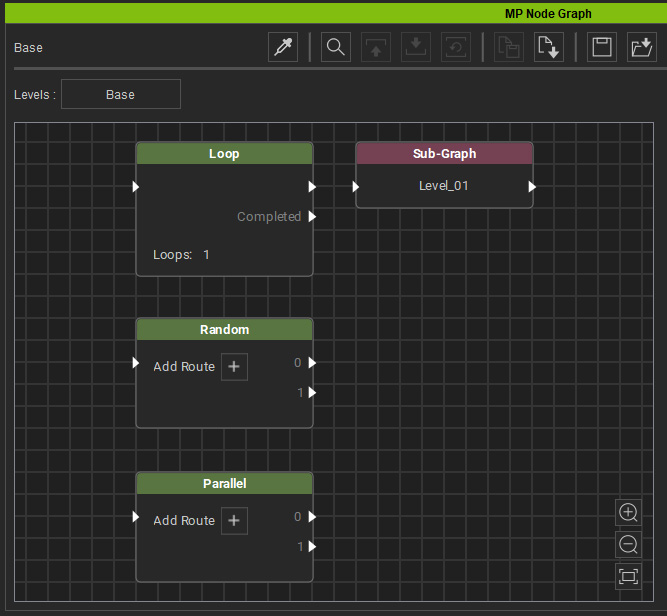
- Select a Sub-Graph node. As you can see, the Child Level button is enabled.
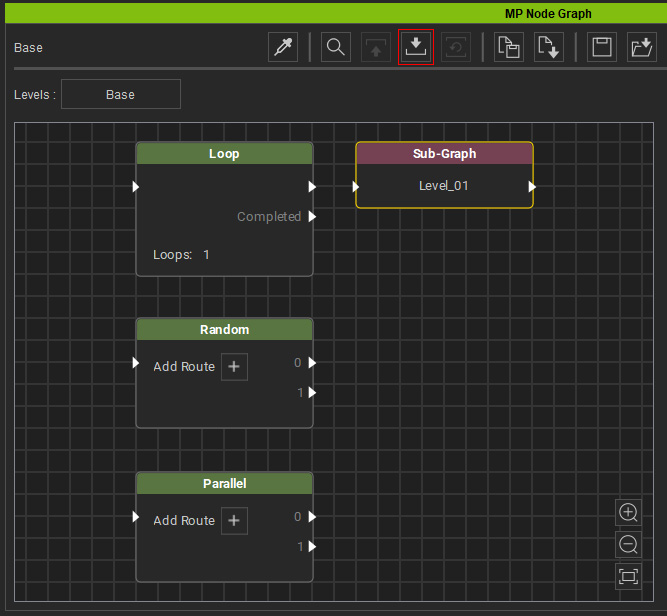
- Double-click the Sub-Graph node or click the Child Level button to open the sub-graph and switch the viewport to display the nodes within it.

- If there are sub-graph nodes within the graph, you can repeat the same steps to display their contents.
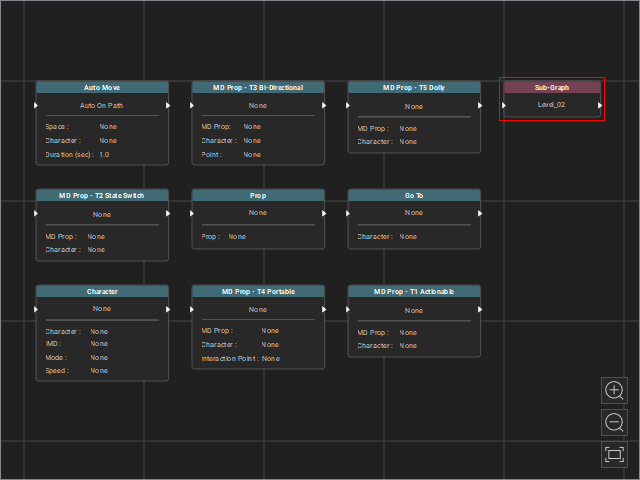
The viewport will show the nodes in the sub-graph.
The current sub-node name will also be listed on the Levels bar.
- Click the Parent Level button or the [Node Name] button on the Levels bar to close and exit the current sub-graph and move up one level.

- To return to the base graph view, click the Base Level button or the Base node button on the Levels bar.
