T4 Portable Nodes - Nearest, Random and Selected
When interacting with objects composed of multiple attached T4 Portable MD Props, these props can be retrieved based on the nearest distance, at random, or via a specified selection.
In the following example, the prop is composed of regular and MD Props by Attach feature.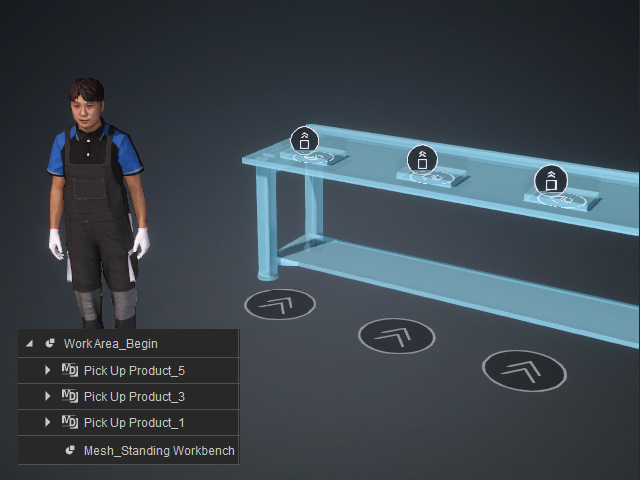
When the T4 node is selected, you can determine the picking up order to Nearest, Random or Selected.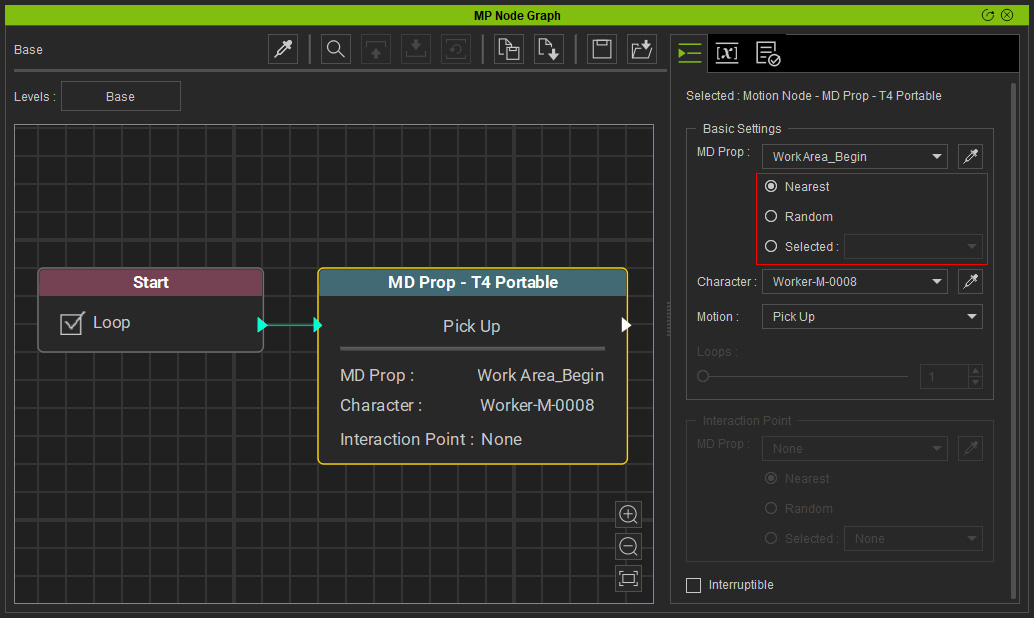
- Nearest: The character picks the objects in order from nearest to farthest.
Start Go MD mode to view the result: - Random: The character randomly picks the objects.
Start Go MD mode to view the result: - Selected: You can use the drop down list to select the desired one.
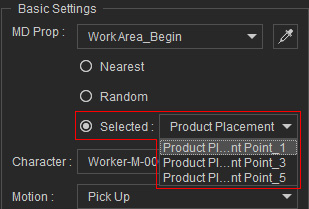
Start Go MD mode to view the result:
