T4 Portable Nodes - Choosing Interaction Point
The T4 Portable Node can also select an Interaction Point to drive the character to perform the motions embedded in the T4 Portable MD Prop.
- Apply Water Plants.iPlanningSet from Project > MP Set > Basic Sets as the example for this demonstration.
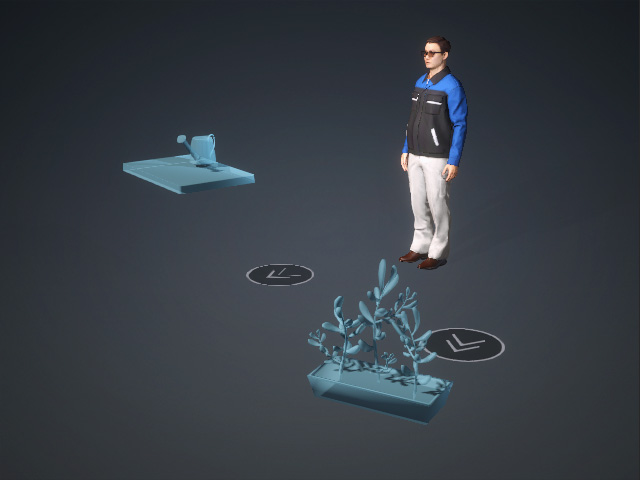
Open the MP Node Graph panel and adjust the flow so the character picks up the prop, moves to the Interaction Point to perform the embedded action, returns to the Placement Point to put the prop down, and then repeats the entire sequence.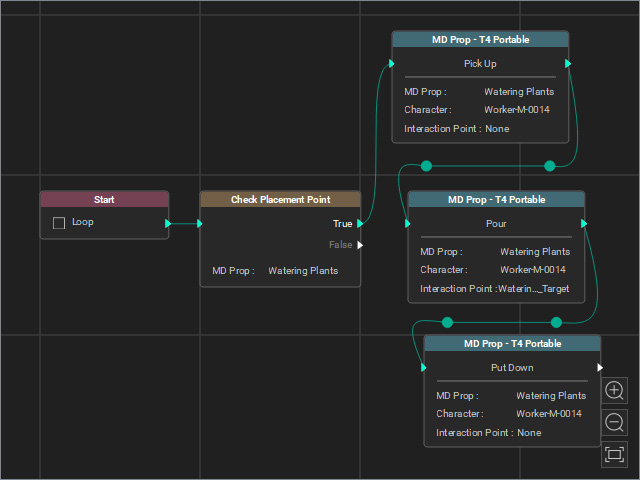
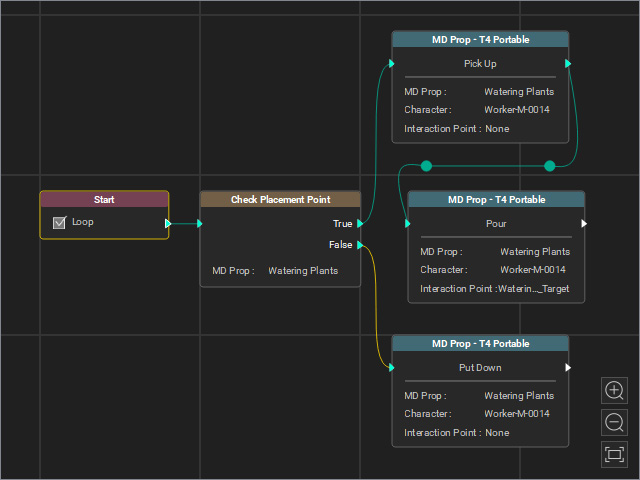
Before
After adjustments
- Select the MD Prop – T4 Portable > Pour node.
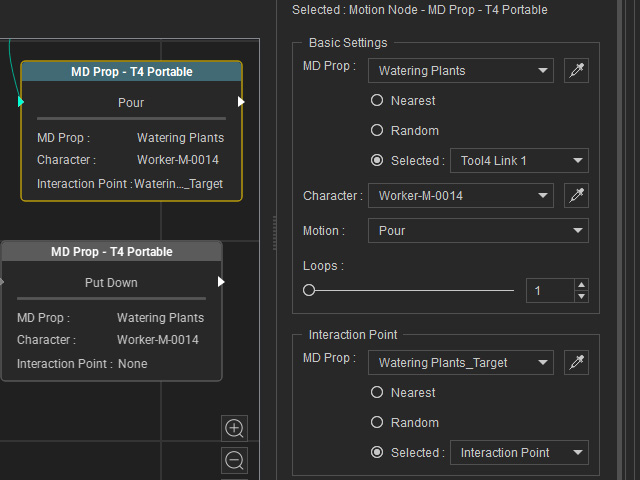
- The MD Prop must be set to the Base Template.
- Set Motion to Pour (specifically designed to be triggered by an Interaction Point) to enable the Interaction Point section.
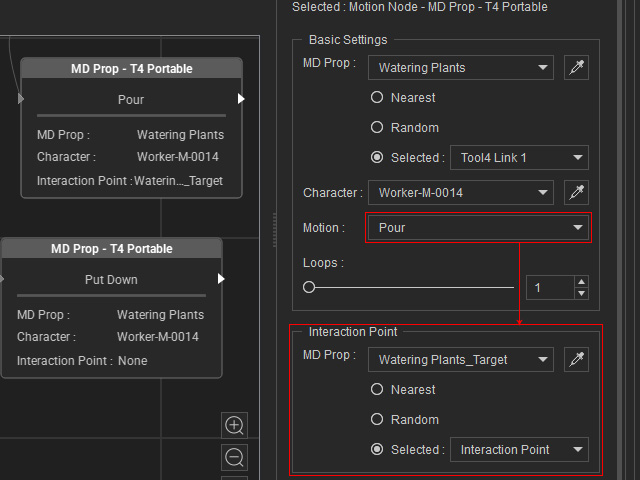
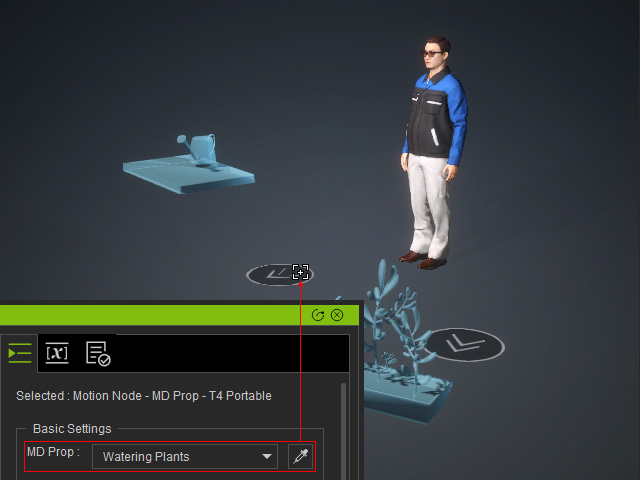
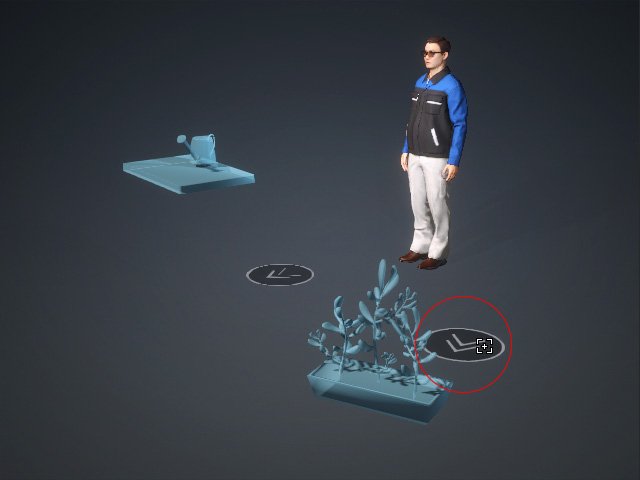
- MD Prop: Choose the interaction point for performing the embedded motion. If you use the dropper to pick the MD Prop from the scene, make sure to click the position point (the round disk with double arrows).
- Nearest / Random / Selected radio buttons: When the target contains multiple interaction points, choose a radio button to determine the selection method.
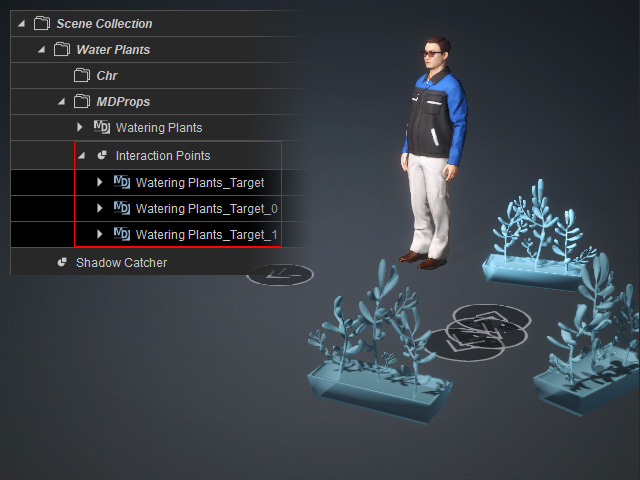
For better observation, the final node is set to loop.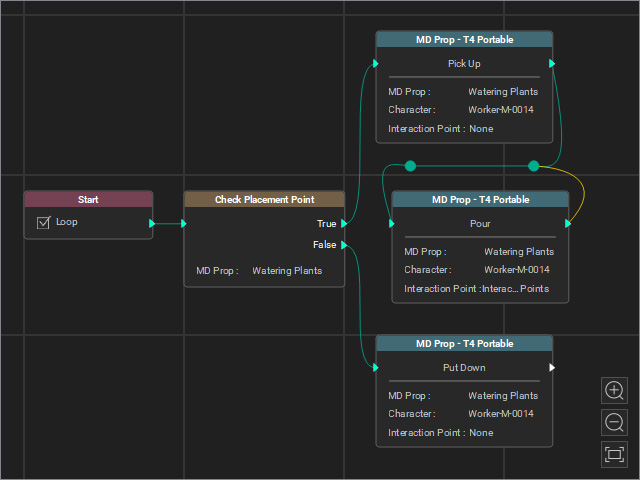
- Nearest: Always interacts with the interaction point closest to the character.
- Random: Randomly selects one of the target interaction points each time the flow reaches this node.
- Selected: Uses the specified interaction point.
- Nearest: Always interacts with the interaction point closest to the character.
- MD Prop: Choose the interaction point for performing the embedded motion. If you use the dropper to pick the MD Prop from the scene, make sure to click the position point (the round disk with double arrows).
