Device Settings - Rokoko Smartsuit Pro
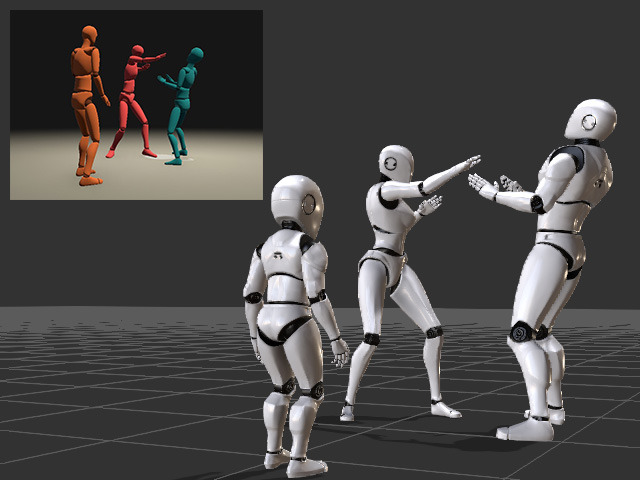
Motion LIVE plug-in supports Rokoko Smartsuit Pro mocap device, which provides a complete mocap solution for production. Not only can you capture performances by one actor, multiple actors are also allowed.
For Sending Streaming Data to iClone
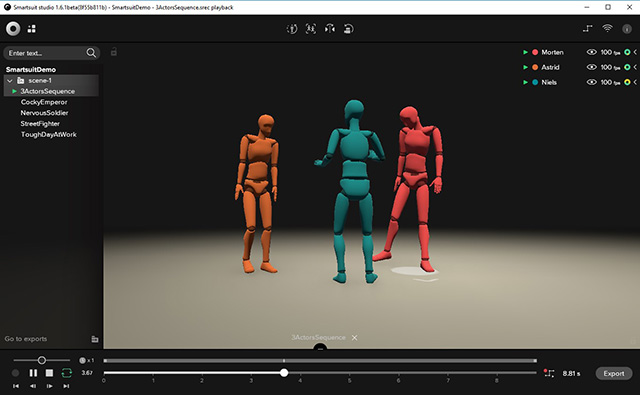
- After your actors have put on the suit and Smartsuit studio
is launched, you will see the dummies shown in the view port.
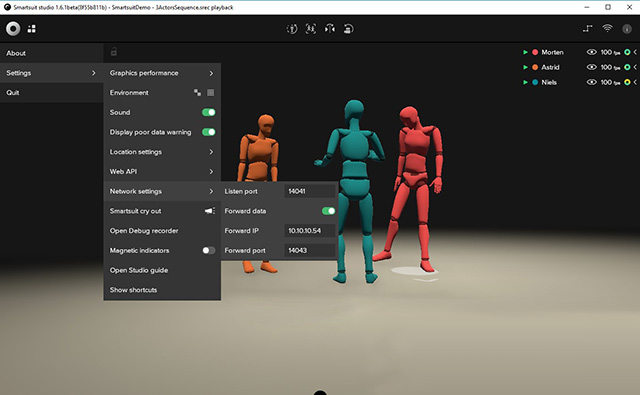
- Go to Settings >> Network Settings.
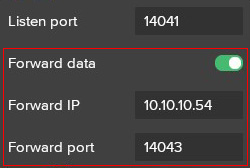
- Make sure the Forward Data is turned on and remember the Forward IP and Forward port data.
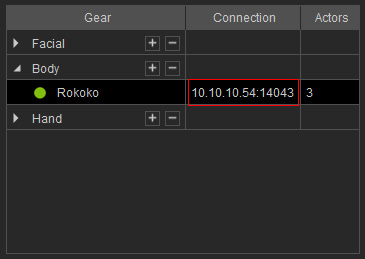
- To connect the Motion LIVE plug-in, add the gear to the Gear List and set the IP:Port to the same one at step 5.
- Now the Rokoko Smartsuit Pro streamed data can be transferred to
characters in iClone.
More About Rokoko Smartsuit Pro
- Textile Suits: Smartsuit Pro
- Sensors: 9-DoF Inertial Measurement Unit
- Standalone Program: Smartsuit Studio (Must)
- Tutorials for Calibration: How to Perform a Straight Pose
- Export: *.FBX, *.BVH, *.CSV
- Rokoko Official Website
