Unlocking Hip Height
After you activate the Lock Hip Position box in the Motion LIVE plug-in for capturing motions for game engines, you will encounter the problem of the actor's hip moving drastically up and down, such as jumping high or doing a squat.
- Make sure the character is selected.
- Open the Motion LIVE plug-in panel and switch to the Body mode.
- Activate the Hip Position Lock box.
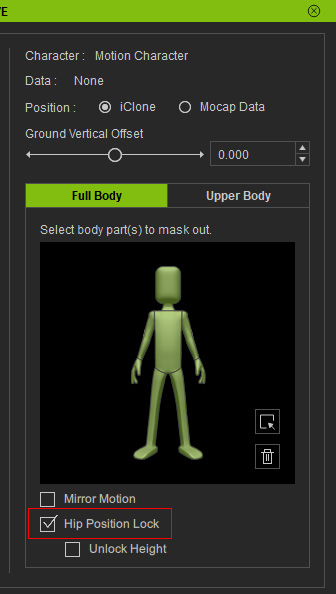
-
Preview and record the motions captured from the mocap device and do some motions that will change the height of the hip.
As you can see that since the hip's position is locked, the motion will be inadequate and inappropriate. - Activate the Unlock Height box to free up the height of the hip when the hip moves.
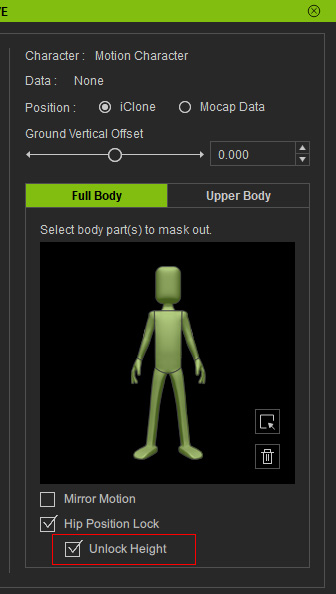
-
Preview and record the motions captured from the mocap device again.
As you can see that since the hip's height is unlocked, the motion will be correct.
