Video Formats and Settings
iClone AccuFACE 2 allows you to import recorded footage as the source for facial tracking, instead of needing a performer to be present at all times to capture the facial performances.
 Note:
Note:
- In VIDEO mode, videos with a frame rate exceeding 60 FPS are automatically resampled to 60 FPS.
- AccuFACE 2 supports popular video formats including AVI, WMV, MP4, MKV, and MOV. Video playback depends on the required codecs being installed on your computer.
- If a supported video cannot be loaded or played, install the latest K-Lite Codec Pack to ensure compatibility with common video codecs.
- For successful facial tracking, the detected face must be at least 128 x 128 pixels. For optimal tracking accuracy, a face size of approximately 512 x 512 pixels is recommended.
- For optimal tracking performance, use recorded footage that is under 5 minutes in length, recorded at 1080p with a frame rate of 60 FPS, ensuring the performer's face occupies approximately 512 × 512 pixels within the video frame.
The settings for the videos are as follows:
- In AccuFACE 2, switch to VIDEO mode.
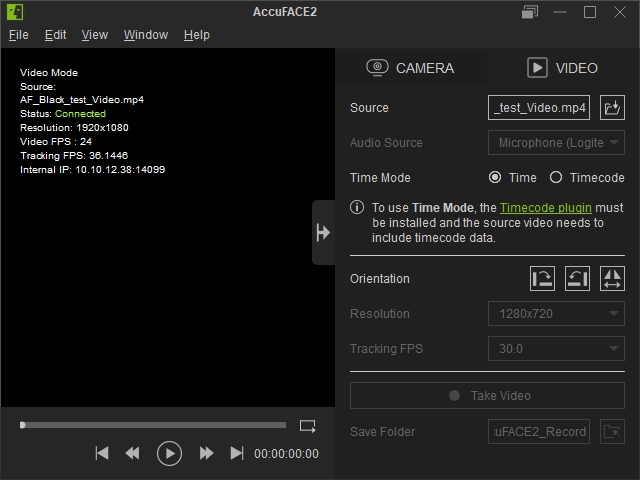
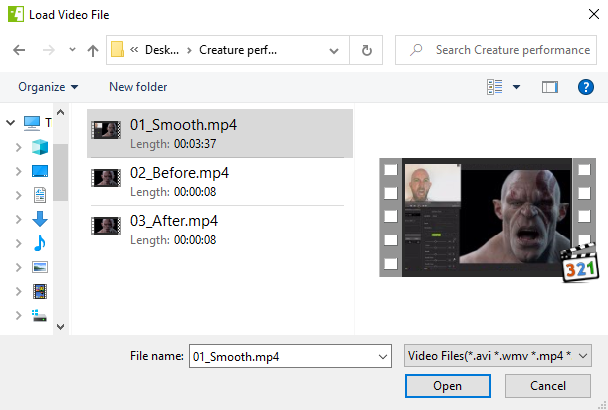
- Choose a video using the subsequent Load Offline Video file dialog.
In VIDEO mode, the Resolution and Tracking FPS options are disabled. This is because AccuFACE 2 will utilize the resolution and FPS settings of your imported video for capturing facial performance calibrations.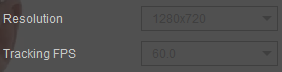
After the video is imported, it is automatically preprocessed in the background to optimize tracking performance.