Copying and Pasting Skin Weights
The Copy and Paste functions allow you to copy the skin weights of one vertex and apply the same weights to multiple selected vertices. This is useful for preventing rigid clothing parts, such as belts and buckles, from deforming with character movement.
Example: Preserving a Belt and Buckle
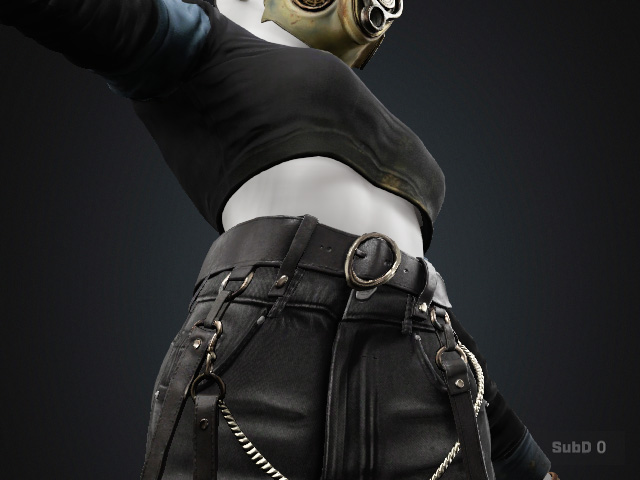
The following example uses a bending pose to identify and correct deformation of a belt and its buckle. Apply a bending pose to the character and observe how the belt and buckle deform.
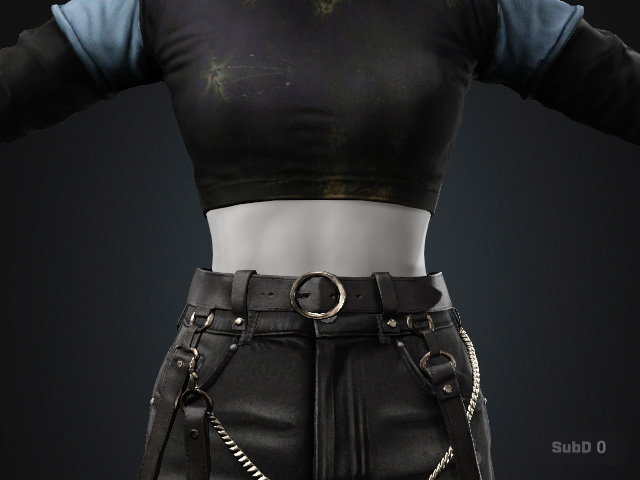
|
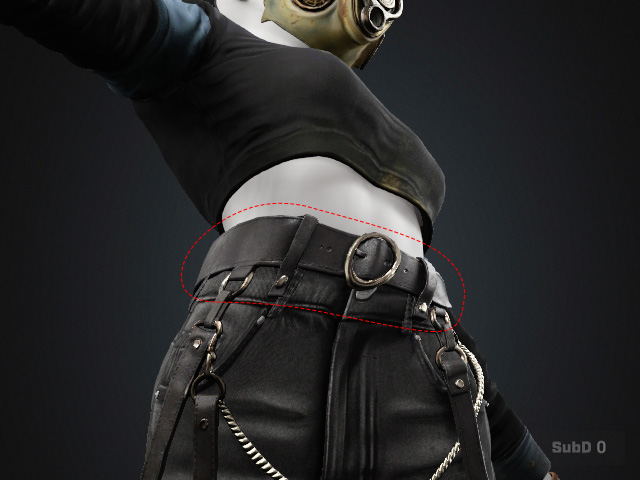
|
|
Original bind pose with the clothes. |
Deformation issue when a different pose is applied. |
- Return the character to its original pose.
- Select the belt and enter Skin Weight editing mode.
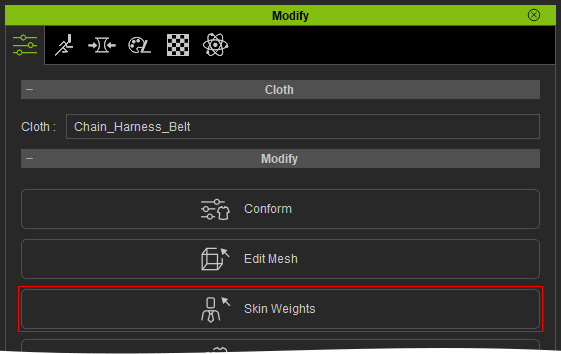
- Switch to the Vertex page.
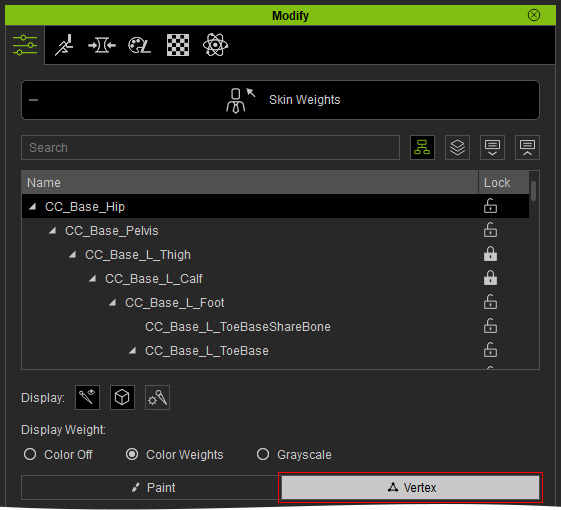
- Right-click the bone closest to the belt to select the bone with the primary influence.
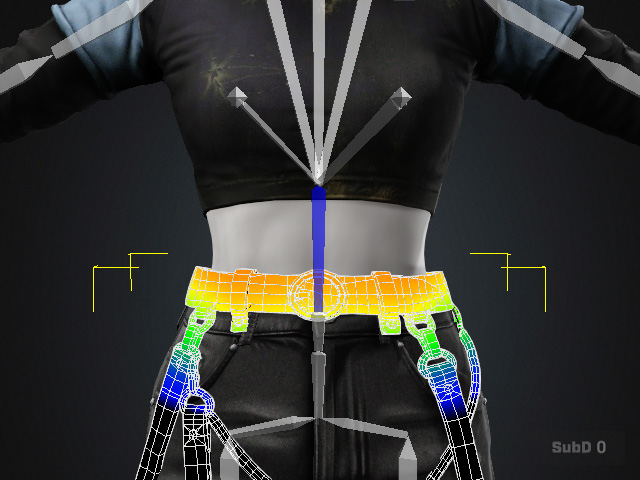
- Select a vertex near the center of the belt.
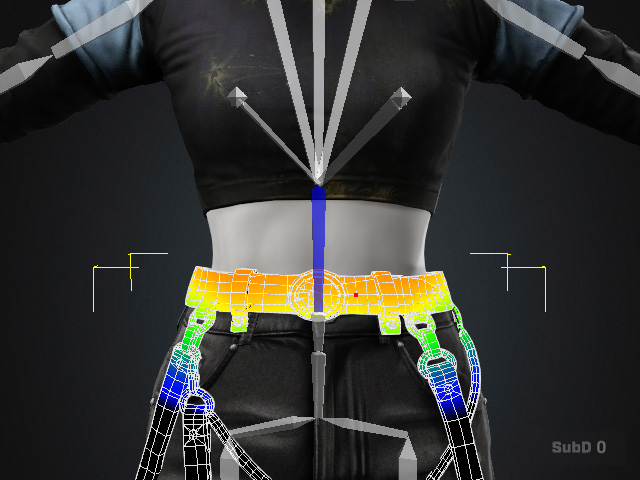
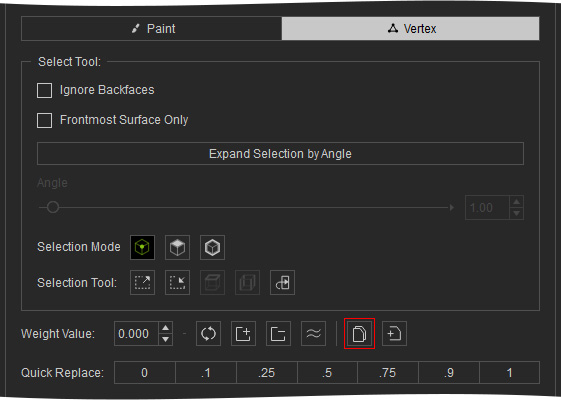
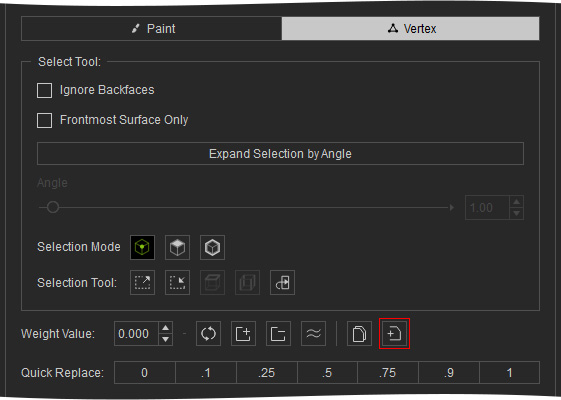
- Click Copy to copy the selected vertex's skin weights.
- Select all vertices of the belt and buckle.
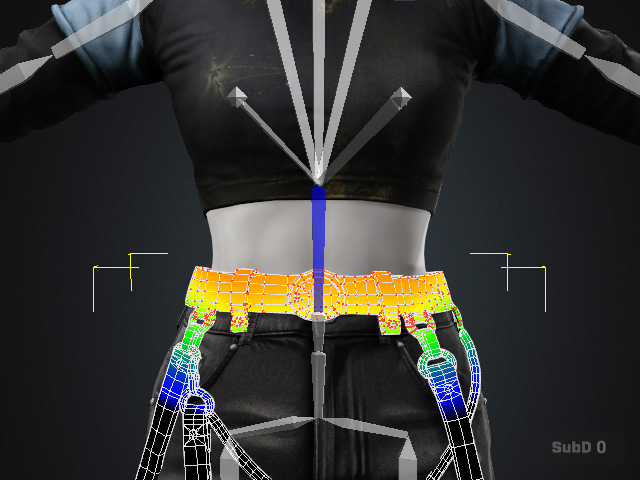
- Click Paste to apply the copied skin weights to all selected vertices.
 As you can see the vertices are pasted with identical skin weight value.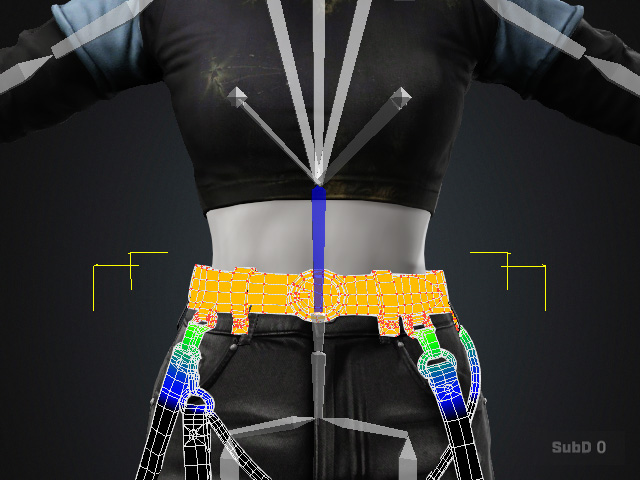
- Select the next closest bone.
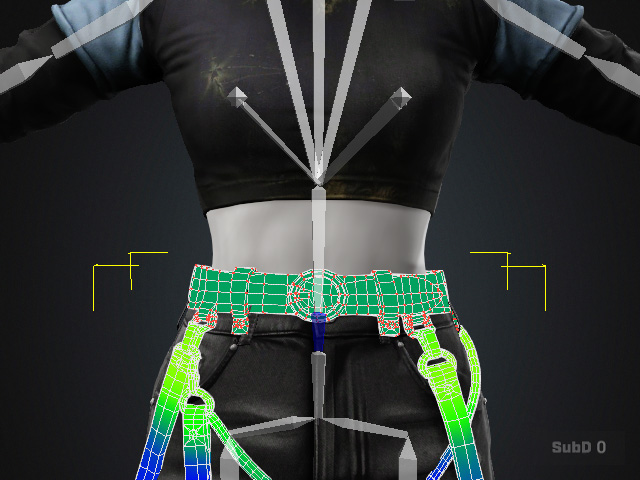
Repeat Steps 6–9 to apply its influence to the same vertices.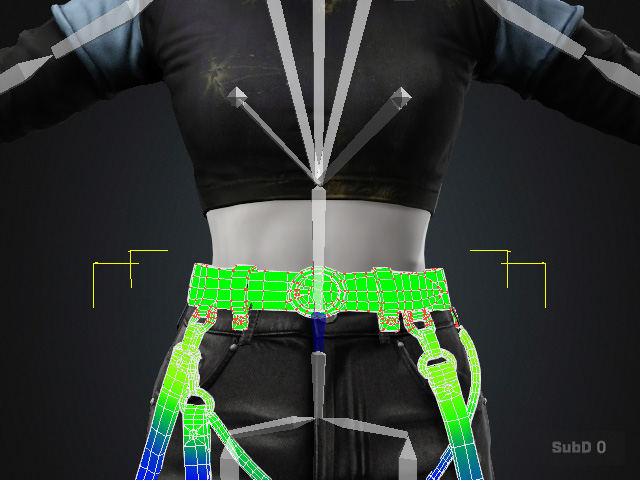
The belt and buckle are now influenced by both the primary and secondary bones while maintaining consistent skin weights across the selected vertices.
Exit the Skin Weights mode and test the character's bending pose again.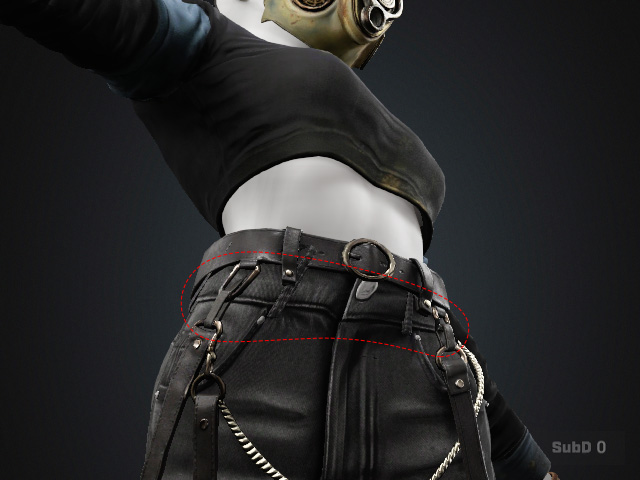
Applying the Same Method to the Waistband
- Return to the original pose and select the pants.
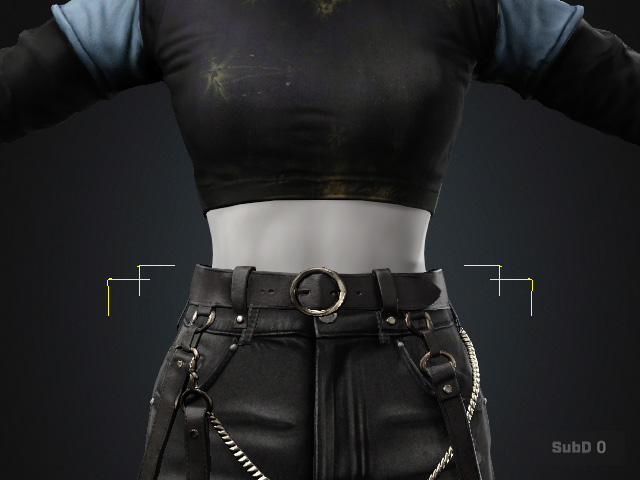
- Enter the Skin Weights mode.
- Select the primary bone closest to the waistband.
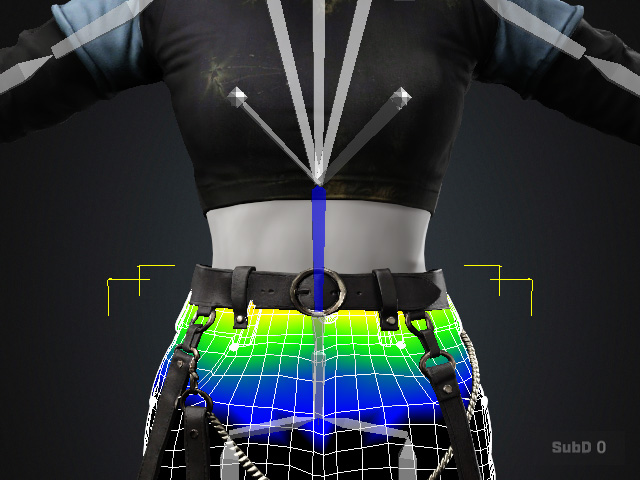
- Copy the skin weights from a suitable vertex.
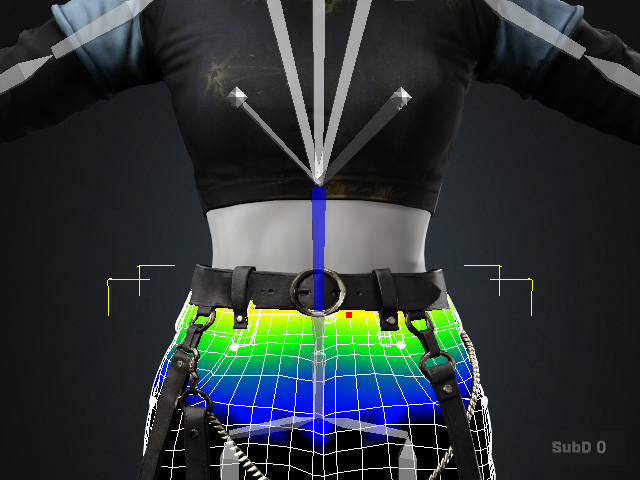
- Paste the weights to all selected waistband and buckle vertices.
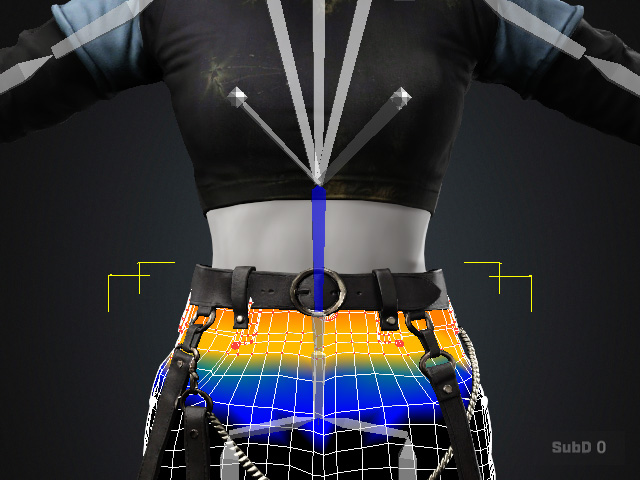
- Repeat the process with the secondary bone.
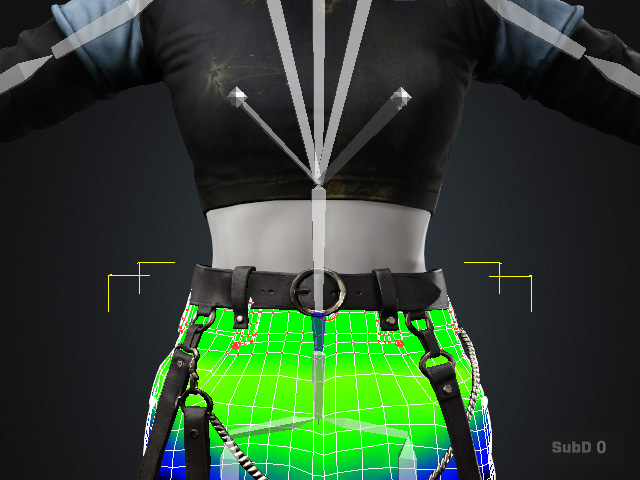
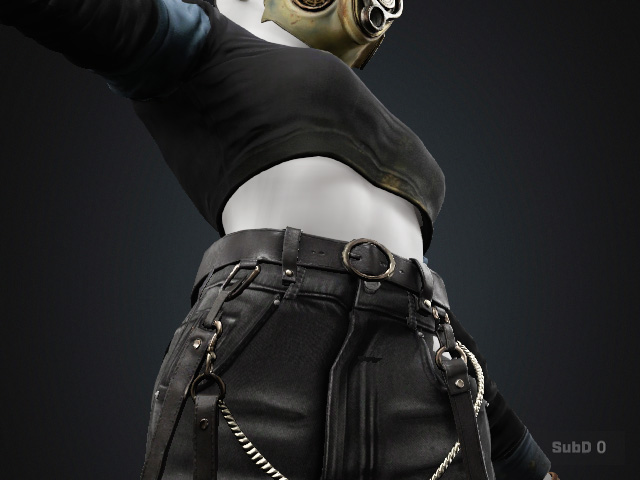
After the corrections, exit the Skin Weights mode and test the bending pose again. The belt, belt buckle, waistband, and waistband buckle should follow the character's movement while maintaining their original shapes instead of deforming with the body.
|
|
|
Deformation issue before processing. |
Deformation issues resolved. |
