Timecode for Face, Body Mocap Clips
To add timecode to facial or body mocap data, choose either the timecode generator or local time in iClone's Motion Live plugin. The selected timecode will be embedded in the captured clips.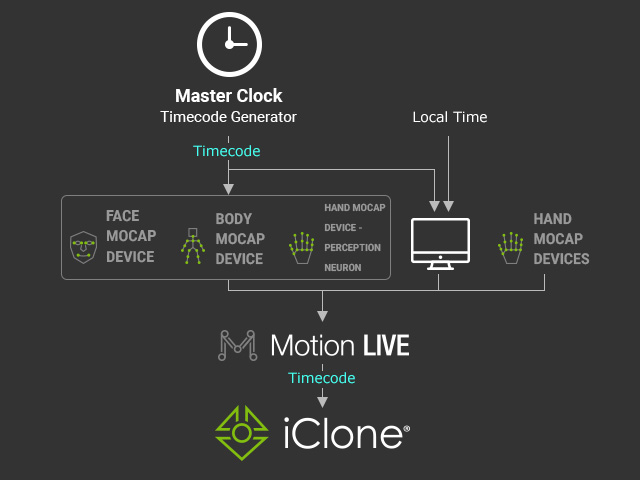
Face Mocap Device Settings
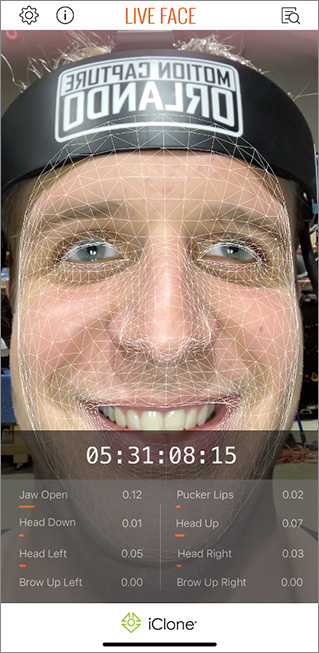
- Live Face for iPhone: If you have connected the Timecode Generator to your iPhone, then you will see the timecode on the Live Face screen, which includes the timecode for the captured data.
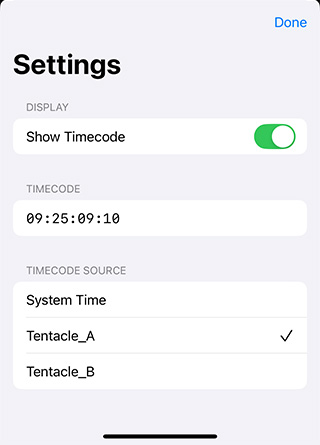
You can choose the timecode generator from the list from the Live Face settings.
The timecode will be displayed on the screen.
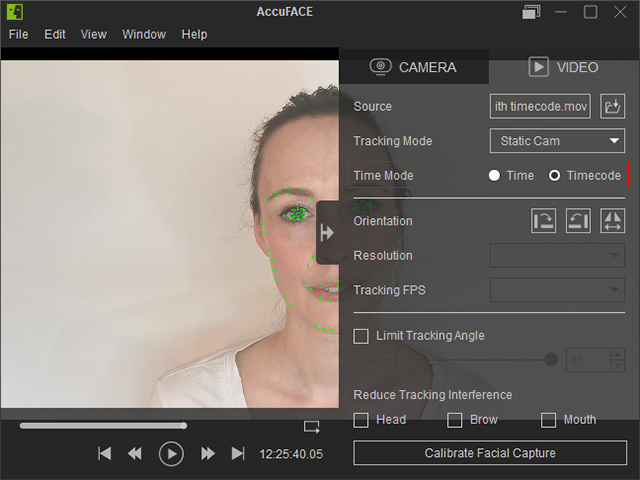
- For the video only mode in AccuFACE, switch to Time to zero out the timecode for the captured data or set it to Timecode to retrieve the timecode data within.
Body Mocap Device Settings
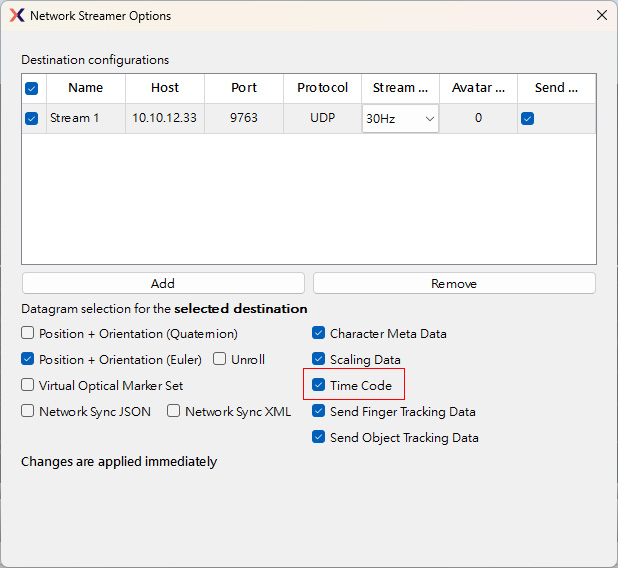
- For Xsens, navigate to the toolbar and activate Option > Network Streamer > Time Code to include the timecode in the data stream.
- Optitrak: Check out the OptiTrack Settings for iClone for more information. Complete Setting Steps.
-
For Vicon (Shogun Live), Rokoko, and the online version of Perception Neuron, there are not specific settings needed. Simply connect the timecode generator to the mocap device
