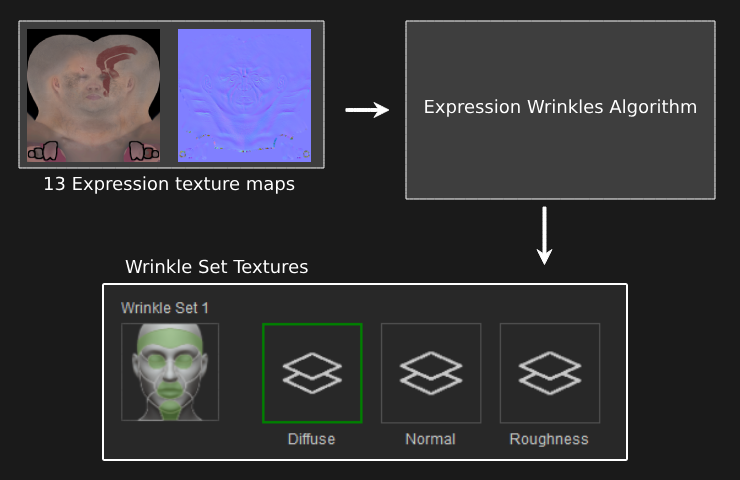
About Individualized and Generalized Wrinkles
When updating the wrinkle and other texture maps of your model in Character Creator (CC), you can choose between two options for applying wrinkle systems to your character model. The Individualize wrinkle system is tailored for characters with distinct wrinkle details unique to each individual. Conversely, the Generalize wrinkle system utilizes texture maps with neutral wrinkles, making it suitable for multiple character models that share similar wrinkle features.
 Note:
Note:
The Face Tools plugin automates the complex process of transferring multiple texture information from ZBrush to CC. The actual conversion process between Individualize and Generalize takes place in CC.
Individualized
When customizing texture map settings for individual expressions, each expression texture map will seamlessly integrate into both diffuse and normal wrinkle maps of the corresponding wrinkle set in CC. This meticulous process ensures the accurate conversion and preservation of all polypaint and mesh displacement information into CC. For more in-depth information on the Individualize setting, see this page.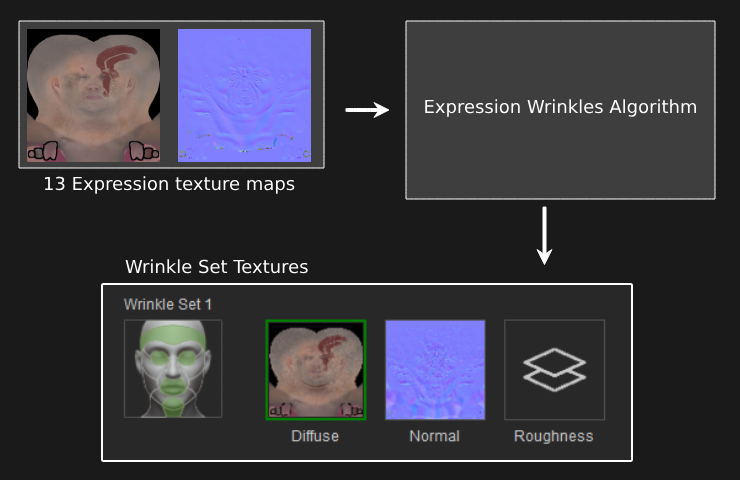
Generalized
The Generalize setting will convert your model’s wrinkle mesh displacement and polypaint information into separate wrinkle normal and AO maps. CC will utilize these texture maps as a source to accurately align with the CC wrinkle sets. As all CC3+ character models share the same wrinkle system in CC, you can now easily share your generalized wrinkle texture maps with other CC3+ models in CC. For more information on the Generalize setting, refer to this page.