Filtering Online Content
Utilizing the filters in the Smart Search panel can help pinpoint the content efficiently. You can set filters to view content in specific stores, content with free trials, or determine the search benchmarks.
* This feature is currently available only for 3D content under the Asset Store tab.
Click the Filter button in the search field to display the filters below.
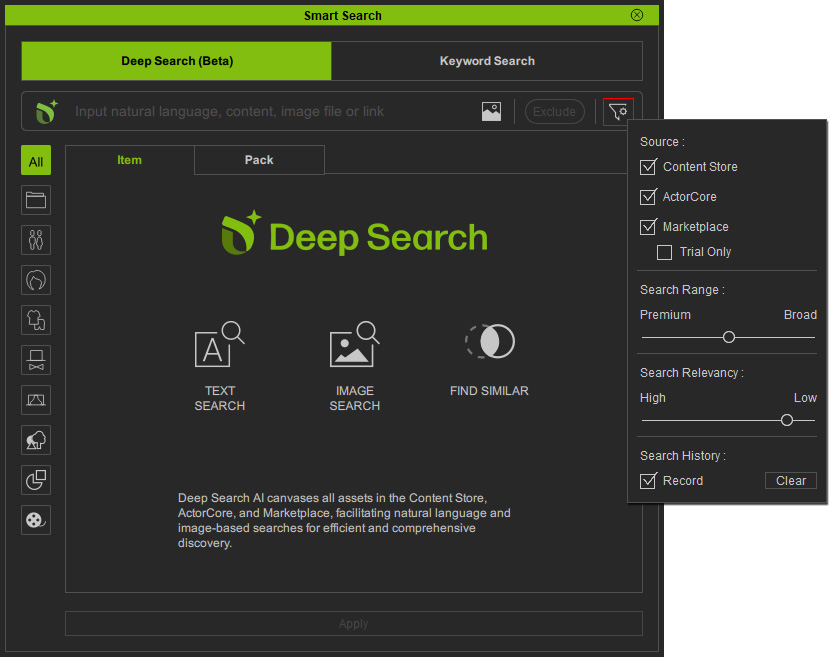
 Source
Enable the checkboxes to show content pooled from the following online stores for your search.
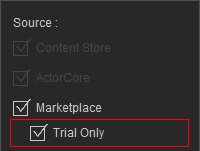
Activate the Trial Only checkbox to only list content on a free trial in Marketplace.
 |  |  |
Activate the Trial Only checkbox to only list content on a free trial in Marketplace.
Search Range
Use the slider to determine the search range, three levels from premium to broad.
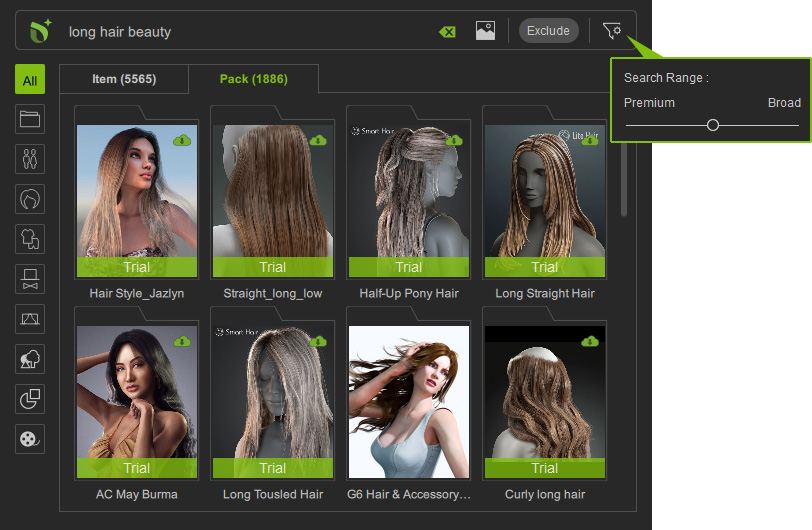
- Level 1: Displays official content made by Reallusion as well as recommended content made by featured developers.
- Level 2: Displays Level 1 content plus those certified content promoted into Content Store. (Default value in iClone and Character Creator)
- Level 3: Displays content created by all certified developers. (Default value in Cartoon Animator)
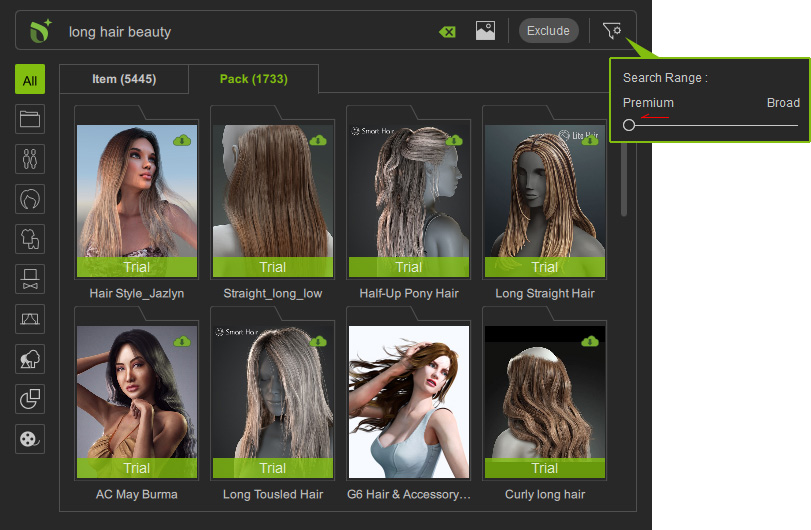
- Premium: Drag the slider to the left (Level 1) to reduce the search range.
The number of available content is compacted to 1733.
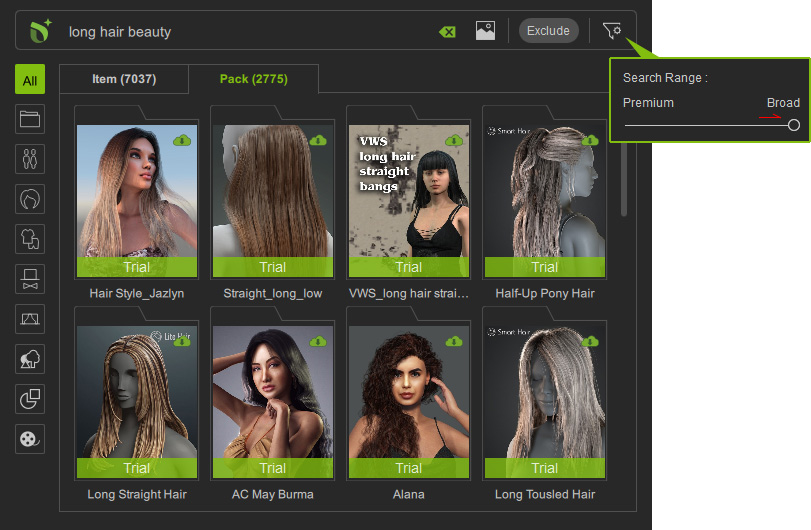
- Broad: Drag the slider to the right (Level 3) to expand the search range.
The number of available content is raised to 2775.
Search Relevancy (for Deep Search only)
Use the slider to decide the relevance level of the search.
There are eight levels in total.
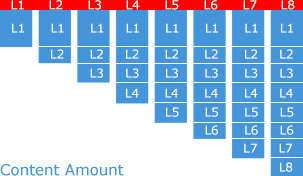
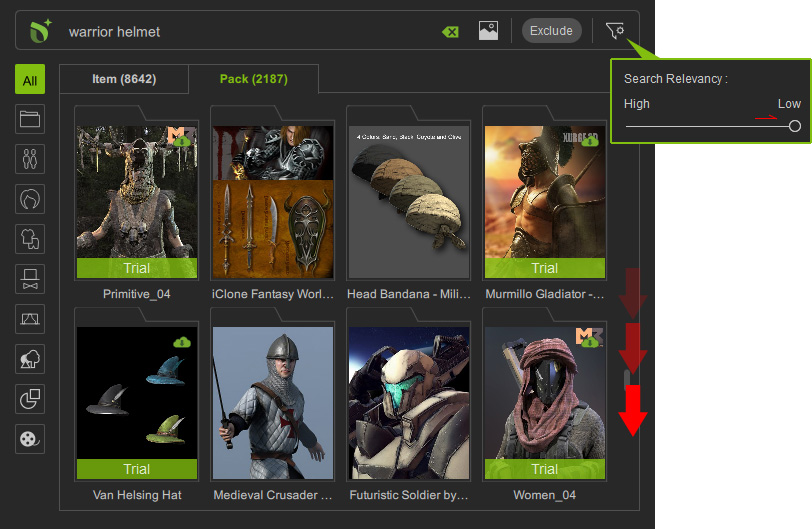
For example, searching by the text "warrior helmet" returns 1765 matched content for Level 7 by default. The content amount for Level 7 is accumulated from Level 1 to 7, namely content of highest relevance for Level 1 followed by content of lesser relevance for Level 2 to Level 7 (e.g. related headdress).
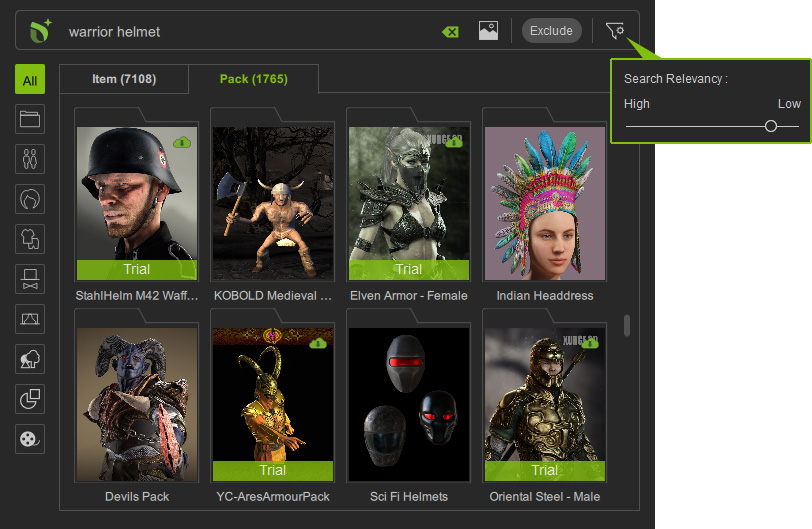
For example, searching by the text "warrior helmet" returns 1765 matched content for Level 7 by default. The content amount for Level 7 is accumulated from Level 1 to 7, namely content of highest relevance for Level 1 followed by content of lesser relevance for Level 2 to Level 7 (e.g. related headdress).
- High: Drag the slider to the left to enhance search relevance.
For example, drag the slider to the far left (Level 1) for displaying content most related to "warrior helmet"; the number of available content is therefore compacted to 431. This means content with lesser relevance are excluded from the result.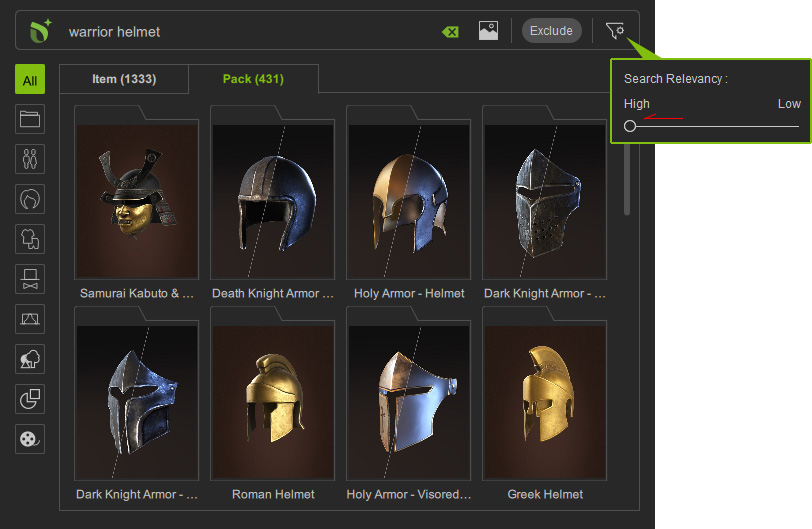
- Low: Drag the slider to the right to show more content.
The further you scroll down, the less relevant the results become.
For example, drag the slider to the far right (Level 8) for exploring all related content for "warrior helmet"; the number of available content is therefore raised to 2187. This means additional content with lesser relevance are added to the search results (e.g. helmets not for warriors, related arms, or headdress).