


Main Menu - Help
The Help menu on the main menu bar contains commands that
can guide you to useful topics for learning, get more content, or update
to the latest version of iClone.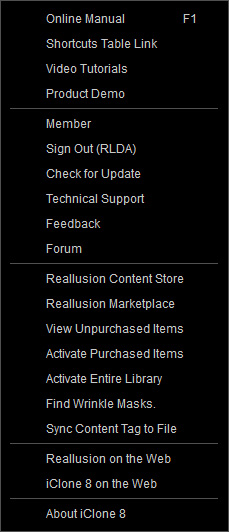
 Online Manual (F1)
Accesses the online manual.
Shortcuts Table Link
Opens the shortcuts reference page.
Video Tutorials
Luanches the official webpage for complete instructional videos.
Product Demo
Luanches the official webpage for demo videos or tutorials.
Member
Logs into the member account.
Sign Out (RLDA)
Signs out from the member account.
Check for Update
Checkes for available program updates.
Technical Support
Luanches the product FAQs for further assistance.
Feedback
Opens the official "Feedback Tracker" page for entering your comments or opinions or bug report directly.
Forum
Launches the official webpage for the forum.
Reallusion Content Store
Luanches the official webpage for the Content Store.
Reallusion Marketplace
Accesses the Marketplace of iClone.
View Unpurchased Items
Views the unpurchased contents.
Activate Purchased Items
If the watermarks still remain on the preview window after the trial contents have been purchased, select
Activate Purchased Items to authenticate online in order to remove the watermarks.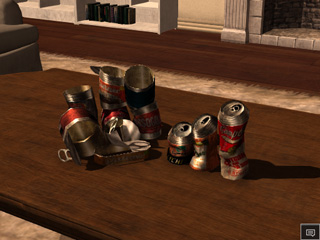
Activate Entire Library
iClone will verify all contents in the Template and Custom libraries to make sure the trial contents that have been purchased will be converted into a fully licensed ones for freely being used.
Find Wrinkle Masks
Browses the mask files for the Expression Wrinkles system.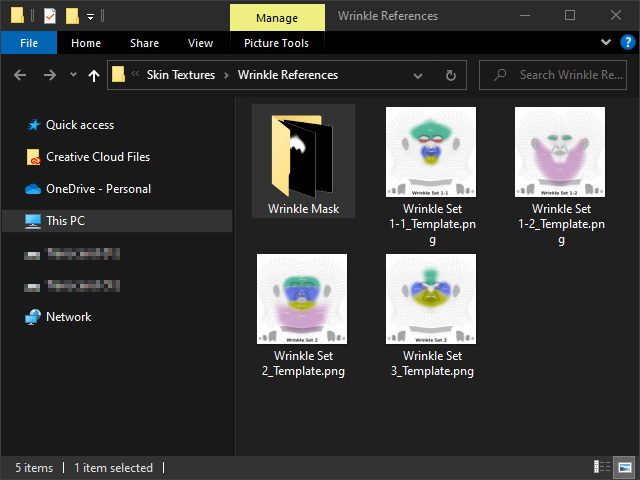
Sync Content Tag to File
Automatically adds tags to the contents in the packs installed on the local machine before iClone version 8.33.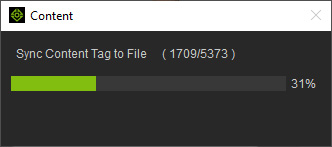
Reallusion on the Web
Accesses the Reallusion homepage.
iClone 8 on the Web
Accesses the iClone homepage.
About iClone
8
Shows the product information for iClone 8.
