Main Menu - Render
The Render menu on the main menu bar contains commands for exporting your project in different media.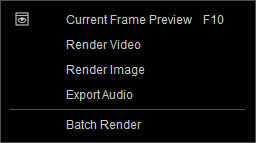
 Current Frame Preview (F10)
This command opens the Windows Photo Viewer with the output image of the current frame.
Render Video
This command opens the Render panel for exporting your project as video files in MP4 (H.264), AVI, and WMV formats.
Render Image
This command opens the Render panel for rendering sequenced or one-frame image files in Bmp, Jpg, Tga (32-bit), and Png (32-bit) formats.
Export Audio
This command opens the Render panel for outputting the project as audio files in WAV format.
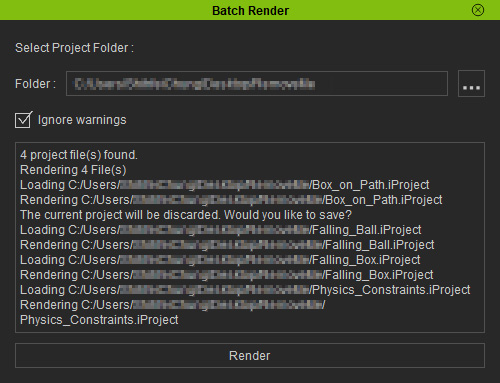
Batch Render
Select a folder in which all ready-to-render projects
reside; iClone will render these projects into video files
according to their individual Render Settings.
You can click the ... button to specify the directory for saving the batch render files