What is PCSS
PCSS (percentage-closer soft shadows) is an algorithm that mimics the behavior of shadows in nature, progressively softening shadows as the distance from the casting object increases and reducing aliasing on the edges of the rendered shadow.
- Create a scene and light it with a spotlight.

- Select the light, open the Modify panel and switch to the Attribute tab.
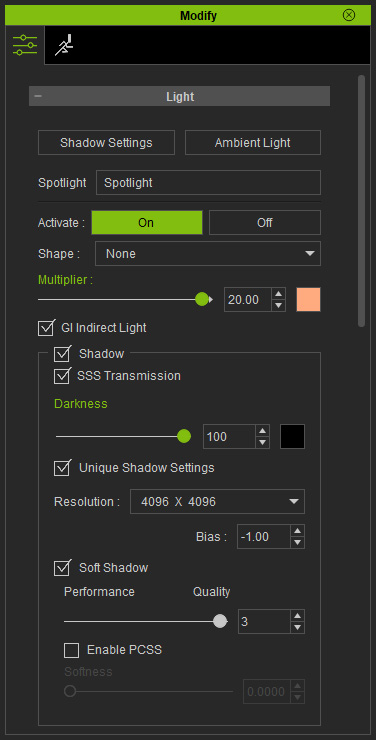
- Use the color picker next to the Darkness setting to set the shadow color.
Instead of complete black, choosing a tint for the shadow can have a convincing
effect on the environment.

Shadow Color = Black
Shadow Color = #1E143F (dark purple)
