Face Key Editing
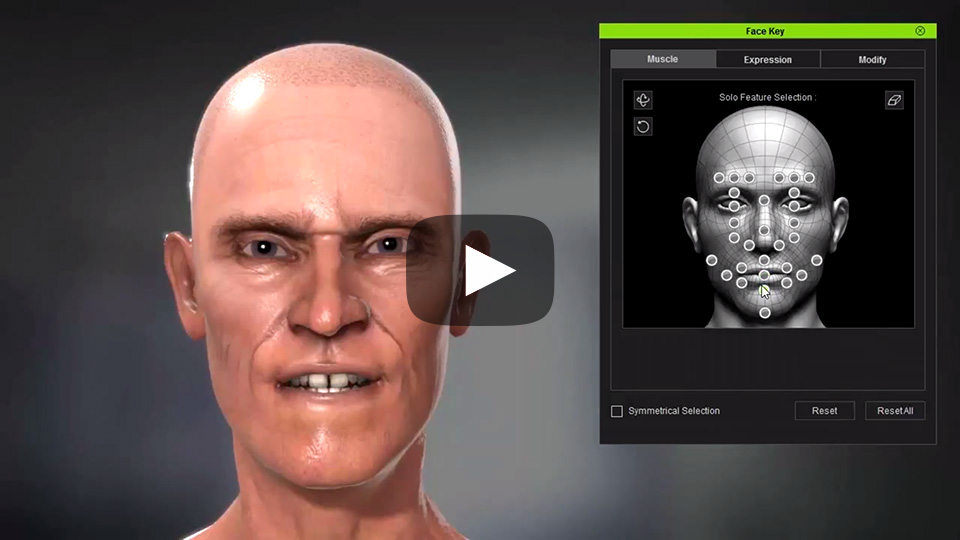
Muscle Feature Select becomes more comprehensive with intuitive set of positional controls.
See Also:
Muscle Symmetrical Selection
The newly added symmetrical selection can drastically speed up the time it takes to modify facial expressions.
Expression
iClone provides a vast array of preset facial expressions for immediate application. The drop-down menu on the top right provides different sets of expression styles.
Modify - Detail Morph Slider Editing
- Modify parameters can be used to add extra detail and accuracy on top of the expressions, whether they are generated from morphs or skin weights.
- For fast access, the modify menu is categorized as Brow, Eye, Nose, Cheek, Mouth, and Custom.
- The contents of the sets are derived from the Character Creator Facial Profile Editor which can be edited.
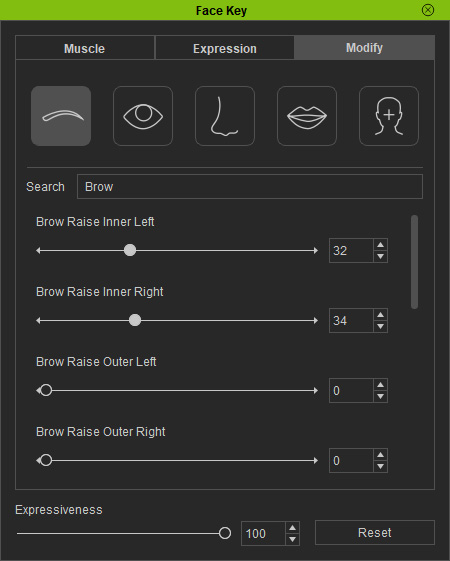
Morph - Expressiveness
- The Expressiveness can be used to exaggerate or tone down the facial expressions.
- The Revert can be used to return to the previously saved expression. Expressions are saved when the Face Key dialog window is closed.
