Graph View
This view displays all of the curves for editing.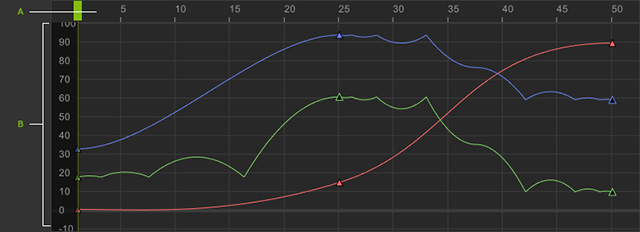
- The Horizontal line displays the frames which stand for time.
- The Vertical line displays the RTS values:
- R: Rotation in angles
- T: Translation in centimeters
- S: Scale in percentages
The smallest unit of a frame is 1; there are no decimal numbers or negative values.
The Play Head
- Drag on the Play Head to change the Current Frame.
- Click on the time scale in the Curve Editor to move the Play Head to the position of the cursor.
- Press the left and right arrow keys to move the Play Head back and forward one frame at a time.
- The Play Heads are synced for the Timeline and Curve Editor which means when one is dragged the other follows.
