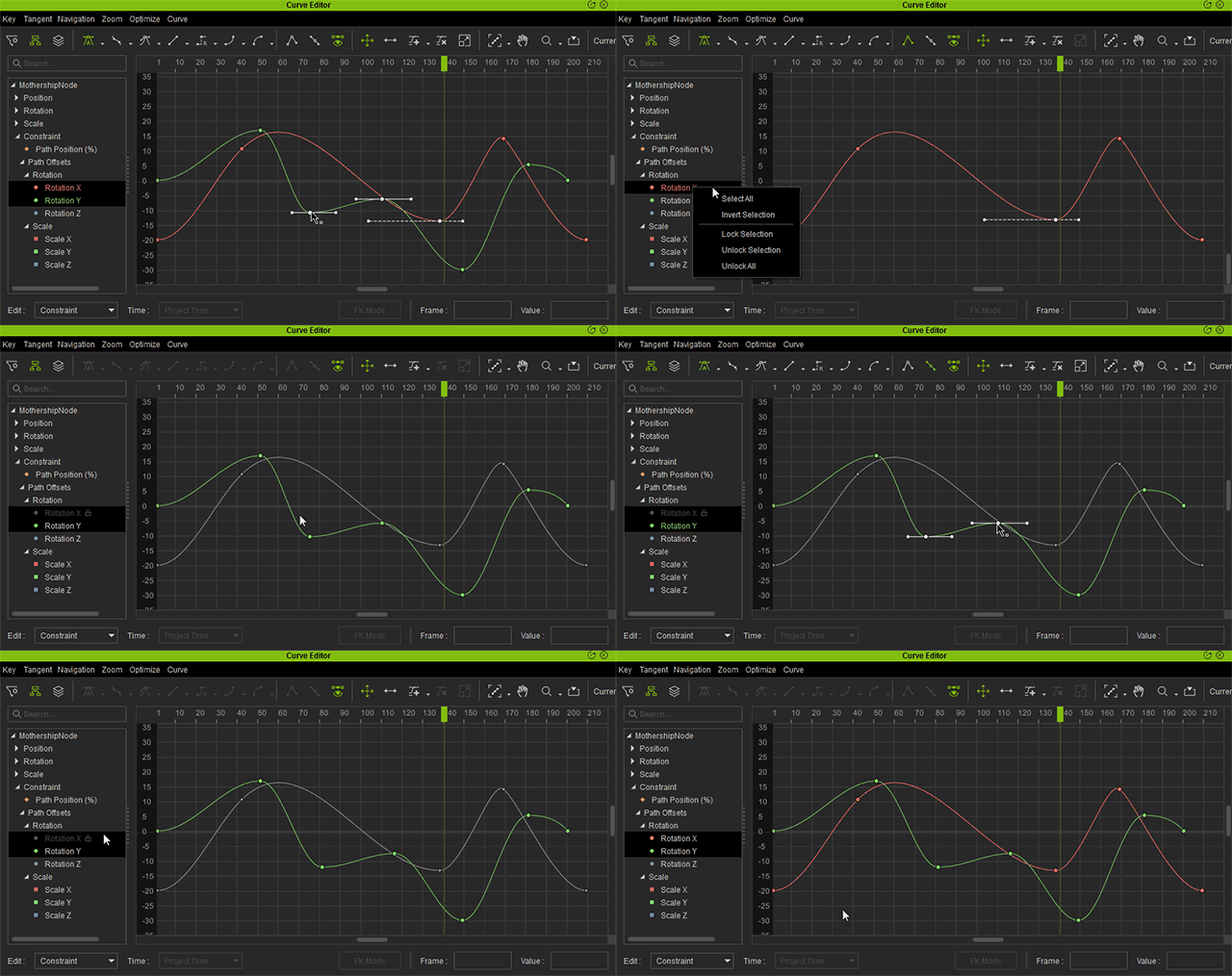
Locking Curves (New for v1.1)
There are three new features added to the right-click context menu for the Outliner.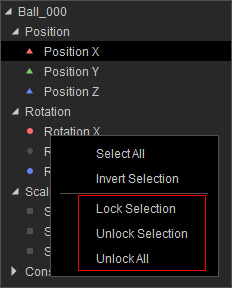
- Lock Selection will greys out selected curve(s) making them unselectable inside the graph view.
- Unlock Selection will remove the lock placed on the selected curve(s).
- Unlock All can be used to remove the lock from all of the curves inside the Outliner, this can be useful when unlocking disparate curves becomes cumbersome.
Check out the animation below for more information about the operations of the features.