Separating In and Out Tangents (New for v1.1)
This long awaited feature allows the separate editing of the In and Out tangents of a keyframe.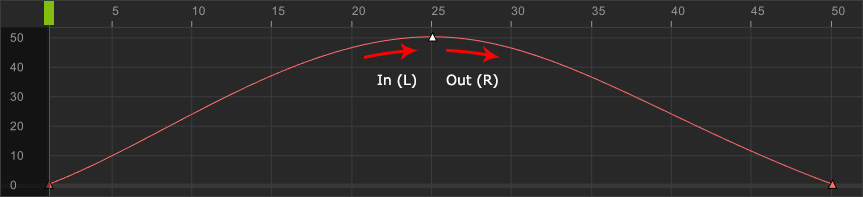
If you want to have separated In and Out tangents, then follow the steps below:
- Create a curve and select a certain key.
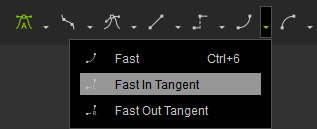
- Go to the Tangent Type toolbar, click the down arrow button of the desired tangent for In (in this case, the Fast), then choose the In Tangent.
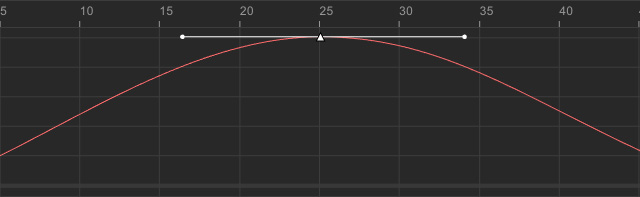
The In Tangent of the key will then be individually set. And the two tangent handles will be auto-broken.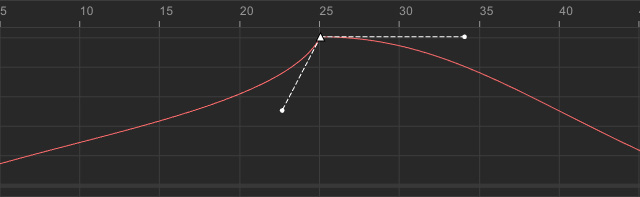
- Repeat the same steps for the Out Tangent with another tangent type.
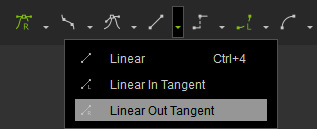
The Out Tangent of the key will then be set to the specific type.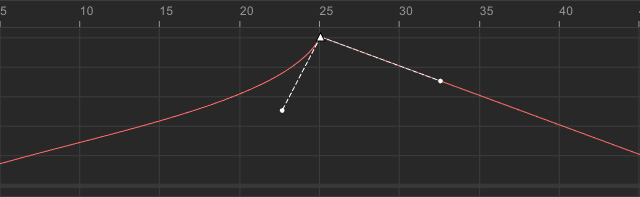
Curve Between Keys with Different Tangents
Mostly speaking, the curve between two adjacent keys will be affected by their tangent types at its both ends.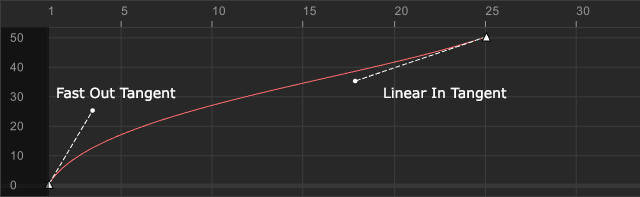
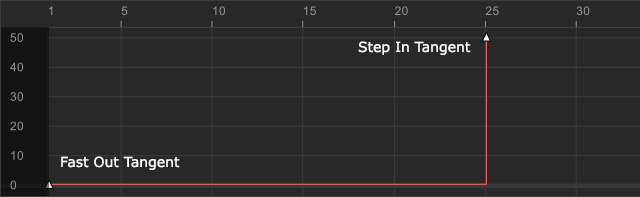
However, whenever one end of the curve is set to Step Tangent, then no matter what tangent type the other end is set, the curve remains Step type.